EasyManua.ls Logo

Sel SEL-3031 - User Manual

Sel SEL-3031
94 pages
Print Icon
To Next Page IconTo Next Page
Loading...
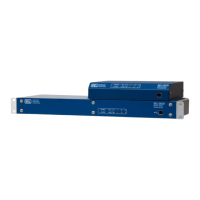
SEL-3031
Serial Radio
Transceiver
Instruction Manual
*PM3031-01*
20091009

Table of Contents

Questions and Answers

  • K
    Kenneth RichardsAug 2, 2025
    Why Sel SEL-3031 remote radio will not link up to the master?
    • J
      Jacob StokesAug 2, 2025
      If the Sel Transceiver remote radio doesn't link to the master, the radio address or mode might not be set correctly. Ensure the Master and Remote radios share the same address and SKIP settings. Verify the Master radio's LINK light is ON and the NID address and SKIP setting are correctly configured on both units. Additionally, antennas might not be pointed correctly, or there could be a faulty antenna cable. Use ACSELERATOR Quick-Set to issue the RAD command and check signal strength. If low, realign antennas and inspect antenna cables.
  • T
    Tracey RogersAug 6, 2025
    What to do if I cannot connect to the Sel Transceiver through the USB port?
    • R
      Robert AndersonAug 6, 2025
      If you cannot connect to the Sel Transceiver radio through the USB port, it might be because the USB driver isn't installed properly. Check Device Manager Ports section on your PC for active SEL to USB drivers. If not, uninstall and reinstall the driver, then restart your PC.
  • S
    Sharon BryantAug 12, 2025
    What to do if ALARM LED flashes on Sel SEL-3031 every half second?
    • D
      deniseadamsAug 12, 2025
      If the ALARM LED on your Sel Transceiver flashes ON every half second, the radio has likely detected a VSWR error, indicating an open or short on the antenna port. Verify all connections from the antenna to the radio are secure and inspect the antenna, feedlines, and lightning arrestor for damage.
  • C
    campbellelizabethAug 16, 2025
    Why is the SEC LED flashing on my Sel Transceiver?
    • O
      Olivia McdonaldAug 16, 2025
      If the SEC LED is flashing on the Sel Transceiver, the encryption card is properly detected, but it is in reset and doesn't have the key set. Use ACSELERATOR Quick-Set and set the KEY setting; ensure this setting is identical on both radios.
  • N
    Nicole JacksonAug 21, 2025
    What to do if ALARM LED is ON on Sel Transceiver?
    • P
      patricia73Aug 21, 2025
      If the ALARM LED is ON on the Sel Transceiver, the radio has recognized a status failure. Cycle the power and issue a STATUS command. If the alarm signal returns, the unit may need factory repair.
  • A
    Anne PearsonAug 27, 2025
    What to do if wall-mount Sel SEL-3031 radio will not turn on?
    • K
      kristine06Aug 27, 2025
      If the wall-mount Sel Transceiver radio will not turn on, the polarity of the power supply wires might be reversed. Check the polarity and reverse if it is incorrect.

Summary

Preface

Manual Overview

Provides an overview of the manual's sections and topics, covering scope and content.

Conventions

Safety Information

Explains the formatting of hazard statements like CAUTION, WARNING, and DANGER.

SEL-3031 Cautions, Warnings, and Dangers

Details specific hazard statements applicable to the SEL-3031 unit and its operation.

Section 1: Introduction and Overview

Overview

Introduces the SEL-3031 as a 900-MHz spread-spectrum radio and its key applications.

Features, Benefits, and Applications

Highlights the SEL-3031's key features, benefits, and various applications in communication systems.

Specifications

Provides detailed technical specifications including temperature, dimensions, ports, protocols, and radio parameters.

Section 2: Installation

Overview

Covers general installation aspects, including RF exposure notices and FCC compliance.

RF Exposure Notice

Details safety precautions regarding radio frequency (RF) exposure during operation.

Transmitted Signal

Explains EIRP regulations and how to set transmit power to comply with FCC and IC limits.

Power Connections

Provides instructions and requirements for connecting power to the SEL-3031 unit.

Lightning Protection

Guides on installing lightning protection to prevent damage and ensure safety.

Serial Ports

Describes the different serial port interfaces and options available on the SEL-3031.

USB Interface

Explains the use of the USB management port for settings, installation, and reporting.

Section 3: Job Done Examples

High-Speed Teleprotection or Control With MIRRORED BITS Communications

Demonstrates setting up MIRRORED BITS communication links for teleprotection and control.

SEL-3031 MIRRORED BITS Settings

Guides the configuration of Port 1 settings on the SEL-3031 for MIRRORED BITS connections.

Using an SEL Information Processor to Collect Relay Status and Measurements

Shows how to use SEL information processors to collect data and set up Fast Messaging over wireless.

Section 4: Settings and Commands

PC Software

Introduces ACSELERATOR QuickSet SEL-5030 software for device configuration and management.

Setup

Outlines the initial steps for connecting the SEL-3031 to a PC for communication.

Commands

Introduces commands for viewing and changing device settings at different access levels.

Access Levels

Describes the three security access levels (0, 1, 2) for command execution and device control.

PASSWORD Command

Explains how to view, change, and manage passwords for device access levels.

RADIO Command

Details how to view radio link statistics like RSSI and availability for performance monitoring.

STATUS Command

Explains how to display status reports and review device self-test results.

Section 5: Performance Monitoring, Testing, and Troubleshooting

Overview

Provides information on monitoring radio performance, conducting tests, and troubleshooting issues.

Monitoring Radio Performance

Describes tools and methods for monitoring and improving the radio link's performance.

Self-Test

Lists and describes the various internal diagnostic self-tests performed by the SEL-3031.

Troubleshooting

Offers guidance on diagnosing and resolving common symptoms and issues with the SEL-3031.

Appendix A: Firmware and Manual Versions

Firmware

Explains how to determine the current firmware version of the SEL-3031 using commands.

Appendix B: SEL-3044 Encryption Card

Overview

Introduces the SEL-3044 Encryption Card for securing radio data transmissions.

Key Management

Details system and session keys, their generation, and role in securing data.

Installing SEL-3044 in the SEL-3031

Provides step-by-step instructions for installing the SEL-3044 encryption card.

Sel SEL-3031 Specifications

General IconGeneral
BrandSel
ModelSEL-3031
CategoryTransceiver
LanguageEnglish