5
Date Code 20151102 SEL Application Guide 2015-33
Step 8
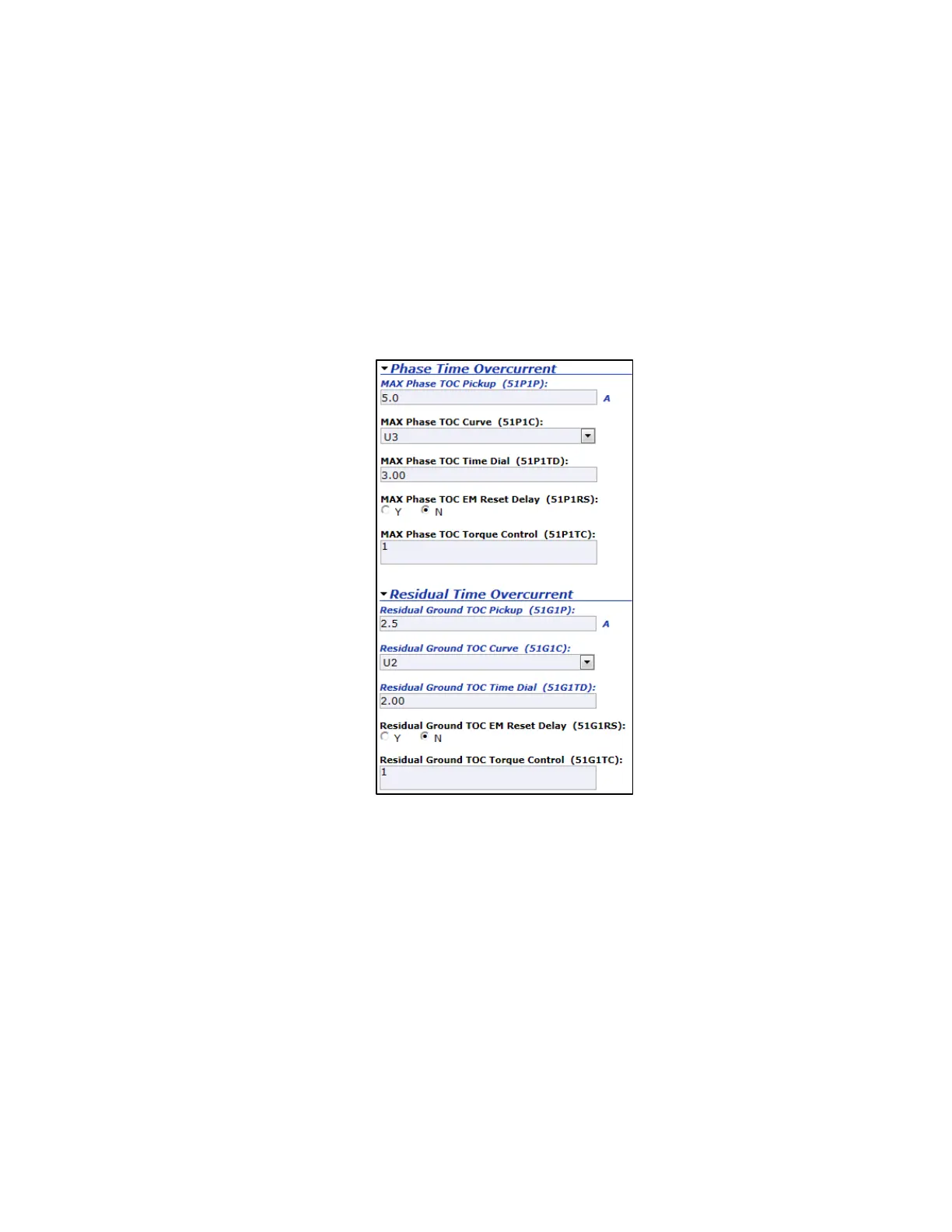
Select the Phase Time Overcurrent menu and set MAX Phase TOC Pickup (51P1P) equal to
the phase time-overcurrent pickup or tap setting, as shown in Figure 7. The curve shape is
determined by setting MAX Phase TOC Curve (51P1C) equal to one of the available settings
from the drop-down menu. MAX Phase TOC Time Dial (51P1TD) should be set equal to the
time-dial setting.
Repeat this process for time-overcurrent ground fault protection by selecting the Residual Time
Overcurrent menu and setting Residual Ground TOC Pickup (51G1P), Residual Ground
TOC Curve (51G1C), and Residual Ground TOC Time Dial (51G1TD). The phase and
residual time-overcurrent settings should be determined by a power system protective device
coordination study.
Figure 7 Time-Overcurrent Settings
Step 9
Verify the new settings, and click Submit Changes at the bottom of the page. The SEL-849 is
now configured for basic feeder protection.
CONCLUSION
This application guide demonstrates how to configure the SEL-849 to provide basic feeder
protection for a 480 V switchboard using factory logic and settings provided by a protective
device coordination study. The SEL-849 provides basic protection in a compact, economical
solution for various medium- and low-voltage feeder applications, with optional voltage and
power protection and control elements available.



 To Next Page