MENUS CONTROL
-16-
Installation Settings
INSTALLATION
Singnal Source
Auto Search
Channel Skip
Channel Edit
Air
Singnal Source
" " Press button to adjust the Singnal Source
which can choose "Air, Cable".
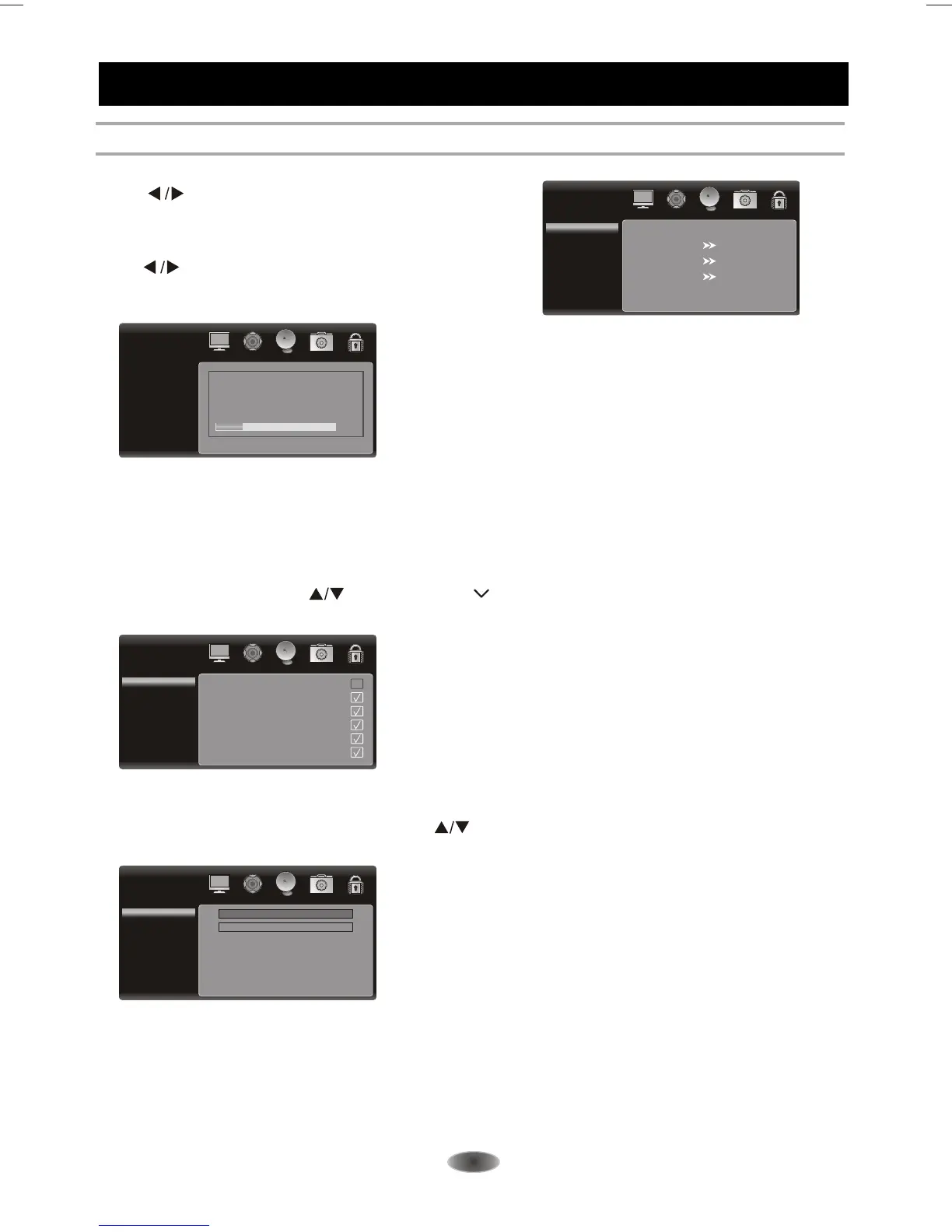
Auto Search
" " Press button to adjust Auto Search, then
press [OK] button to enter the Auto Search sub menu.
A Channel Search Menu will appear as below.
"AUTO Search" all of the channels at the one time and store all of the channels which
have signal, then back to channel 1 .In the process of auto search, press "MENU" button to
interrupt search .
Channel Skip
You can skip unnecessary program channels of your choice not to be displayed during viewing and
scanning when pressing the" " buttons.Select " " by pressing " OK " buttons to select the
channel that would not like to skip from the channel scan operation.
Channel Skip
1Analog
2Analog
3Analog
4Analog
5Analog
6Analog
Channel Edit
This setting lets you edit channels. press the " " buttons to select Channel Edit Once you
have selected your setting, press [ SOURCE ] to confirm.
Channel Edit
Channel Index
Channel Edit
1
Auto Search
Status: Scanning...
Analog Channels: 0
Digital Channels: 0
20%
Cable



 To Next Page