508.366.1488 | www.semshred.com
5. Electrical System Notes
START-UP OR OPERATION TROUBLESHOOTING
Disintegrator will not start:
1. Check all fuses. If blown, check for a locked rotor, grounds or other reasons. Replace fuses with the size and
type shown on the wiring diagram (located in the control enclosure).
2. Check disintegrator motor and fan overloads. If required, reset #1 MOL, #2 MOL.
3. Check for an open safety limit switch at the machine cutting chamber, hopper cleanout door, or any other limit
switches.
4. Call the SEM service department for assistance if the machine still will not start. Have the machine serial
number at hand (located on the serial number plate on the cutting chamber).
Fan motor will not start (optional):
1. Check overload elements (fuses, overload heaters, etc.). Replace fuses with the size and type shown on the wiring
diagram.
6. Operating Instructions
Before operating, make sure all doors, covers, guards, and limit switches are in place, securely fastened, and
functional and that all accessory components are properly connected.
• Turn the main disconnect switch to the ON position.
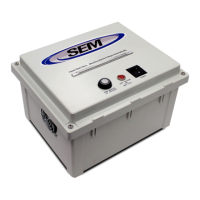
• Start the disintegrator and fan (optional) by pressing the appropriate button at the operator
station.
• Start conveyor (optional).
• Load feedstock at a uniform rate that does not exceed the capacity of the machine.
Refer to section PROCEDURE TO OPEN/CLOSE THE DISINTEGRATOR for instructions on how to open the disintegrator and
obtain access to other machine areas for clean-out.
NOTE: If there is an access door on the hopper that is limit switch interlocked, make certain the limit switch actuator
bracket is re-installed and is properly in contact with the limit switch or the machine will not start.
Temporary machine stops: When temporarily stopping the machine, allow all material to run out of the cutting chamber.
Never try to restart the machine with material remaining inside the cutting chamber.
Final machine stops: When shutting the machine down, allow all material to pass through the fan (optional) and into the
cyclonic air separator (optional) before pressing the Stop Disintegrator button.
Emergency stops: Feedstock must be cleaned out of the hopper and cutting chamber prior to restarting. Follow proper
LOTO procedures before removing material from the hopper.



 To Next Page