14
Programming your Vend Station
Your 9900X Vend Station is much easier to program than any other similar
product on the market. The programming is divided in different sections
called menu. Each menu regroups all parameters having a common func-
tion.
The menus are:
1. Audit Gives you the accounting information of your sys -
tem.
2. System Parameters Enables you to program the basic functions of your
Vend Station such as language.
3. Copier Parameters Enables you to adapt your Vend Station to your co-
pier.
4. Value Parameters Enables you to set the different values such as copy
price.
5. Print Parameters Enables you to print all the parameters.
6. Firmware Version Gives you the current firmware version of the coin-
op for reference.
Follow the instruction on the last line of the display to know which button to
press. Usually the buttons are:
-Browse through the menus.
-Enter the menu on the display.
-Modify the value or setting shown.
-Step back to previous step
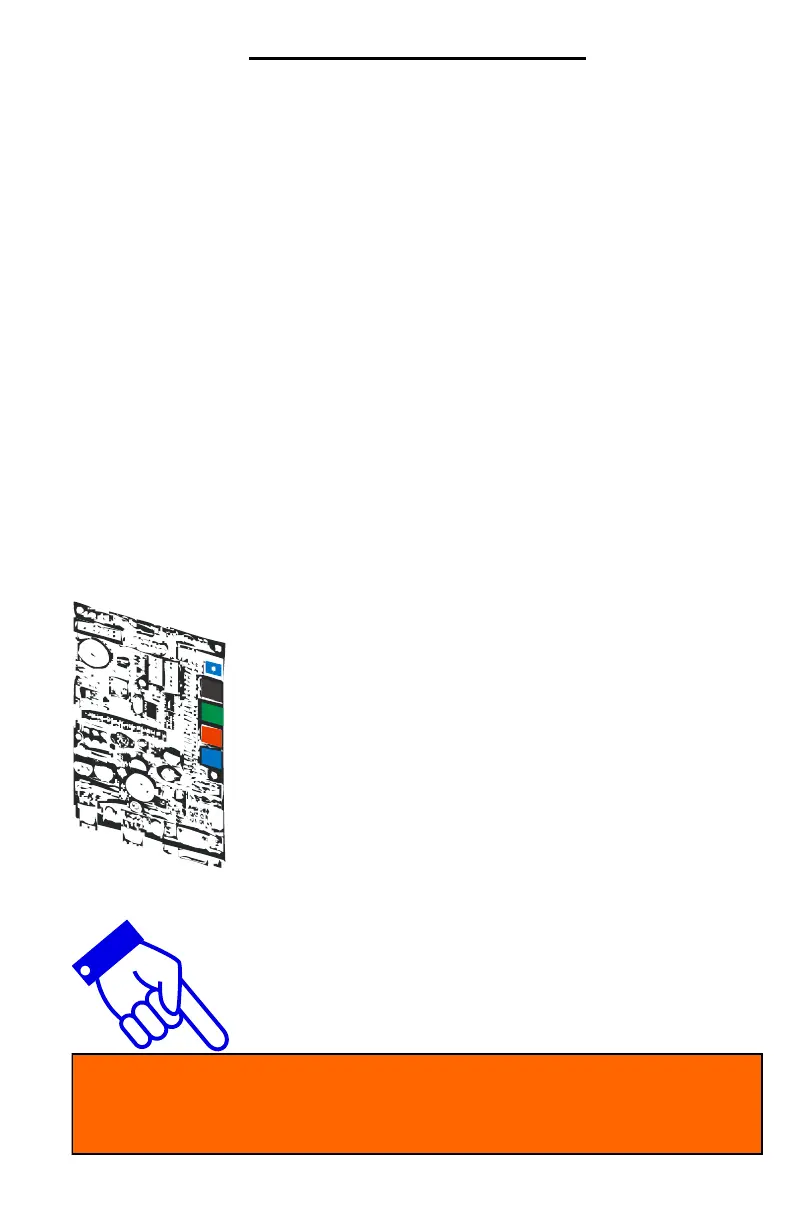
Image shows the X6 circuit board without the inter-
face. Yours will have either the Smart or Standard
interface. Both interfaces leave enough access to
the push buttons.
The next pages explain in details all the menus and sub-
menus. The 4-line, 20-character blue display makes the
programming much easier and faster.
Once a parameter is changed, the display will show you the new set-
ting for one second before moving automatically to the next parameter.


 To Next Page