5S Motorcycle Bluetooth Communication System | 31
7 BLUETOOTH INTERCOM
7.3 Universal Intercom
Universal Intercom allows you to have two-way intercom conversations
with users of non-Sena Bluetooth headsets. You can pair your headset
with only one non-Sena headset at a time. The intercom distance
depends on the performance of the Bluetooth headset to which it is
connected. When a non-Sena Bluetooth headset is paired with the
Sena headset, if another Bluetooth device is paired via Second Mobile
Phone Pairing, it will be disconnected.
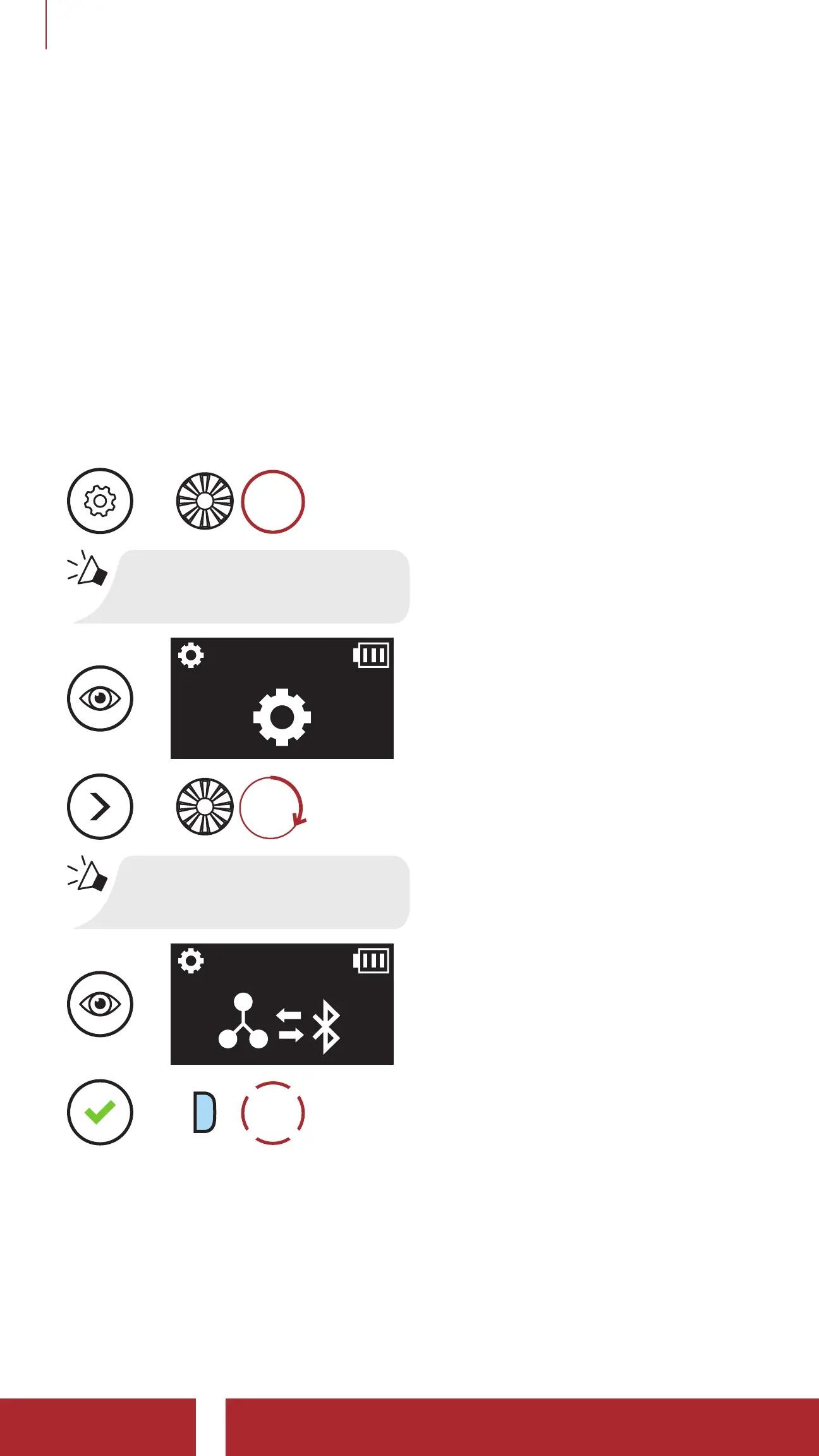
1. Execute Universal Intercom in the Headset Configuration Menu.
Access Universal Intercom in the Configuration Menu
=
10s
HOLD
“Configuration menu”
=
=
ROTATE
R
“Universal intercom pairing”
=
=
P
1x
TAP
2. Put the non-Sena Bluetooth headset in Pairing Mode. The headset
will automatically pair with a non-Sena Bluetooth headset.



 To Next Page