CONNECTIVITY
Pairing two or more ARKs
Single / Multiple conversation
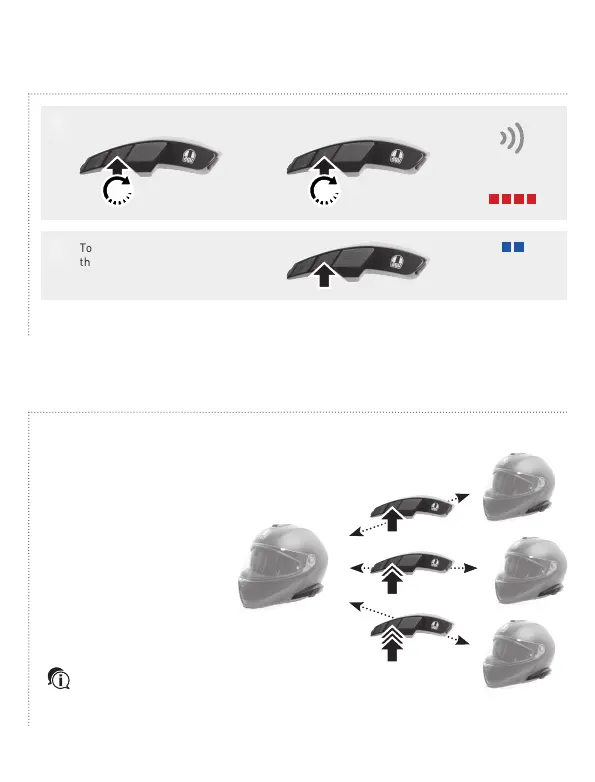
To complete the connection press
the central button of one of the
two ARKs.
+ =
The two ARKs
are connected
1
"Intercom
pairing"
2
=
ARK 2
Once the combination with other ARKs is made, a two-way communication with each of them can
be started and ended.
Multiple pairing: replicate the procedure to match your ARK to other ARKs. Warning: connect
with a single ARK at a time. It is not possible to combine multiple systems simultaneously.
To open and close a two-way
conversation, press the center
button:
1. A single tap
for the first connection
2. A double tap
for the second connection
3. A triple tap
for the third connection
ARK 1
ARK 2
ARK 4
ARK 3
ARK 1
Notice! To start a conference,
please refer to the ARK User
manual, available for download from
www.agv.com.
5" 5"



 To Next Page