CONNECTIVITY
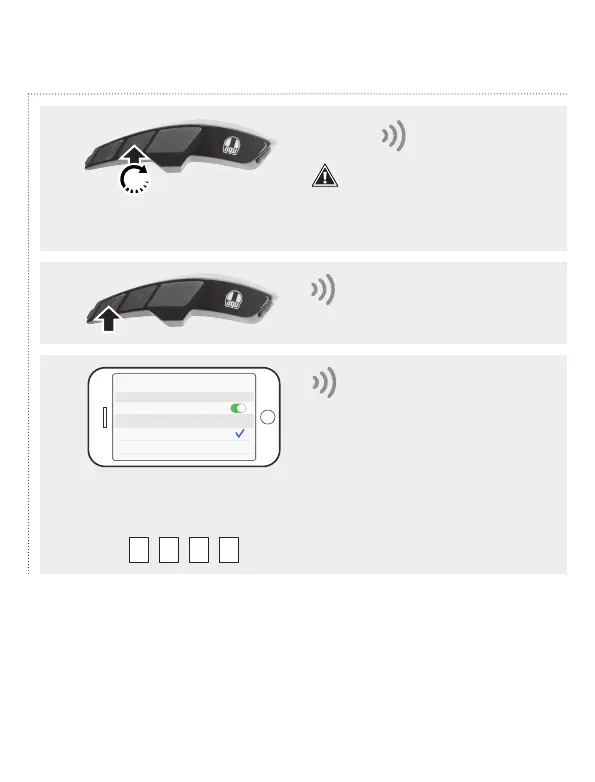
Phone pairing
1
2
3
0 0 0 0
If the smartphone requires a
pin code, enter four times the
zero:
Bluetooth
Bluetooth
AGV ARK v1.0
"Phone pairing"
"Your headset is paired."
After 10": "Configuration"
Attention! After 5" the vocal
message "Intercom pairing" is
heard. Ignore the signal and continue
pushing until the vocal message
"Configuration" is heard.
10"


 To Next Page