Need help?
Do you have a question about the Sena Parani A10 and is the answer not in the manual?
Instructions on how to charge the headset using USB power sources.
General overview of pairing the headset with mobile phones.
Steps for the first-time pairing of the headset with a phone.
Instructions to pair the headset when it is in a powered-off state.
Instructions to pair the headset when it is powered on.
How to pair a second mobile phone with the headset.
How to answer, end, reject calls, and use voice dialer features.
Instructions for configuring and using speed dial numbers for quick calls.
Steps to pair the headset with other Parani headsets for intercom conversations.
How to start, end, and manage two-person intercom conversations.
Enables conference-style intercom calls with multiple participants.
Guide to initiating a three-way conference call with two other intercom users.
The Parani A10 is a motorcycle intercom system designed to enhance the riding experience by integrating communication and entertainment features. This Bluetooth®-enabled headset allows riders to enjoy their favorite tunes, engage in intercom conversations with fellow riders, and receive GPS directions, all through a minimal and freeing setup.
The core function of the Parani A10 is to provide seamless communication and audio entertainment for motorcyclists. It features Bluetooth® integration, allowing it to connect wirelessly to various devices. The intercom system supports conversations with up to three other Parani headsets, offering a multi-way intercom conference experience. The device also includes an HD Intercom feature for enhanced two-way audio quality.
For phone usage, the A10 enables riders to answer, end, and reject calls with simple button taps. It also supports making calls using a voice dialer, ensuring hands-free operation. Speed dialing is a convenient feature, allowing users to assign and quickly call preset numbers.
In terms of entertainment, the A10 facilitates stereo music playback. Riders can play, pause, and skip tracks directly from the headset. The device also provides voice prompts to guide users through its various functions and configuration settings.
The headset's operation is managed through a multi-function button, along with (+) and (-) buttons for volume adjustment and navigation through menus. An LCD display provides visual feedback on the device's status, including pairing status, active functions, battery indicator, and volume level.
The Parani A10 offers several user-friendly features to enhance its usability on the road.
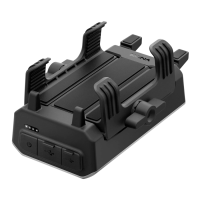
Installation: The headset can be installed on a helmet using either a clamp or a glued surface mounting adapter. The main module is inserted into the chosen mounting accessory via two connecting slots. Speakers are installed inside the helmet, and depending on the helmet type, either a wired boom microphone or a wired microphone can be used. For the wired boom microphone, it's crucial to adjust its direction so the fin side faces outward, away from the lips, to ensure proper sound capture. Speaker sponges are provided for comfort if the speakers are too close to the ears.
Powering On and Off: To power on the headset, users press and hold both the (+) and (-) buttons for 1 second. To power off, they simply tap both buttons.
Volume Adjustment: Volume for different audio sources (phone, intercom) can be adjusted independently by tapping the (+) or (-) buttons. These settings are maintained even after the headset is rebooted.
Pairing with Other Bluetooth Devices: The A10 needs to be paired with other Bluetooth devices, such as mobile phones, MP3 players, or GPS units, to enable communication. There are three ways to pair a phone:
Speed Dialing: Speed dial numbers can be assigned in the configuration menu. To use speed dial, press and hold the (+) button for 3 seconds, then navigate through the speed dial presets using (+) or (-) buttons and select with the multi-function button.
Bluetooth Intercom: The A10 can be paired with up to three other Parani headsets for intercom conversations.
Function Priority: The headset prioritizes functions in the following order: mobile phone (highest), Bluetooth intercom, and Bluetooth stereo music (lowest). A higher priority function will always interrupt a lower priority one.
Configuration Menu: To access the configuration menu, press and hold the multi-function button for 12 seconds. Users can navigate through menu items using the (+) or (-) buttons and enable/disable features or execute commands by tapping the multi-function button. This menu allows for assigning speed dial numbers, enabling/disabling voice prompts, and deleting all pairings.
The Parani A10 includes features to help maintain its functionality and keep it up-to-date.
Charging: The headset is charged using the supplied USB power & data cable (USB-C). A full charge takes approximately 2.5 hours. The charging status is indicated on the LCD display. The headset is compatible with 5V input USB-charged devices, and any 3rd party USB charger approved by relevant agencies can be used.
Firmware Upgrades: The A10 supports firmware upgrades to ensure users can access the latest features and improvements. Firmware updates are performed using the Parani Device Manager software, which can be downloaded from parani.com.
 General
| Battery Life | 10 hours |
|---|---|
| Water Resistance | IP67 |
| Certificates | CE, FCC, IC |
| Bluetooth Version | Bluetooth 5.0 |
| Operating Temperature | -10°C to 55°C |
| Battery Type | Lithium Polymer |
| Compatibility | Bluetooth devices |
| Charging Time | Approximately 2 hours |


 To Next Page