12
2.2 Connecting the Hardware
This section describes how to connect the LS100 to serial device for the first time test.
- Connect the power to the LS100
- Connect the Ethernet cable between the LS100 and Ethernet hub or switch
- Connect the serial data cable between the LS100 and a serial device
2.2.1 Connecting the Power
Connect the power jack to the LS100 power jack using DC power adapter included in the package. If
the power is properly supplied, the [Power] lamp of the LS100 will maintain solid red.
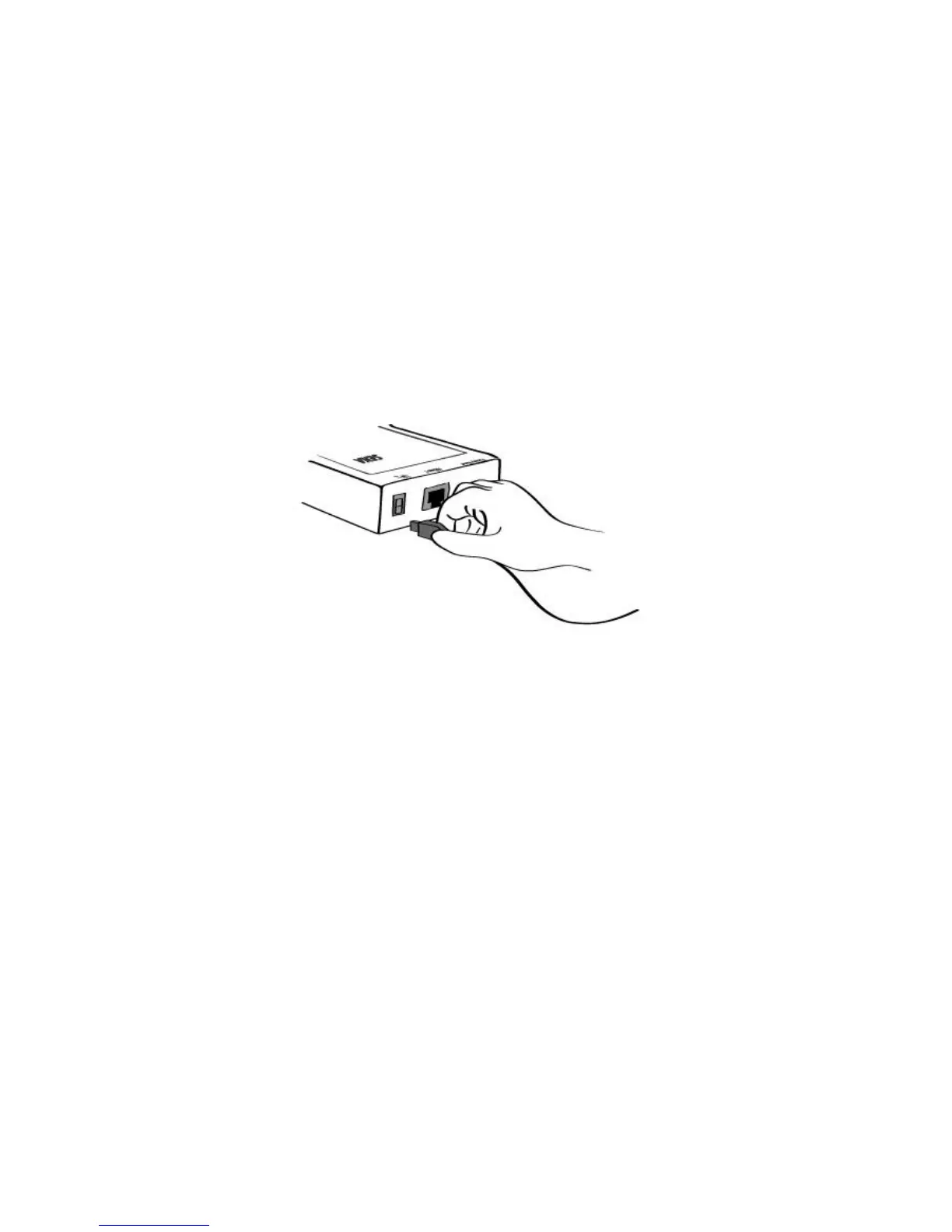
Figure 2-2. Connecting the power to the LS100
2.2.2 Connecting to the Network
Connect the one end of the Ethernet cable to the LS100 10Base-T port and the other to the Ethernet
network. If the cable is properly hooked up, the LS100 will have a valid connection to the Ethernet
network by indicating:
- [Link] lamp of the LS100 maintains solid green
- [Act] lamp continuously blinks to indicate the incoming/outgoing Ethernet packets
If any of the above does not happen, the LS100 is not properly connected to the Ethernet network.


 To Next Page