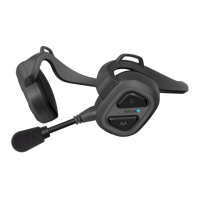
Need help?
Do you have a question about the Sena NS10 and is the answer not in the manual?
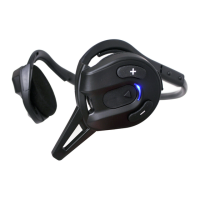
Turn the headset on by pressing the Center and (+) buttons simultaneously for 1 second.
Turn the headset off by tapping the Center and (+) buttons simultaneously.
Charge the headset until the LED turns blue; takes approximately 2.5 hours.
Low battery is indicated by a blinking red LED and triple beeps.
Check battery status via LED flashes or voice prompt.
Adjust volume using (+) or (-) buttons; levels are maintained independently for each audio source.
Configure headset settings via voice menu instructions, starting with phone pairing.
Configure the headset to connect to two devices simultaneously.
Configure the headset for phone call audio only.
Configure the headset for music playback audio only.
Enable or disable answering incoming calls using voice commands.
Enable or disable initiating intercom conversations by speaking.
Adjust the sensitivity level for voice-activated intercom.
Enable or disable audible voice prompts for headset functions.
Clear all previously paired Bluetooth device connections.
Restore the headset to its original factory default settings.
Exit the configuration menu and return to stand-by mode.
Step-by-step guide to pair your mobile phone with the headset.
Connect to two HFP devices simultaneously, e.g., phone and GPS.
Pair with devices like MP3 players or smartphones for stereo music.
Connect to GPS devices for turn-by-turn navigation audio instructions.
Pair GPS for voice instructions using multipoint connection.
Pair GPS for music playback or as a phone device.
Connect to Sena SR10 for group communication via two-way radio.
Pair headset using only HFP profile for phone calls.
Pair headset using only A2DP profile for music playback.
Connect multiple NS10 headsets for intercom conversations.
Connect NS10 with other Sena models (SMH10, SPH10, SMH5) for intercom.
Initiate and terminate one-on-one intercom conversations using button taps.
Use voice commands to start intercom conversations, with automatic termination.
Handle incoming calls during intercom or vice versa, managing call priority.
Listen to GPS voice instructions during an intercom conversation.
Use intercom and a two-way radio simultaneously.
Establish a three-way conference call with two other users.
Terminate or disconnect from a three-way conference call.
Establish a four-way conference call by adding a fourth user.
Terminate or disconnect from a four-way conference call.
Understand busy signals for intercom connections.
Automatic reconnection attempts after intercom disconnection.
Perform a hard reset using the pin-hole button for system issues.
Guidance on how to update the headset's firmware.
Details on the internal battery, charging, and temperature effects.
Recommendations for maintaining the headset to protect warranty.
Instructions for environmentally responsible disposal of the device.
Statement regarding compliance with FCC rules for radio frequency emissions.
Information on FCC limits for radio frequency exposure.
Warning against unauthorized modifications that could void user authority.
Declaration of compliance with essential requirements of EU directives.
Statement regarding compliance with Industry Canada license-exempt RSS standards.
Details on Bluetooth trademarks, licenses, and product specification compliance.
Legal terms waiving rights and releasing the company from liability.
Details of the product's two-year limited warranty.
Clauses limiting Sena's liability for damages or product performance.
Conditions and timeframe for returning the device for a full refund.
 General
| FM Radio | No |
|---|---|
| Charging time | 3 hours |
| Profiles | HSP, HFP, A2DP, AVRCP |
| Intercom working distance | Up to 1.6 km (1 mile) |
| Codec | Built-in SBC Codec |
| FM Radio Presets | No |
| Range | Up to 1.6 km (1.0 mile) in open terrain |
| Microphone | Boom Microphone |

 To Next Page