OUTSTAR S Bluetooth
®
Helmet | 32
7 BLUETOOTH INTERCOM
7.5 Three-Way Conference Phone Call with
Intercom Users
You can have a Three-Way Conference Phone Call by adding an
Intercom Friend to the mobile phone conversation.
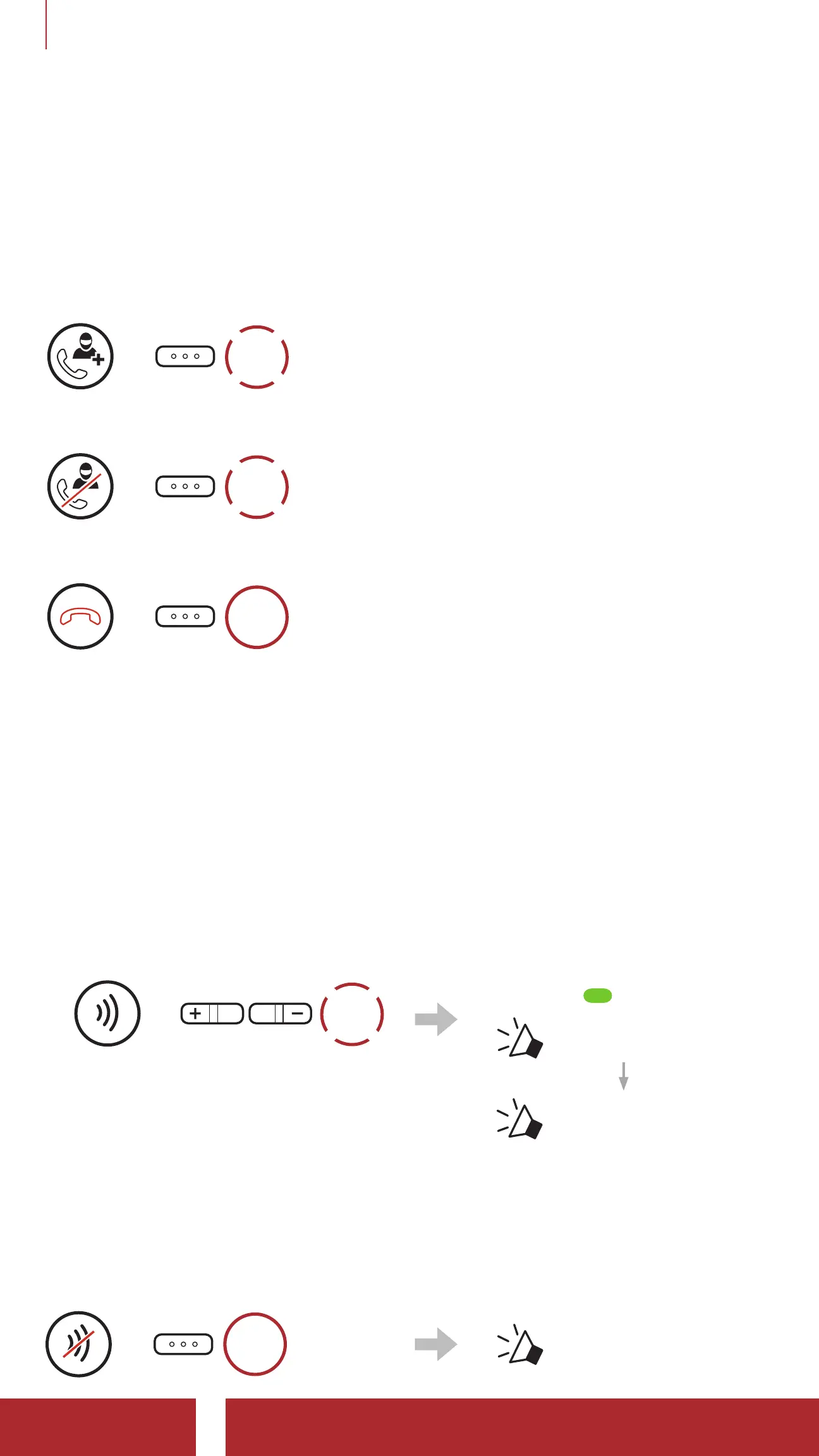
Invite an Intercom Friend into Phone Conference
=
1x
TAP
Disconnect the Intercom during a Conference Phone Call
=
1x
TAP
Disconnect the Mobile Phone Call during a Conference Phone Call
=
2s
HOLD
7.6 Group Intercom
Group Intercom allows you to instantly create a Multi-Way Conference
Intercom with three of the most recently paired Bluetooth systems.
To Start the Group Intercom
1. Go through intercom pairing with up to three Bluetooth systems you
want to have Group Intercom with.
2.
=
1x
TAP
Blinking
“ Group intercom”
“ Group intercom
connected”
When all of the Bluetooth
systems are connected
together.
Terminate Group Intercom
=
3s
HOLD
“ Group intercom
terminated”



 To Next Page