SMH5
14
5.The GPS conrms that pairing has completed and the SMH5 is
ready to use. You will hear a voice prompt from the SMH5 saying
“Your headset is paired”.
6. If the pairing process is not completed within three minutes, the
SMH5 will return to stand-by mode.
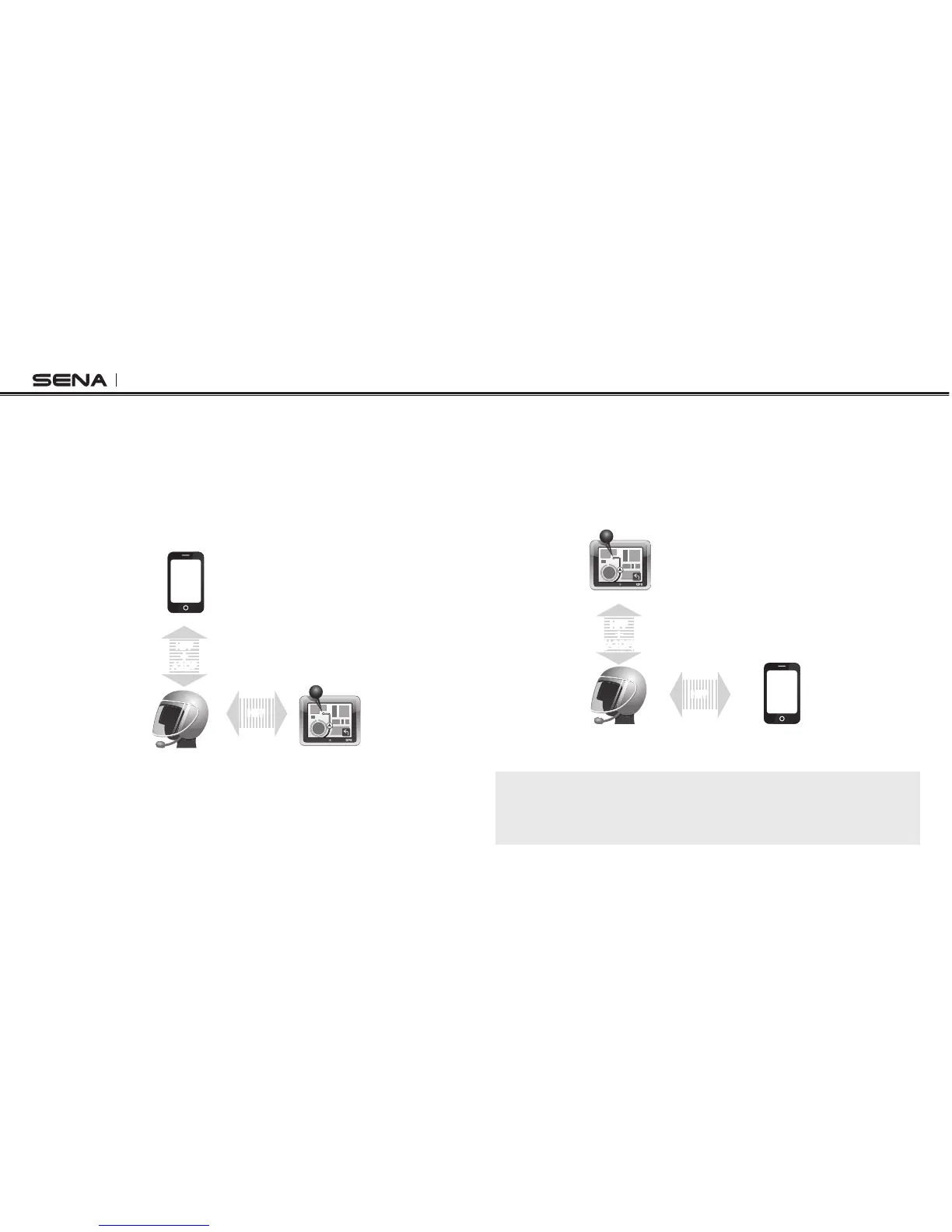
ThepairingdiagramformultipointGPSpairingisshowninthegure
below.
Smart Phone
SMH5
GPS
HFP
+
A2DP
Mobile Phone
Pairing
Multipoint
Pairing
HFP
Multipoint GPS Pairing
6.3.2 GPS Pairing as Mobile Phone
If GPS is not only used for turn-by-turn voice instructions but also is
your preferred Bluetooth stereo music source, you can pair the GPS
to the SMH5 by following the simple procedures in “6.1 Mobile Phone
Pairing”. When you do this, the SMH5 thinks the GPS is a mobile
phone. But the SMH5 can directly pair an additional mobile phone.
Mobile Phone
SMH5
GPS
HFP
+
(A2DP)
Mobile Phone
Pairing
Multipoint
Pairing
HFP
GPS Pairing as Mobile Phone
Note:
You have to use a motorcycle specific GPS which transmits turn-by-turn
voice instruction to the headset by Bluetooth. Most automotive GPS systems
don’t have this feature.



 To Next Page