10 EN
EN
Revision 04/2019
Copyright ©
2019, Fast ČR, a. s.
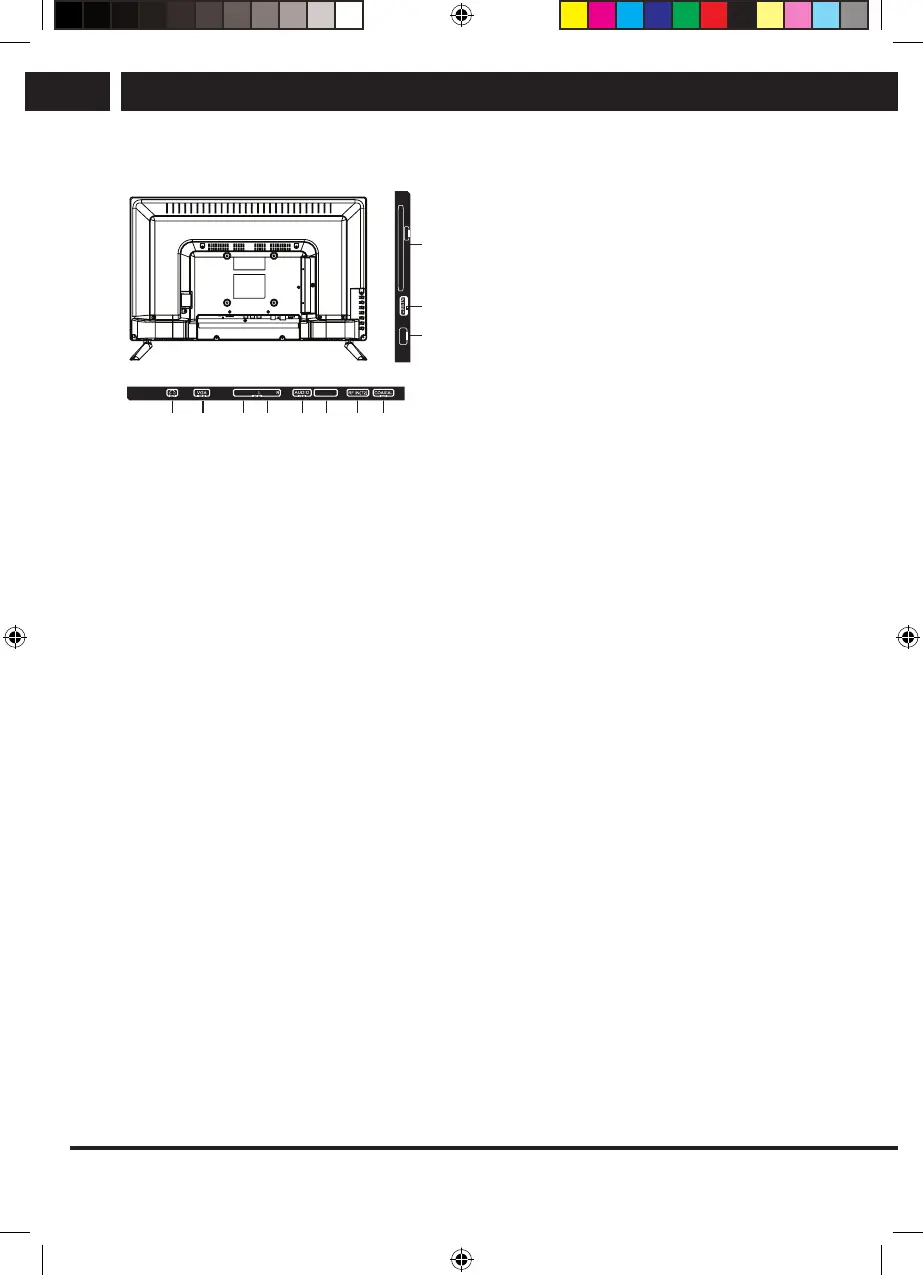
Device
3.2. Connecting the TV connectors
1. Headphones: Connector for connecting
headphones or other sound devices.
2. PC: Connect one end of the VGA cable
to the computer's VGA port, connect the
other end of the VGA cable to the VGA
port on the TV, and tighten the screws
clockwise at both ends.
3.-4. AV IN: The AV output connector of DVD
can be connected to AV input via the AV
cable.
5. AUDIO: Connect the audio output
connector on your computer.
6. RF IN (S2)/ANTENNA IN (S2): connection
to the antenna or to the cable television
system, LNB for satellite
7. RF IN (T2)/ANTENNA IN (T2): connection
to the antenna or to the cable television
system
8. COAXIAL/DIGITAL AUDIO OUT: Coaxial
audio output.
9. HDMI: Connection of a device with HDMI
output.
10. USB: Connection of a USB flash drive
for playback of supported multi media
content.
11. COMPONENT IN: Input YPbPr
CI: Input CI
5V 500mA
CI
YPbPr
MINI IN
HDMI
ARC
1 2 3 4 5 6 7 8
01 119
VIDEO
RF IN(S2)
Sencor UM SLE 22F61TCS EN CZ SK HU PL.indb 10 29.04.2019 18:03:51



 To Next Page