14 EN
EN
Revision 04/2019
Copyright ©
2019, Fast ČR, a. s.
Turn on first time
5. Turn on first time
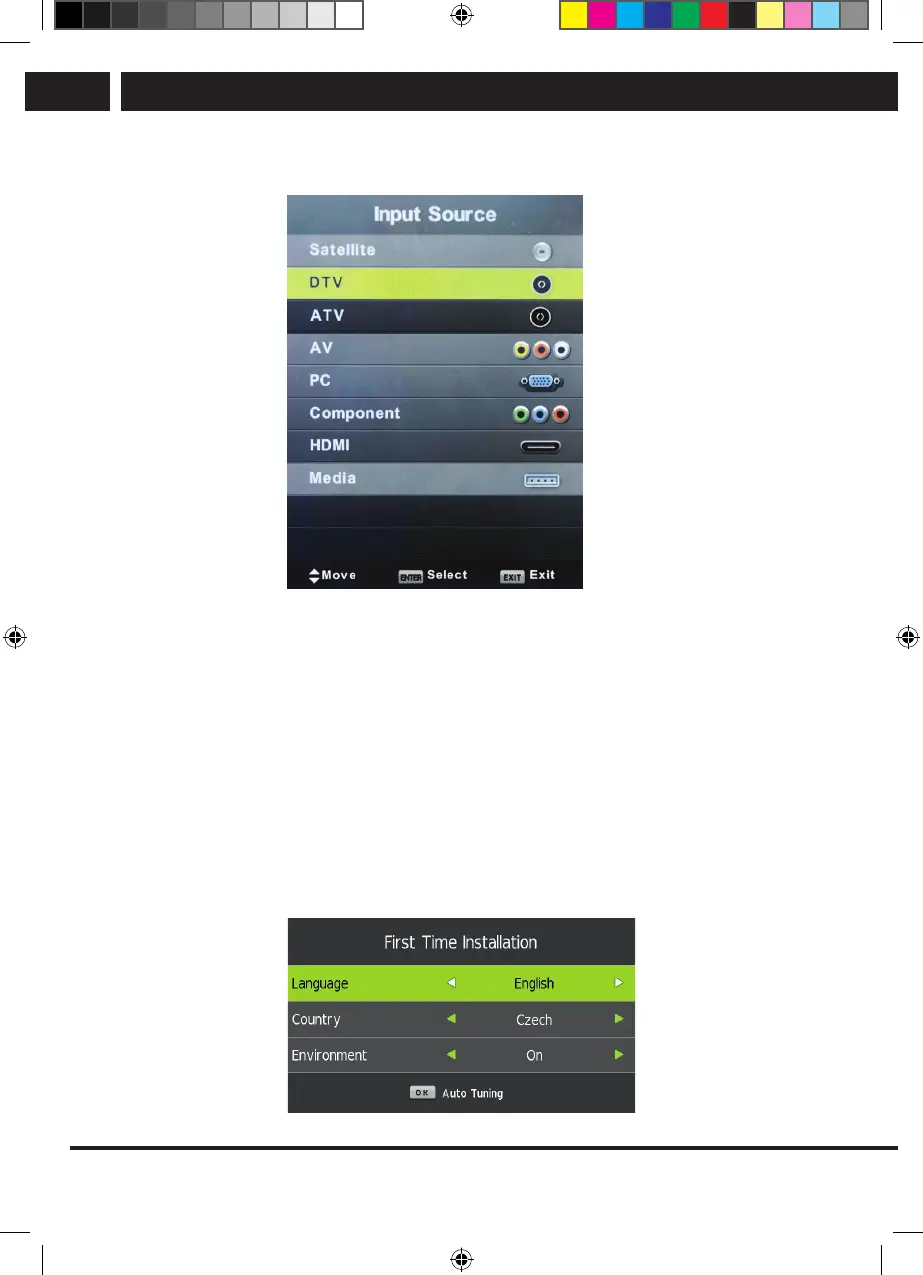
Press SOURCE to display the list of input sources.
Press V/v or SOURCE to select the required input source.
Press OK to switch to the appropriate input source.
Press EXIT to exit menu.
To watch television connect the antenna cable with functional reception (antenna,
common antenna, cable...) to TV input marked as “RF-ln”.
5.1. Language selection
Using buttons b/B select the language used in menus and news.
5.2. Country selection
Using buttons V/v select the country menu.
Using buttons b/B select the required country.
Sencor UM SLE 22F61TCS EN CZ SK HU PL.indb 14 29.04.2019 18:03:51



 To Next Page