22 EN
EN
Revision 04/2019
Copyright ©
2019, Fast ČR, a. s.
Menu
Use the blue button to skip the channel (the television will automatically skip the channel
when you will use the buttons PR+/- for switching channels).
Press FAV to add or remove the channel from the list of the Favourite channels.
The position and numbers of each channel captured by FastScan are determined by the
broadcast operator and the user can not change them. The color buttons are inoperative.
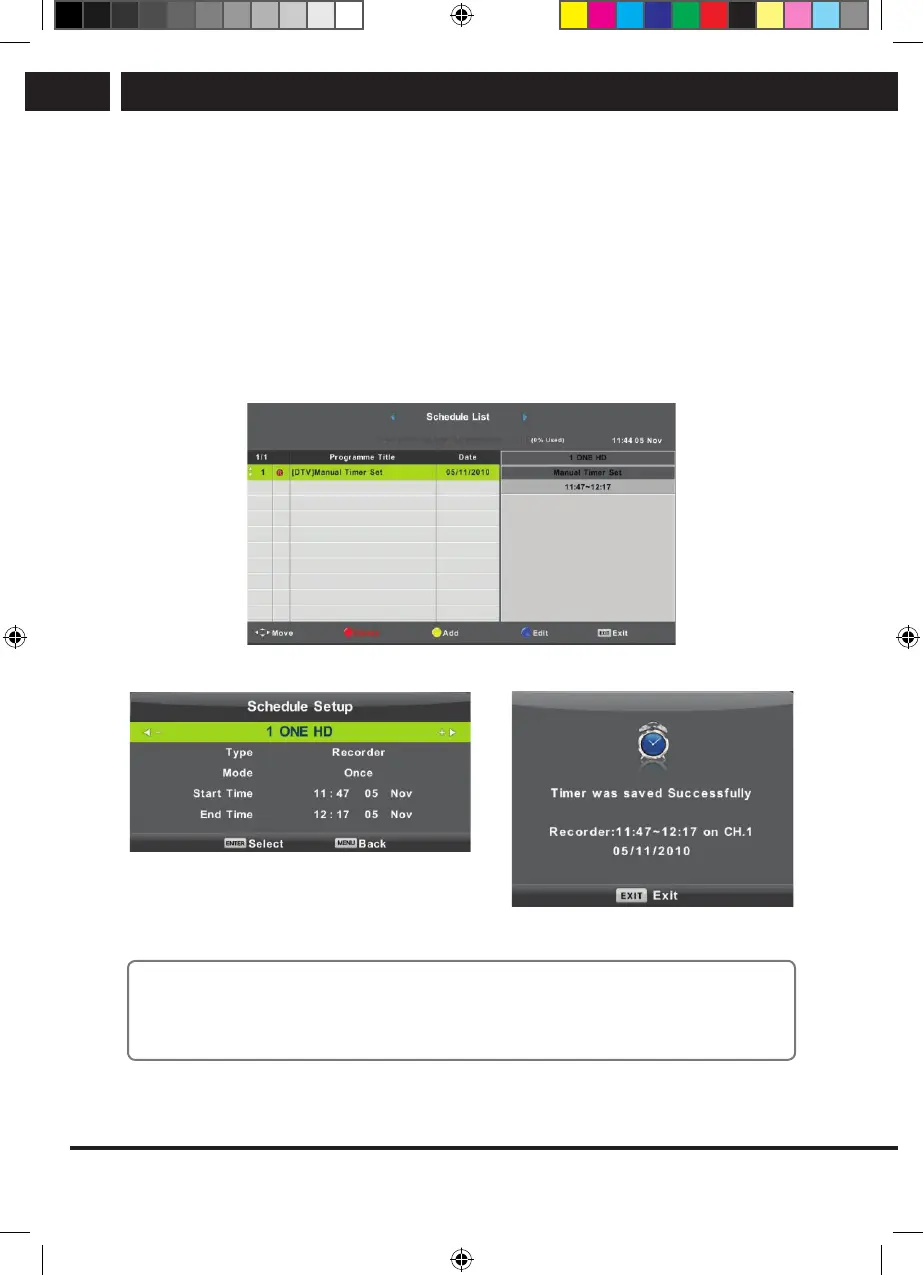
6.2.5. Schedule list
You can program in the digital broadcast system certain time dependent actions, which
are called Events. These events scheduled by you (programmed) are saved in the list.
Using the buttons V/v select the item Schedule List and press OK to enter the submenu.
It is available with some sources.
Enter the following interface using the yellow button.
If there is aconflict in the set time awarning appears.
Note:
Scheduled tasks require precise time setting, otherwise their execution may be
inaccurate or unreliable. Use accurate time from broadcast to schedule tasks, set
correct time zone, daylight saving time, and perform tasks when the TV is on.
Sencor UM SLE 22F61TCS EN CZ SK HU PL.indb 22 29.04.2019 18:03:53



 To Next Page