36
Doc# 2016-25-05 Rev F Technical Support 678-208-3087 Ext #1 Airtext Installation Manual
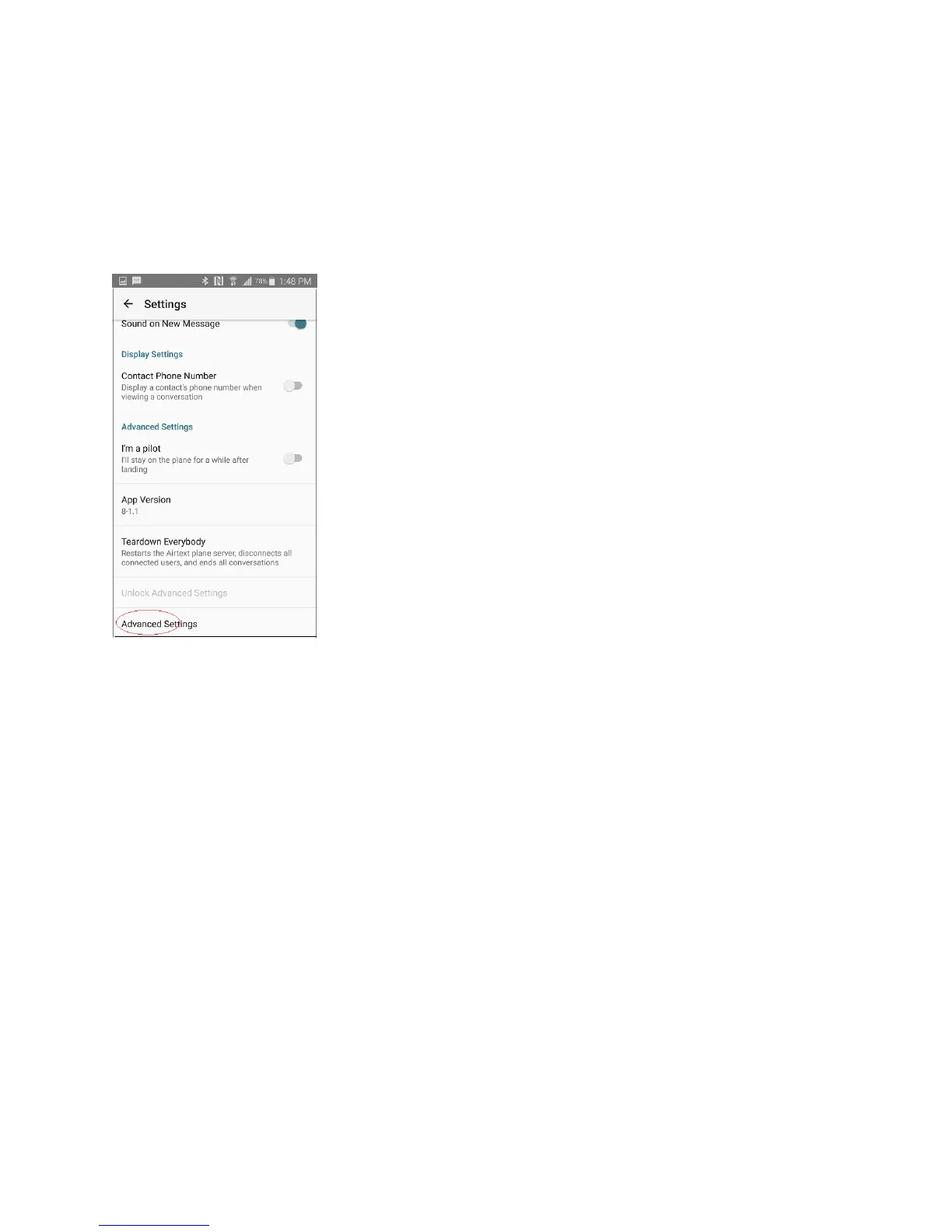
Enter that password into the menu screen then Press OK. A new menu item appears at the bottom of the
menus that permits access all of the advanced settings. Take care while in these menus to guard against
inadvertent or unintended changes.
A new menu item appears at the bottom called advanced settings. Select it.
If you already have the latest router firmware saved on the Android device, then skip to section III.
Load the latest firmware from the internet to your Android Phone or Tablet:
While the Android device is within WiFi or Cell Data coverage area, scroll down to the menu item called
Download Firmware and select it. It will load the latest router firmware from the Airtext Servers and
place a copy in the Android device. The Android device is now ready to update the firmware on the
Airtext router.



 To Next Page