38
Doc# 2016-25-05 Rev F Technical Support 678-208-3087 Ext #1 Airtext Installation Manual
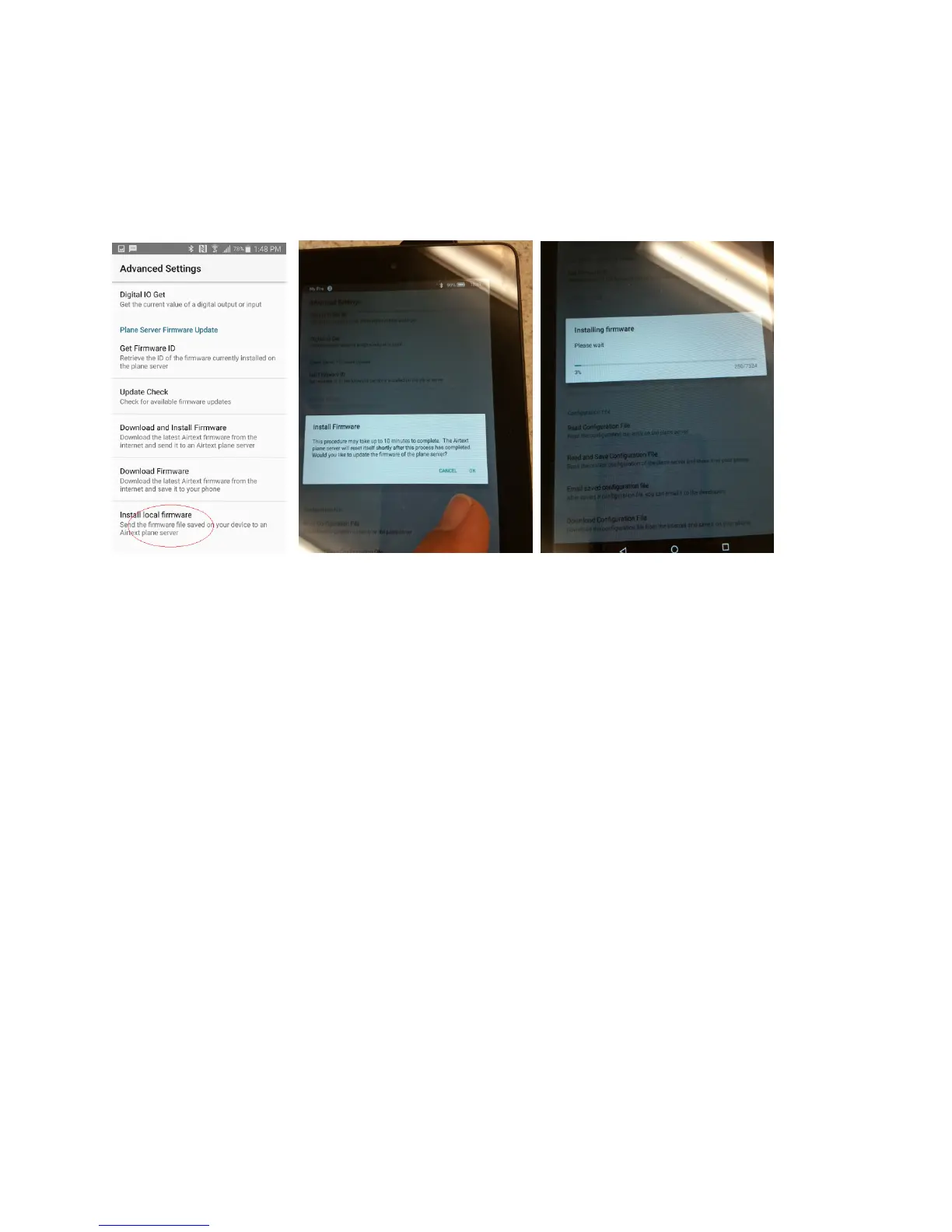
Select “install Local Firmware”. Select OK on the popup to approve the load process. There will be a
five or ten second delay while the devices connect then a pop up appears with a progress bar. It takes
approximately 10 minutes to transfer the new program.
Note: Android phones and tablets typically sleep if no activity is detected on the screen while running on
battery power. You can touch the screen every minute or so or connect to a charger to keep it awake.
The firmware update process continues during sleep, but it may run at half speed.
The firmware load is complete when the progress bar disappears.
Re-select the “Get Firmware ID” menu item as you did at the beginning of section III when the load is
complete. Ensure that the firmware version is different. As of the creation date of this document, the
latest revision is 02071710.
Please call Send Solutions Technical Support - Telephone: 678-208-3087 Voice Menu 1. With any
questions or comments.



 To Next Page