5
RDS (Radio Data System)
RDS service availability varies with areas.
Please understand if RDS service is not
available in you area, the following service is
not available, either. The following functions
are available when receiving RDS stations.
RDS Basics
AF (Alternative Frequency list)
When reception is poor, an RDS station
broadcasting the same program is tuned in
automatically.
PS Display (Program Service name)
The name of station is displayed instead of
frequency.
AF Mode: Press AF button less than 1
second to switch AF mode on and off.
AFindication onLCD will ashuntil RDS
information is received.
REG Mode: Press AF button more than 1
second to switch REG mode on and off.
The fre q u ency is c h anged o n l y for
programs within the region.
The fre q u ency is c h anged a l s o for
programs outside the region.
During FM mode when AF is on, radio
seek, scan and AMS functions can only
receive and save RDS program.
MP3 Playback
WhileplayingMP3disc,thefolder/lenameandID3tag(Songtitle,AlbumandArtist)canscroll
entirely across the LCD.
Elapsed playing time & Track number -> Folder name & number -> File name & number -> Song
title -> Album title -> Artist name ->
MP3 Track Search
PressAMSbuttontoselect"TRACKSCH"
mode. Press the knob and LCD display will
show"001".
If your desired track number is less than
100,rotatetheknobtoselecttherstdigit
and press the knob once again and rotate
the knob to set the tens digit of the track
number. Press the knob again more than
0.5 second to play the track.
If your desired track number is more than
100,rotatetheknobtoselecttherstdigit
and presstheknobto conrm, rotatethe
knob to select the tens digit and press the
knob toconrm,rotatethe knobtoselect
the hundreds digit and press the knob to
play the track.
If the track number you enter is beyond
themaximumlenumber,lastsongwillbe
played.
MP3 File Search
Press AMS button twice to select "FILE
SCH" mode. Press the knob to enter.
Rotate the knob to select folder.
If you just want to play songs of this folder,
press the knob more than 0.5 second to
playthersttrackofthefolder.
If you want to play desired track of the
folder, press the knob and rotate to select
the track you want. Press the knob again
to play the track.
MP3 Character Playback
Press AMS button three times to select
"CHARSCH"mode.
Presstheknoband"A"displayed.
Rotate the knob to select the 1st character
of the desired track name and press the
knobtoconrm.
Then "A" blinks at the next place, select
2nd and other character of the desired
track name as steps above.
Press the knob more than 0.5 second to
play the track of the select name.
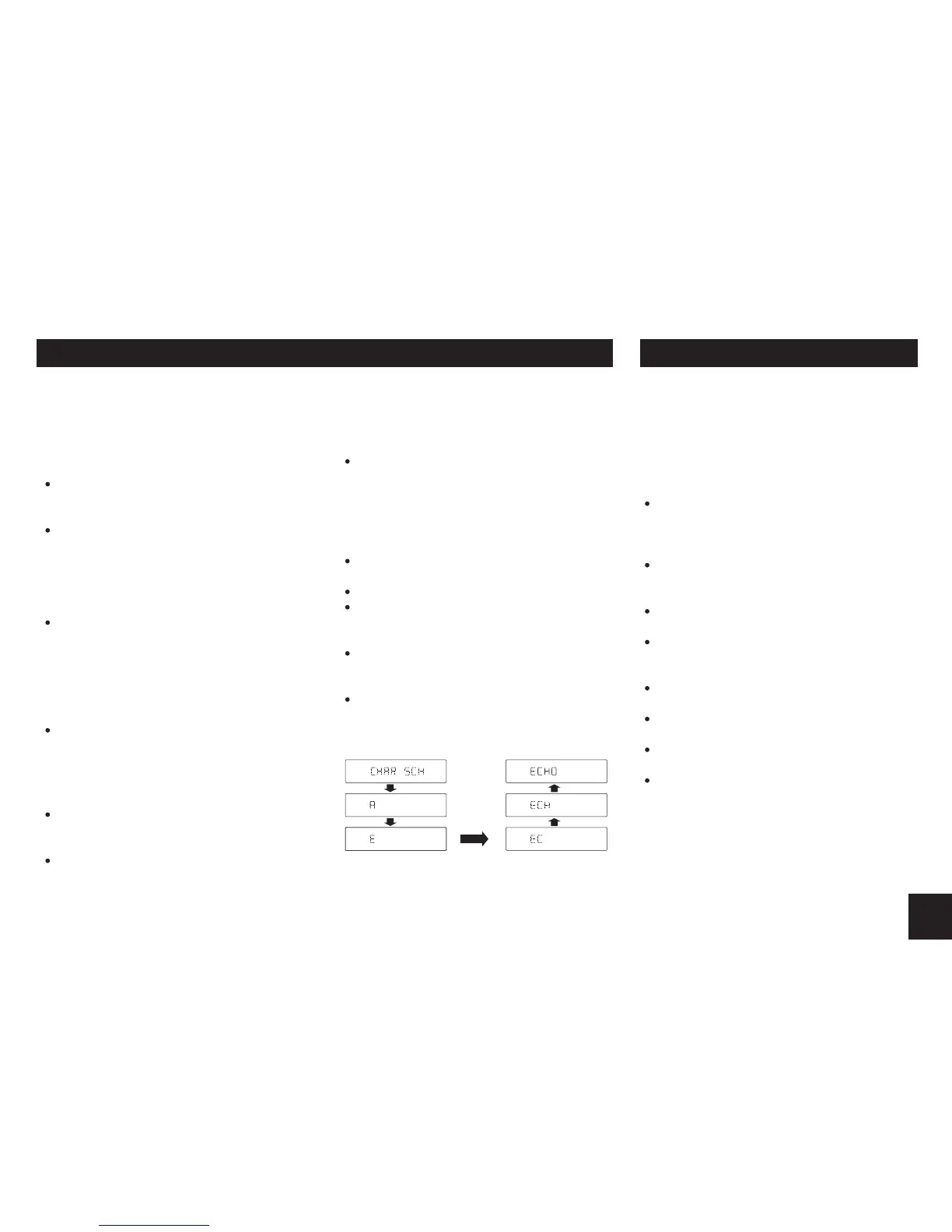
Fo r e x a m pl e: To se a rc h c ha r a c te r
"ECHO".


 To Next Page
 Loading...