6
CT Service ( Clock Time )
When receiving an RDS station, the CT (Clock
Time) service automatically adjusts the time.
NO CT is displayed in areas where CT service
is not available.
Trafc Announcements
Some RDS FM stations periodically provide
trafcinformation.
TP(TrafcProgramIdentication)
Broadcastingoftrafcinformation
TA(TrafcAnnouncementsIdentication)
Radioannouncementsontrafcconditions
TA Mode: Press TA button to turn on / off
TA.
When TA mode is on and TA indicator on
LCD is displayed.
When traffic announcement is transmitted,
regardless of the mode, reception will begin at
volume level 20 if volume level is below 20.
After the traffic announcement is over, it will
return to previous mode and volume level.
When TA is turned on, SEEK, SCAN, AMS
functioncanbereceivedorsavedwhentrafc
programidentication(TP)codeisreceived.
EON ( Enhanced Other Networks )
When EON data is received, the EON indicator
lights and the TA and AF functions are
expanded as follows.
TA:Trafcinformationfromthecurrentand
other network stations can be received.
AF: The frequency list of preset RDS
stations is updated by EON data. EON
enables the radio to make fuller use of
RDS information.
It constantly updates the AF list of preset
stations, including that currently tuned in
to.
If you preset a station for from home,
you will later be able to receive the same
station at an alternative frequency, or any
other station serving the same program,
EON also keeps track of locally available
TP stations for quick receptions.
PTY Reception ( Program Type )
RDS FM stations provide a program type
identicationsignal.
Example: news, rock, info, sport, etc.
PTY Mode: Press PTY button to turn PTY
on, previous PTY type is displayed and
searched if no button is pressed for 2
seconds.
If there is no correspond program type.
NO PTY is displayed.
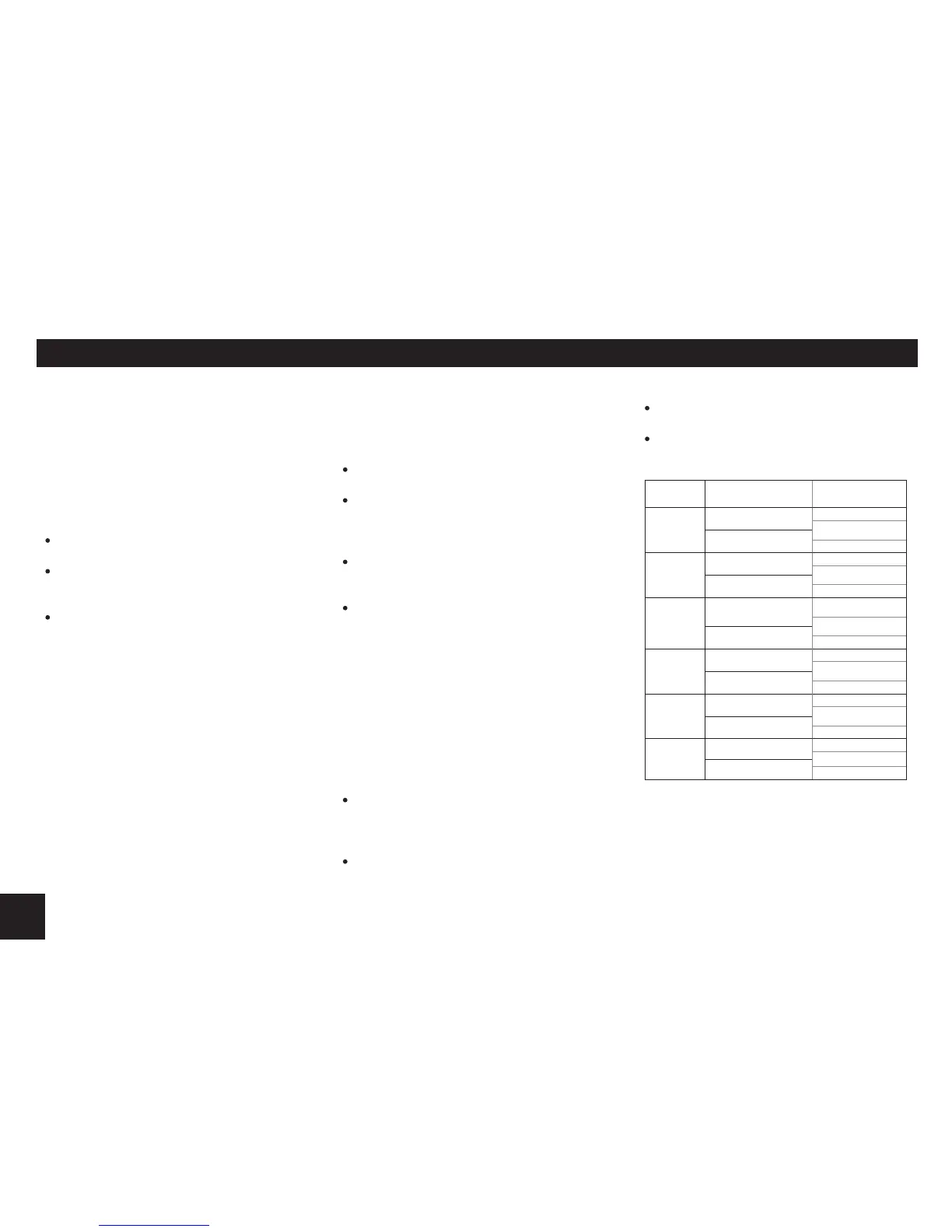
PTY Type Preset
Press PTY once to enter MUSIC type or
press PTY twice to enter SPEECH type.
Then use buttons 1-6 to select the desired
program type.
PRESET
NO .
MUSIC TYPE SPEECH TYPE
1
POP M
NEWS
AFFAIRS
ROCK M
INFO
2
M.O.R. M
SPORT
EDUCATE
LIGHT M
DRAMA
3
CLASSICS M
CULTURE
SCIENCE
OTHER M
VARIED
4
JAZZ M
WEATHER
FINANCE
COUNTRY
CHILDREN
5
NATIONAL M
SOCIAL
RELIGION
OLDIES M
PHONE IN
6
FOLK M
TRAVEL
LEISURE
FOLK
DOCUMENT
RDS (continued)


 To Next Page