MI00035 -E9 ENGLISH - 6/8
INPUT FREQUENCY SETTING
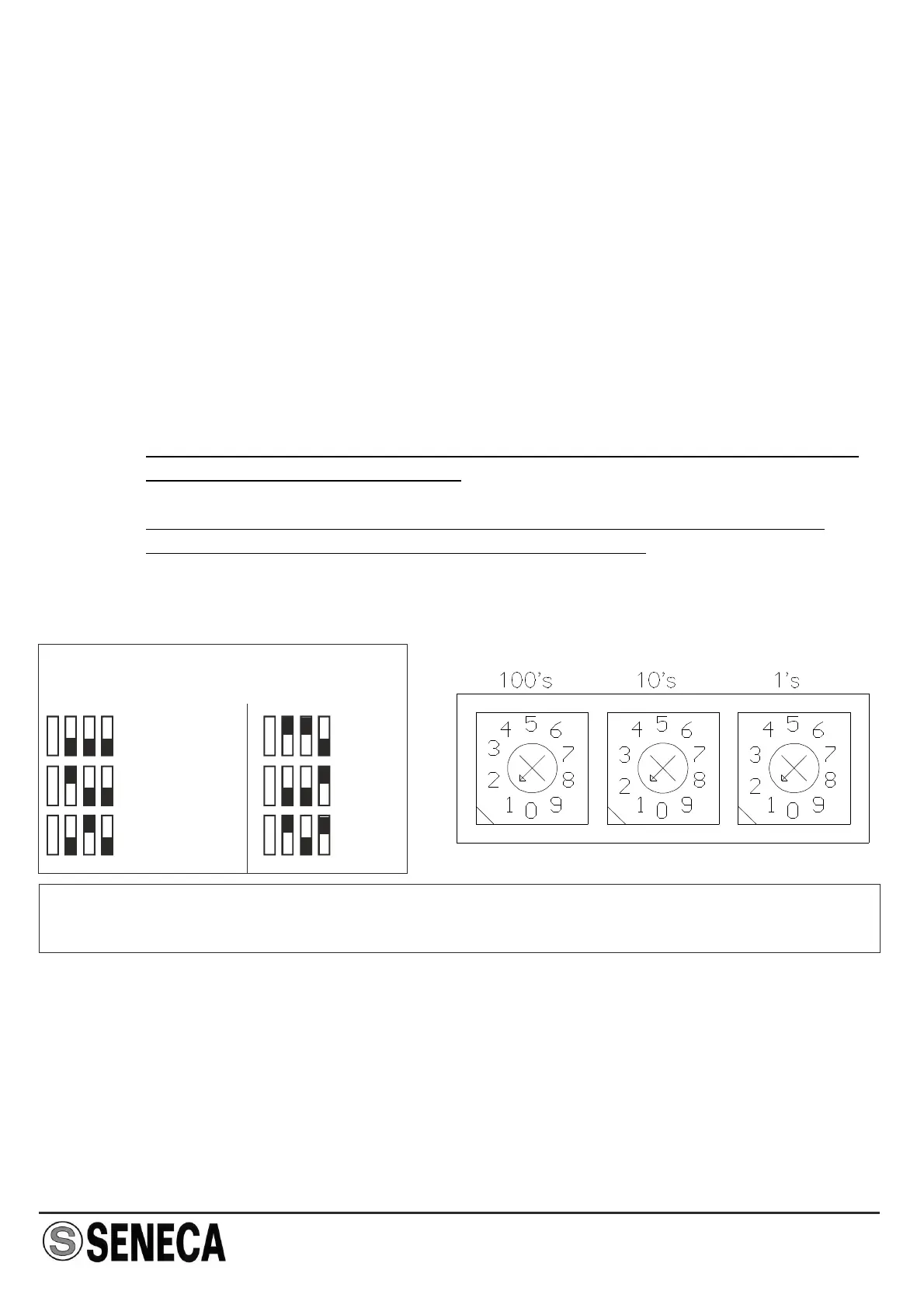
Multiplier setting Frequency setting selectors
The input signal full-scale frequency can be easily set.
The three rotating selectors permit the setting of a value which when multiplied by the
multiplication factor will provide the input signal full-scale frequency.
Example 1 :
Example 2 :
NOTE 1 :
NOTE 2 :
if the input frequency full-scale value = 563 Hz, the hundredths (100's)
selector must be set to 5, the tenths (10's) selector must be set to 6,
and the units (1's) selector must be set to 3. The multiplier must be set to
x 1 (563 x 1 = 563 Hz).
if the input frequency full-scale value = 7850 Hz, the hundredths (100's)
selector must be set to 7, the tenths (10's) selector must be set to 8,
and the units (1's) selector must be set to 5. The multiplier must be set to
x 10 (7850 x 10 = 7850 Hz).
The hundredths selector (100's) cannot be set to 0; the minimum full-scale
value must therefore be 0,01 Hz.
The "Error" led blink if the input frequency is less lower than the values
indicated in the table or more than selected fullscale.
NOTE: Dip-switch and rotating selector setting must be performed after first
disconnecting module power supply in order to avoid damaging the module.
SW6 - MULTIPLIER
x 0.0001
x 0.001
x 0.1
x 1
x 0.01 x 10


 To Next Page