EasyManua.ls Logo

Seneca Z-SG - User Manual

Seneca Z-SG
24 pages
Print Icon
To Next Page IconTo Next Page
Loading...
Page 1
MI003790
MI002636
SENECA s.r.l.
Via Austria, 26 35127 PADOVA ITALY
Tel. +39.049.8705355 8705359 Fax. +39.049.8706287
Web site: www.seneca.it
Technical assistance: supporto@seneca.it (IT), support@seneca.it (Other)
Commercial reference: commerciale@seneca.it (IT), sales@seneca.it (Other)
This document is property of SENECA srl. Duplication and reproduction are forbidden, if not authorized. Contents of the present
documentation refers to products and technologies described in it. All technical data contained in the document may be modified
without prior notice Content of this documentation is subject to periodical revision.
To use the product safely and effectively, read carefully the following instructions before use. The product must be used only for the
use for which it was designed and built. Any other use must be considered with full responsibility of the user. The installation,
implementation and set-up is allowed only for authorized operators; these ones must be people physically and intellectually suitable.
Set up must be performed only after a correct installation and the user must perform every operation described in the installation
manual carefully. Seneca is not considered liable of failure, breakdown, accident caused for ignorance or failure to apply the indicated
requirements. Seneca is not considered liable of any unauthorized changes. Seneca reserves the right to modify the device, for any
commercial or construction requirements, without the obligation to promptly update the reference manuals.
No liability for the contents of this documents can be accepted. Use the concepts, examples and other content at your own risk. There
may be errors and inaccuracies in this document, that may of course be damaging to your system. Proceed with caution, and although
this is highly unlikely, the author(s) do not take any responsibility for that. Technical features subject to change without notice.
USER MANUAL
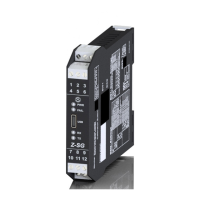
Z-SG / Z-SG-L
Advanced Digital
Strain gauge converter

Other manuals for Seneca Z-SG

Question and Answer IconNeed help?

Do you have a question about the Seneca Z-SG and is the answer not in the manual?

Summary

Glossary

Modbus RTU Protocol

An open protocol for serial communications developed by Modicon Inc., a de facto standard.

General Characteristics

Features

Analog Input and Output

Details on analog input resolution, sampling, and analog output modes and accuracy.

Output Specifications and Load Cell Connectivity

Covers response time, voltage/current output, load cell impedance, sensitivity, and connections.

Module Interfaces and Protection

Information on RS485, RS232 interfaces, and electrical protection measures.

Load Cell Connection

Wiring Configurations and Modes

Explains 6-wire and 4-wire load cell connection diagrams and specific 4-wire setup.

Analog Output and Stable Weight

Analog Output Configuration

Details on configuring analog output in Voltage or Current mode and its proportionality.

Stable Weight Detection

Explains how the module detects and reports stable weight conditions.

Digital Input and Output Operation

Digital Input;Output Functionality

Details on configuring digital input/output modes and their uses like tare acquisition.

Digital Output Control

Explains how digital output is controlled by firmware or Modbus.

Dip-Switch Configuration

Baud Rate, Address, and I;O Settings

Configuring communication parameters (baud rate, address) and digital I/O/analog output modes.

Operating Mode and Sensitivity Settings

Setting the operating mode, load cell sensitivity, and RS485 terminator via dip switches.

Calibration Procedures

Calibration via Modbus Registers

Steps for calibrating using Modbus registers, including Easy Setup and standard/non-standard weight methods.

Calibration Using Calibration Button

Procedures for calibrating using the physical button, with or without a standard weight.

Analog Output Scaling

Formula for relating analog output scale to load cell end scale and tare.

Easy-Setup Software

Software Configuration and Calibration

Guide to downloading and using the Easy Setup software for device configuration and calibration.

Modbus RTU Protocol Details

Modbus RTU Parameters and Functions

Configuration of RS485/RS232 parameters, supported functions, and register addressing conventions.

Register Table Overview

Introduction to the register table, including abbreviations and basic parameters like machine ID.

Firmware, Communication, and Sensitivity Registers

Registers for firmware settings, communication parameters (address, baud rate), and load cell sensitivity.

Weight, Output, and Threshold Registers

Registers related to analog output scaling, weight thresholds, delta values, and resolution.

Status, Filter, and Command Registers

Registers for device status, moving average filter, raw ADC values, and command functions.

Seneca Z-SG Specifications

General IconGeneral
BrandSeneca
ModelZ-SG
CategoryMedia Converter
LanguageEnglish

Related product manuals