MI00035 -E9 ENGLISH - 7/8
PULSE AVERAGE SETTING
Whenever the input signals present cyclically unstable frequency, a number of pulses
on which the frequency measurement will be calculated can be set.
Example : the input signal is provided by a proximity sensor that indicates the passage
of a number of bolts mounted on a wheel; if these bolts are not positioned
at equal distances, an unstable sensor output frequency value will occur
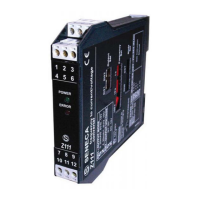
and this will create an unstable module Z11 output current and/or voltage
value.
By setting the number of bolts applied to the wheel, such as 10, for
example, as the “pulse average” , the device will count 10 pulses and then
divide the time that elapses between the first and the last pulse by 10. This
operation will permit an extremely stable module output signal to be
obtained.
1
2
3
4
5
6
7
8
9
10
11
12
13
14
15
SW7 - PULSE AVERAGE
NOTE : if pulse average calculation is not
required, leave all the selector dip-SW7
switches (shifted down).OFF
NOTE: Dip-switch setting must be
performed after first disconnecting module
power supply in order to avoid damaging
the module.
NOTE: The minimum measured frequency is
normally . When the pulse average is 0.001Hz
set over , the minimum frequency will be 6 n /
6000.
Ex: pulse average = 8 ,
f.min = 8/6000 = 0.00133Hz.


 To Next Page