EasyManua.ls Logo

Sennheiser RS165 - User Manual

Sennheiser RS165
34 pages
Print Icon
To Next Page IconTo Next Page
Loading...
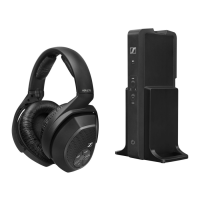
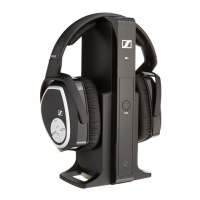
RS 165
Digital Wireless Headphone System
Instruction Manual

Questions and Answers

  • D
    Daniel HillAug 14, 2025
    How to fix no sound on Sennheiser RS165 Headphone?
    • M
      Mark LucasAug 15, 2025
      If your Sennheiser Headphones produce no sound, here are a few things to check: * Ensure the headphones are switched on. * Verify the power connection. * Deactivate any muting functions. * Check the audio plug connection. * Confirm the audio source is on. * Increase the volume of the analog audio source or deactivate its muting function. * Consider replacing the audio cable if it's defective. * Pair the headphones with the transmitter again if needed.
  • P
    Paula BarrettAug 18, 2025
    How to increase the volume on Sennheiser Headphone?
    • S
      Stephanie CarrollAug 18, 2025
      If the sound from your Sennheiser Headphone is too low, here are a couple of things to check: * Increase the volume on the headphones. * Increase the volume on the analog audio source to at least a medium level.
  • Z
    zcookAug 21, 2025
    What to do if Sennheiser RS165 Headphone does not turn on?
    • P
      paul17Aug 21, 2025
      If your Sennheiser Headphones do not turn on, consider the following: * Recharge the rechargeable batteries. * Insert the rechargeable batteries if they are missing. * Ensure the rechargeable batteries are inserted correctly, observing the correct polarity.
  • M
    mary46Aug 25, 2025
    Why do I hear beeps in my Sennheiser RS165 Headphone?
    • J
      James TuckerAug 25, 2025
      If you hear beeps in your Sennheiser Headphones, it likely indicates that the rechargeable batteries are almost drained. Recharge the batteries.
  • A
    Ana GalvanAug 28, 2025
    What to do if Sennheiser Headphone has sound dropouts?
    • D
      Doris MooreAug 28, 2025
      If you experience sound dropouts or no sound from your Sennheiser Headphones, consider the following: * Reduce the distance between the headphones and the transmitter. * Remove any obstacles that may be shielding the signal. * Change the position of the transmitter or headphones to avoid interference from devices like WLAN routers, Bluetooth devices, or microwaves. * Ensure the transmitter is at least 50 cm/20” away from other wireless devices.
  • S
    Sarah AllenAug 31, 2025
    Why Sennheiser RS165 transmitter does not turn on?
    • P
      Paul RaymondAug 31, 2025
      If the transmitter for your Sennheiser Headphone does not turn on, check the connection of the power supply unit.
  • N
    Nicole RiveraSep 3, 2025
    What to do if Sennheiser RS165 sound is distorted?
    • D
      Debra AndersonSep 3, 2025
      If the sound from your Sennheiser Headphone is distorted, here's what you can do: * Reduce the volume of the audio source if its signal is distorted. * Reduce the volume on the headphones. * Decrease the volume of the analog audio source to at least a medium volume level.
  • C
    charles75Sep 7, 2025
    Why does Sennheiser RS165 only have sound on one ear?
    • P
      Patricia TurnerSep 7, 2025
      If you only hear sound in one ear from your Sennheiser Headphone, try these solutions: * Check the plug connection of the audio cable. * Replace the audio cable if it is defective.
  • I
    Ian SchmidtSep 12, 2025
    Why Sennheiser RS165 operating time decreases?
    • S
      Stephanie BurkeSep 12, 2025
      If the operating time of your Sennheiser Headphone is decreasing, the rechargeable batteries may be exhausted. Replace them with new ones.

Summary

Important Safety Information

Health and Accident Prevention

Safety guidelines to prevent hearing damage and accidents from product use.

Product Damage and Malfunction Prevention

Instructions to avoid product damage and ensure proper function, including environmental factors and maintenance.

Intended Use and Liability

Specifies the product's intended use and disclaims liability for misuse.

Battery Safety Instructions

General Battery Hazards and Handling

Covers hazards like explosion, fire, and heat from battery abuse, and general handling precautions.

Battery Charging, Storage, and Disposal

Details on charging, storage, disposal, and avoiding mixing battery types.

RS 165 System Overview

System Introduction and Features

Introduces the RS 165 system and lists its key features for home entertainment.

Package Contents

Included Components List

Lists all items included in the RS 165 package, such as headphones, transmitter, and accessories.

Product Component Identification

HDR 165 Headphones Layout

Details the parts and controls of the HDR 165 headphones with numbered callouts.

Product Component Identification

TR 165 Transmitter Layout

Identifies the components and ports of the TR 165 transmitter with numbered callouts.

Indicator Lights Explained

Headphone LED Status Indicators

Explains the meaning of the LED status lights on the headphones and their dimming behavior.

Transmitter Indicator Lights

Charge Status LED Functions

Describes the charge status LED on the transmitter and its relation to operating time and battery capacity.

Transmitter Function Indicators

BASS and TR Status LED Meanings

Explains the function of the BASS button LED and the TR status LED on the transmitter.

Putting the RS 165 into Operation

Setting Up the Transmitter

Provides guidance on choosing a location for the transmitter and avoiding interference.

Connecting the Transmitter to Audio Sources

Connection Options Overview

Outlines options for connecting the transmitter to audio sources like TVs or hi-fi systems.

Analog Connection Procedure

Connecting via 3.5 mm or 6.3 mm Jack

Step-by-step instructions for connecting via analog headphone sockets.

RCA Connection Procedure

Connecting via RCA Outputs

Instructions for connecting the transmitter to audio sources using RCA outputs.

Transmitter Power Connection

Connecting to AC Wall Outlet

Guides on connecting the power supply unit to the transmitter and wall outlet.

Headphone Battery Replacement

Replacing Rechargeable Batteries

Step-by-step guide on how to replace the batteries in the headphones.

Charging the Headphones

Rechargeable Battery Charging Procedure

Instructions on how to charge the rechargeable batteries and notes on charging time and status.

Headphone Fit and Adjustment

Adjusting the Headband

Explains how to adjust the headband for optimal fit and comfort.

Turning the RS 165 System On

System Power-On Procedure

Details the procedure for turning the headphones and transmitter on.

Audio Control Functions

Adjusting Volume Levels

Instructions on how to adjust the volume using the headphone controls.

Muting and Unmuting Audio

Explains how to mute and unmute the audio on the headphones.

Sound Enhancement Features

Dynamic Bass Boost Control

Describes how to enable or disable the dynamic bass boost feature.

Pairing Headphones to Transmitter

Re-establishing Headphone Pairing

Procedure for pairing headphones with the transmitter if needed.

Turning the RS 165 System Off

System Power-Off Procedures

Explains the methods for turning off the wireless headphones and transmitter.

Maintenance and Care

General Cleaning Instructions

Advises on safe cleaning practices, avoiding liquids and solvents.

Replacing Ear Pads

Step-by-step guide on how to replace the ear pads on the headphones.

Troubleshooting Sound Issues

Resolving Sound Problems

Lists common sound issues and their possible causes and solutions.

Troubleshooting Other Problems

Addressing Power and Connection Issues

Covers issues related to transmitter power, headphone power, and connection.

Advanced Troubleshooting

Transmission Range Issues

Explains what happens when headphones go out of transmission range and how to re-establish connection.

Resetting Headphone Pairing

Instructions on how to reset the pairing information on the headphones.

Technical Specifications

RS 165 System Specs

Technical specifications for the entire RS 165 headphone system.

HDR 165 Headphones Specs

Detailed technical specifications for the HDR 165 headphones.

TR 165 Transmitter Specs

Detailed technical specifications for the TR 165 transmitter.

Power Supply Unit Specs

Technical specifications for the included power supply unit.

Manufacturer Declarations

Product Warranty Information

Details the product warranty and how to make a claim.

Regulatory Compliance

Lists directives and regulations the product complies with, including disposal and conformity.

FCC and Industry Canada Compliance

FCC;IC Declarations

Contains FCC and Industry Canada compliance declarations and interference information.

RF Exposure Information

States that the device is below FCC RF exposure limits.

Trademarks and Copyrights

Lists registered trademarks and product/company names.

Sennheiser RS165 Specifications

General IconGeneral
BrandSennheiser
ModelRS165
CategoryHeadphone
LanguageEnglish

Related product manuals