Putting the RS 175 into operation
14 | RS 175
Co
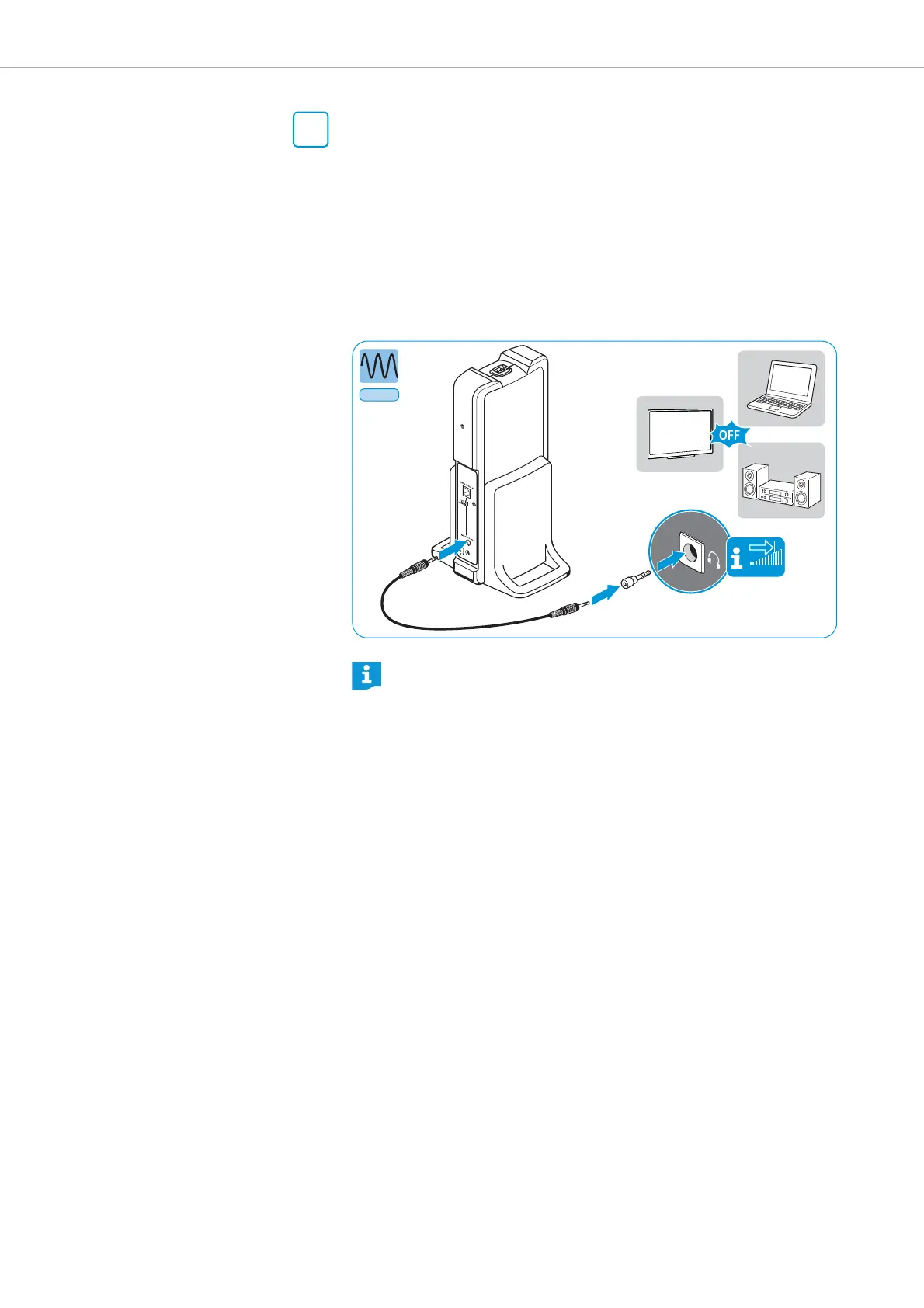
nnection option B: 3.5 mm or 6.3 mm/¼“ jack socket (analog)
Some TV models mute the loudspeakers when you connect the transmitter
to the headphone so
cket. Check in the menu of your TV to see if the muting
function can be deactivated. Alternatively, connect the TV and the trans-
mitter using a different option (A or C).
왘 Switch your audio source off before connecting the transmitter.
왘 If necessary, connect the adapter 6.3 mm/
¼“
jack plug onto the stereo
audio cable.
왘 Connect the stereo audio cable to the 3.5 mm jack socket of the trans-
mitter and
to the headphone socket of your audio source.
B
Adjust the volume of the headphone socket on your audio source to
at least about the middle level.
P
HONES
Analog
*
P
HO
N
ES
VOLUME
*
Adapter not included.














 To Next Page