Using the VMX 200
18 | VMX 200
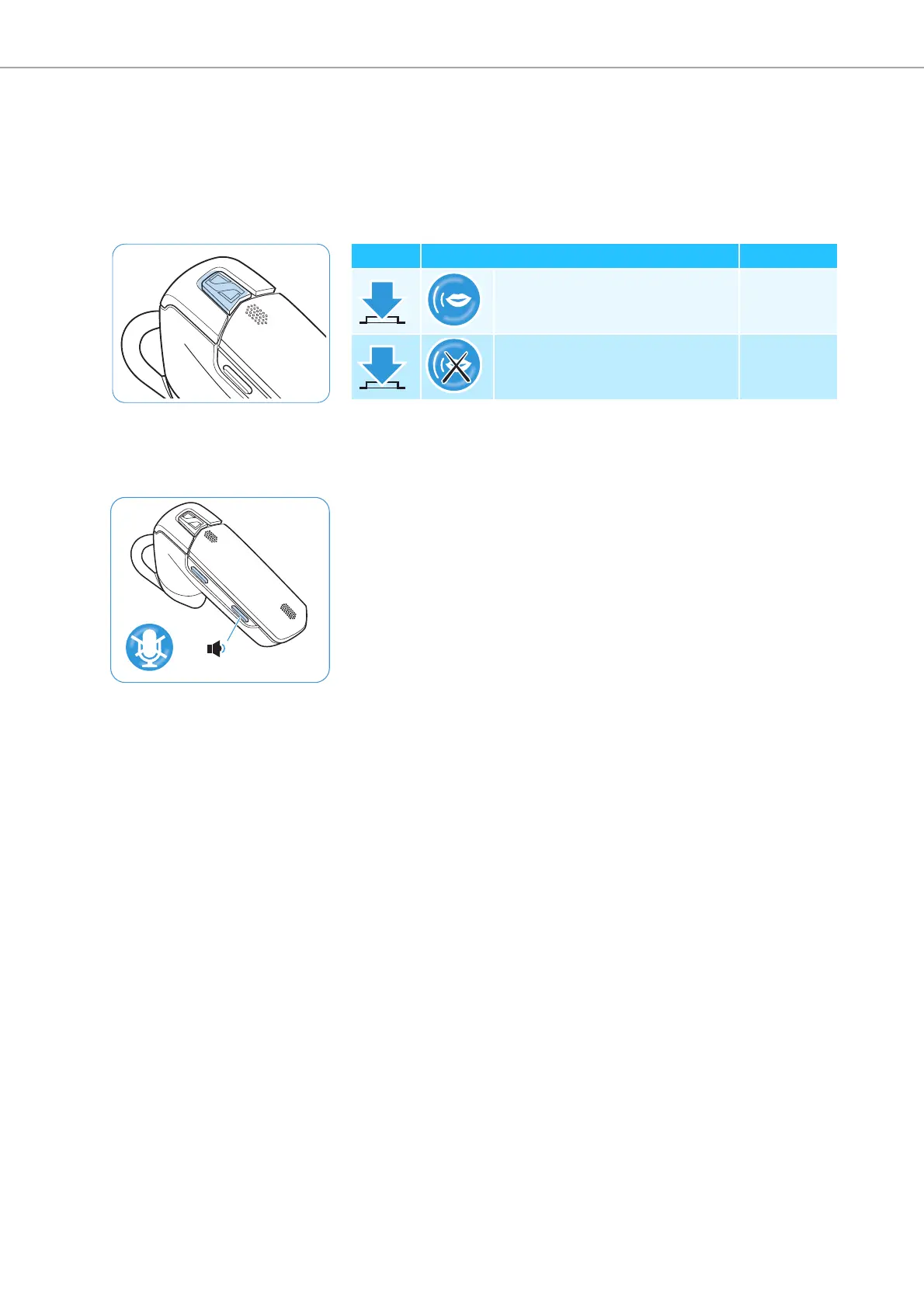
Voice dialing
The voice dialing function must be supported by your mobile phone (with
HF profile) and be activated. Follow the instructions in the instruction
manual of your mobile phone.
왘 Press the multi-function button on the headset to activate the voice
dialing function.
왘 Say the name of the person you want to call.
The mobile phone automatically dials the corresponding number.
Muting the headset’s microphone
To mute the headset’s microphone:
왘 Press the volume down button for 1 second.
To unmute the headset’s microphone:
왘 Briefly press any button.
Duration Function Beep(s)
Voice dialing –
Stops voice dialing –
Vol –



 To Next Page