MT3401E.doc rev.0 21/05/13 Pagina 31 di 86
(*) available just if some active event is present
3.5.1) ACTIVE EVENTS
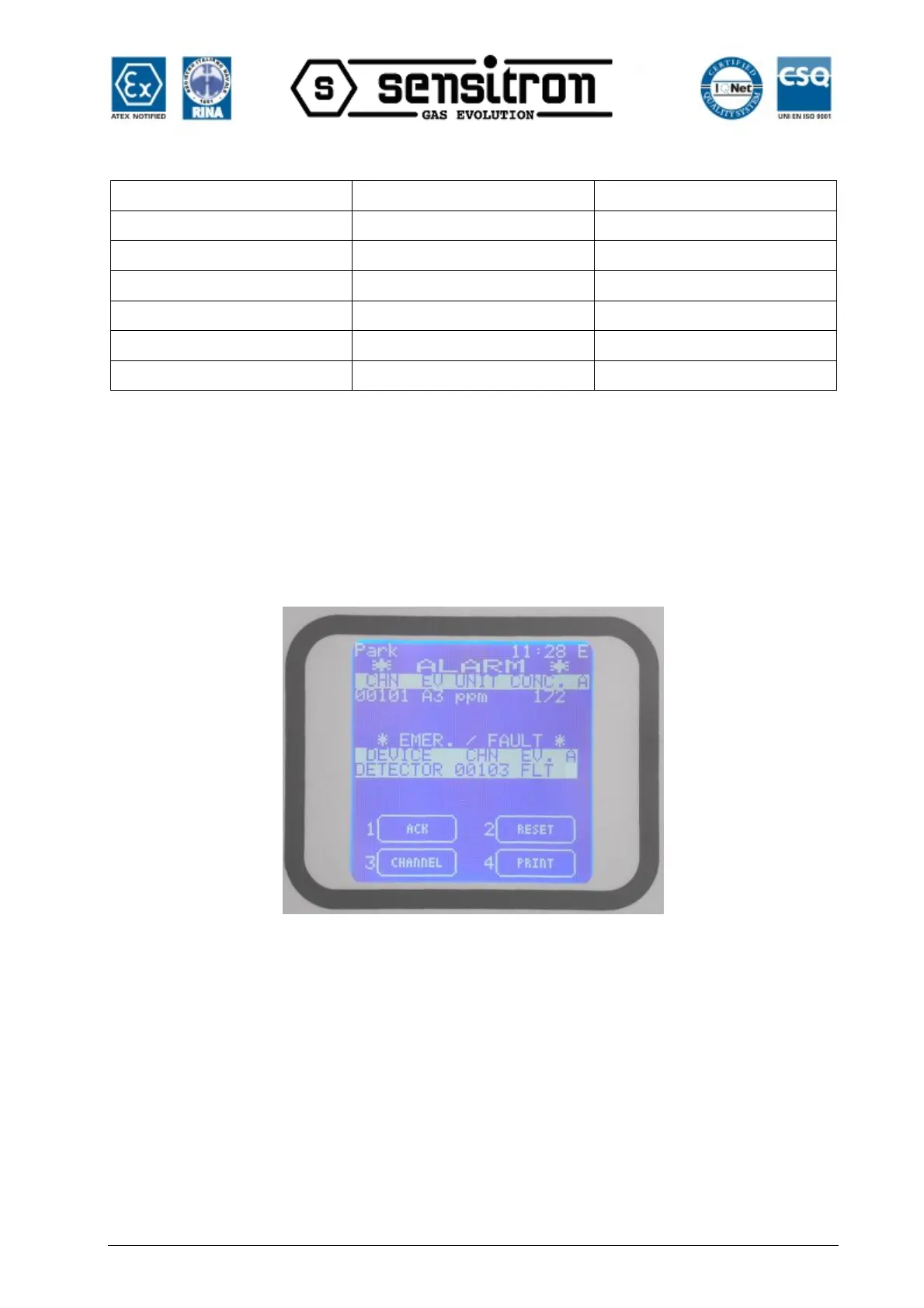
Pressing ENT on ACTIVE EVENT, the list shows the actually active events. If there are
active Alarms and active Faults or Emergency situations, these will be shown by
splitting the window in two as below. In the upper side the Alarms and in the lower side
the Faults and Emergency situations. Using the LEFT/RIGHT arrow, the screen will
switch between the two sides of the window.
Fig. 3.5.1 a) Active Events screen with Alarm and Fault
Should there be just Alarms or just Faults/Emergency situations, these will be shown in
the upper side of the window, respectively.
Below an example of alarm situation only:



 To Next Page