MT3401E.doc rev.0 21/05/13 Pagina 51 di 86
For information on reading the event log, see: Menu: Communication submenu:
Upload Event Log from CPU.
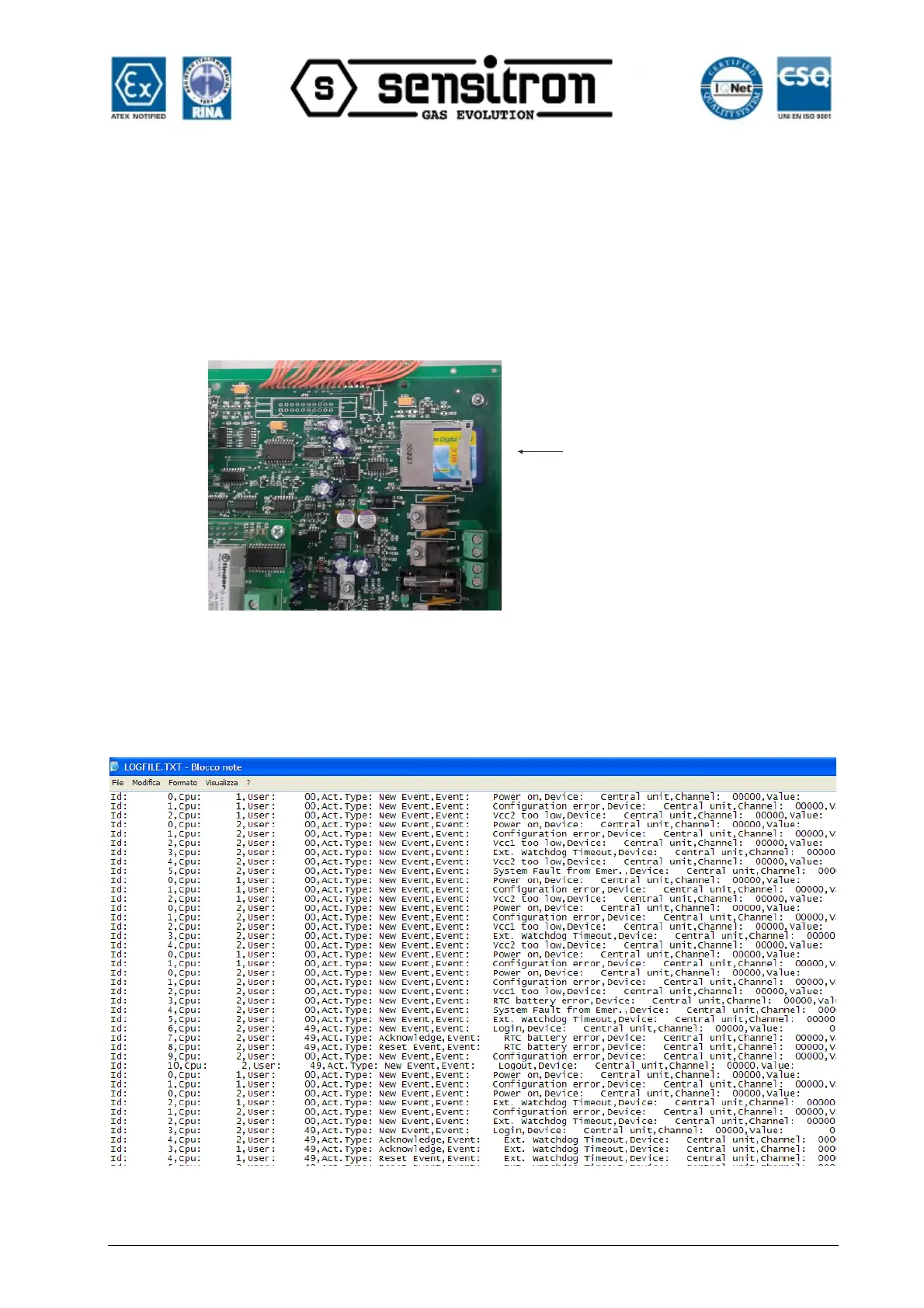
Event logs directly saved in the CPU SD card can be loaded and displayed from “Open
From SD Card”. This is useful when no connections are available with the CPU or in
the event of CPU fault. Remove the SD card from the CPU and insert it in the PC slot.
Select “Open From SD Card”.
Fig. 4.4.1 f) SD card location on the main board
The event log displayed from the SD card is not formatted like the previous one,
downloaded from the CPU to the PC.
Fig. 4.4.1 g) Event list in the SD card



 To Next Page