MT3401E.doc rev.0 21/05/13 Pagina 52 di 86
Click “Save” to save changes to the system.
Click “Duplicate” to create a new system file like the open one.
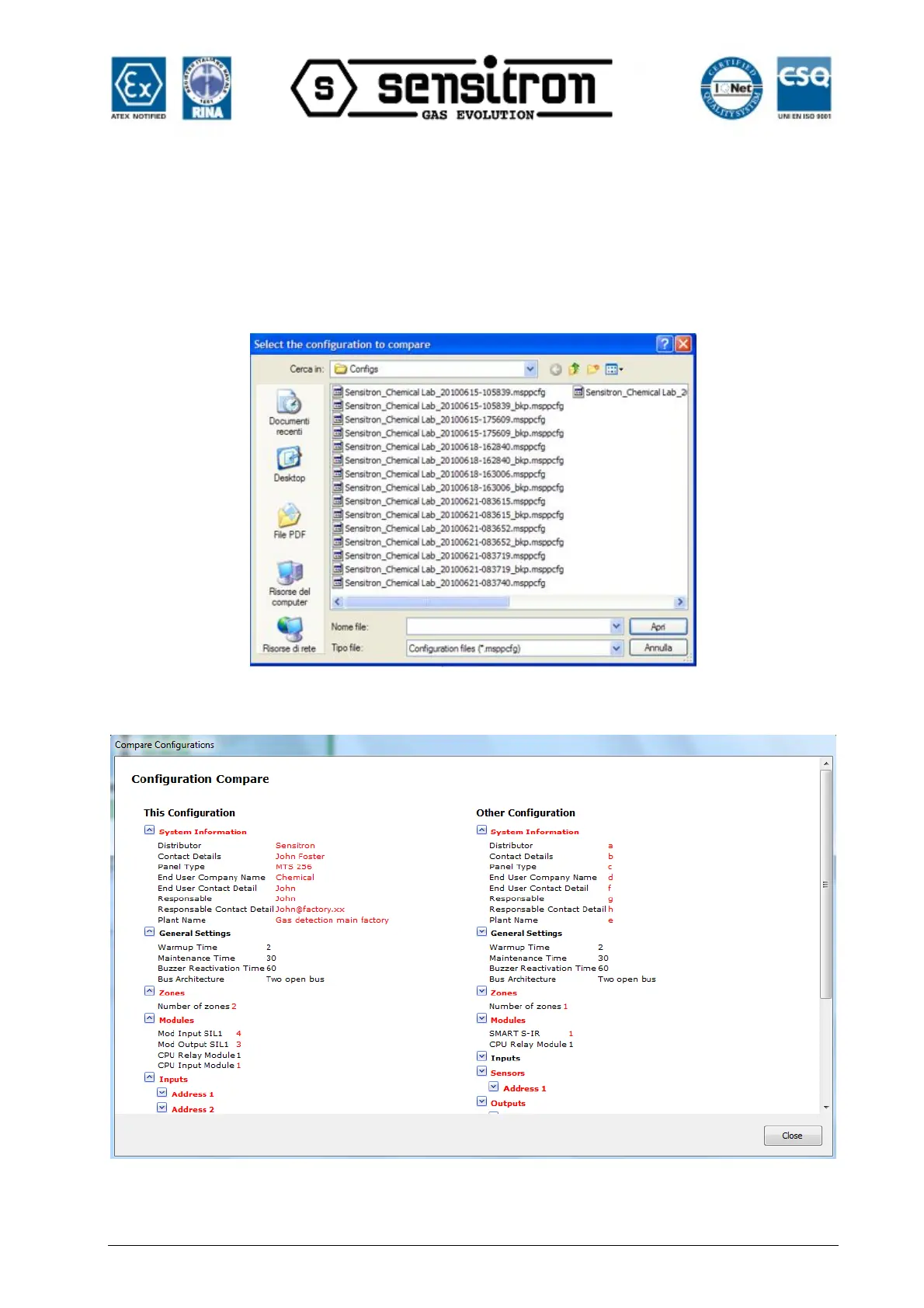
Click “Compare” to compare the system file in the current session with another previous
created one. When you click “Compare", a window appears where you can select the
folder of the file to be compared.
Fig. 4.4.1 h) Folder of the system file to be compared
Fig. 4.4.1 i) System file comparison window



 To Next Page