MT3401E.doc rev.0 21/05/13 Pagina 42 di 86
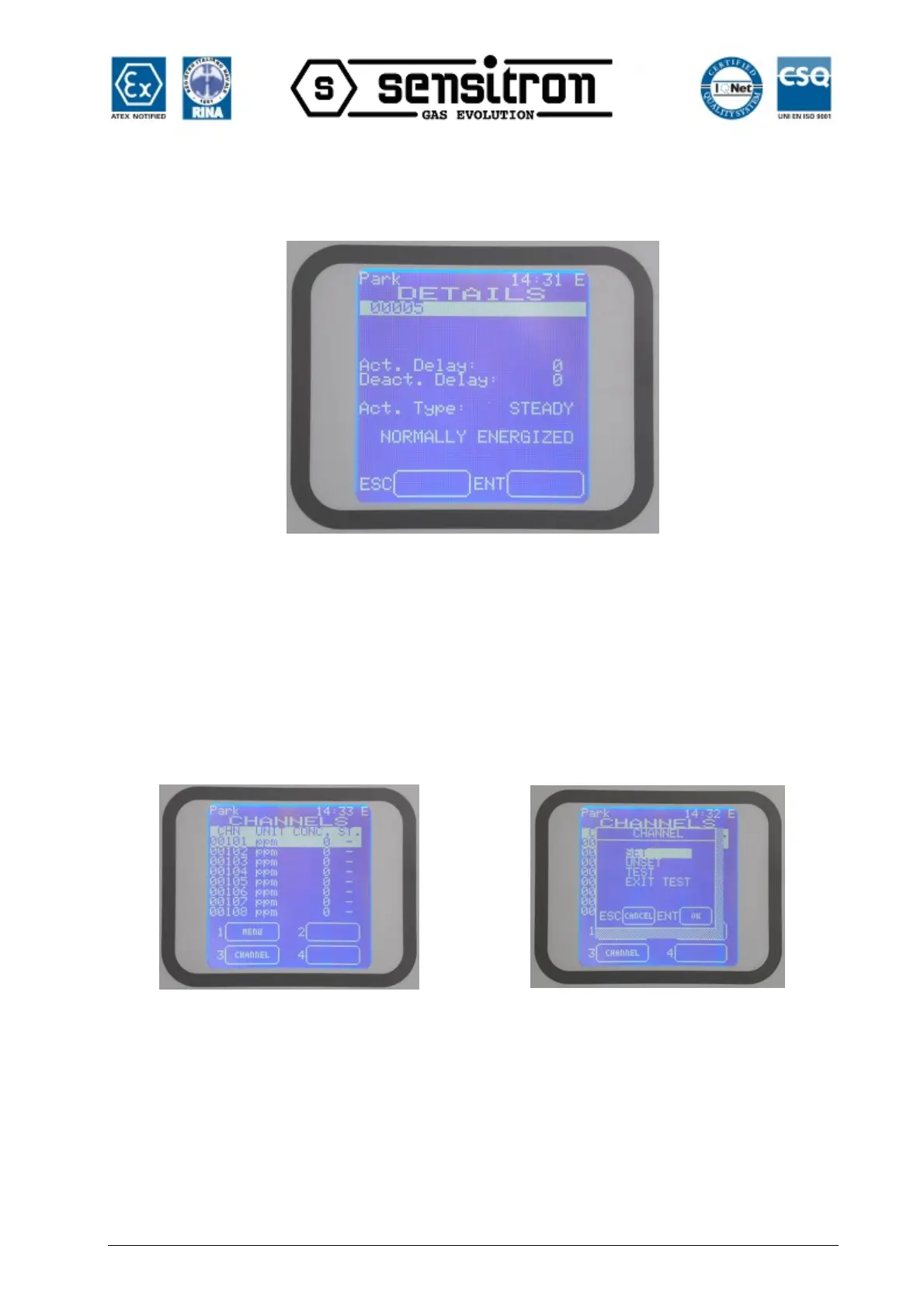
This screen is the same for “Operator” and “Maintenance” level, allowing only to view
the relay configuration details.
Fig. 3.8.3 c) Screen with the output operative details
Unlike the above, this screen seen as “Engineer” level, allows changing the relay’s
timings. See the chapter 4-PC Configuration for more details.
3.8.4) Detectors (Channels)
In the modules screen, moving up and down with the arrow keys through the modules
list and pressing ENTER one gets into the detectors screen
Fig. 3.8 4 a) Detectors screen and options available pressing 3-Channel
Using the up/down arrow keys one may scroll through the list choosing one of the
channel and press 3-Channel for the SET / UNSET and TEST / EXIT TEST operations.
In the “Operator” level, the options 3-CHANNEL, is not present. The user should be in
“Maintenance” or “Engineer” level to see and to use these options.
By the options of this screen, unlike the Operator level, the “Maintenance” level and the
“Engineer” level may:
- Put in Set or Unset the selected channel



 To Next Page