MT3401E.doc rev.0 21/05/13 Pagina 66 di 86
Fig. 4.5.4 a) Videata periferiche (Moduli Input)
Input Modules
STG/IN8-S analog input modules installed in the system are set in Input Modules.
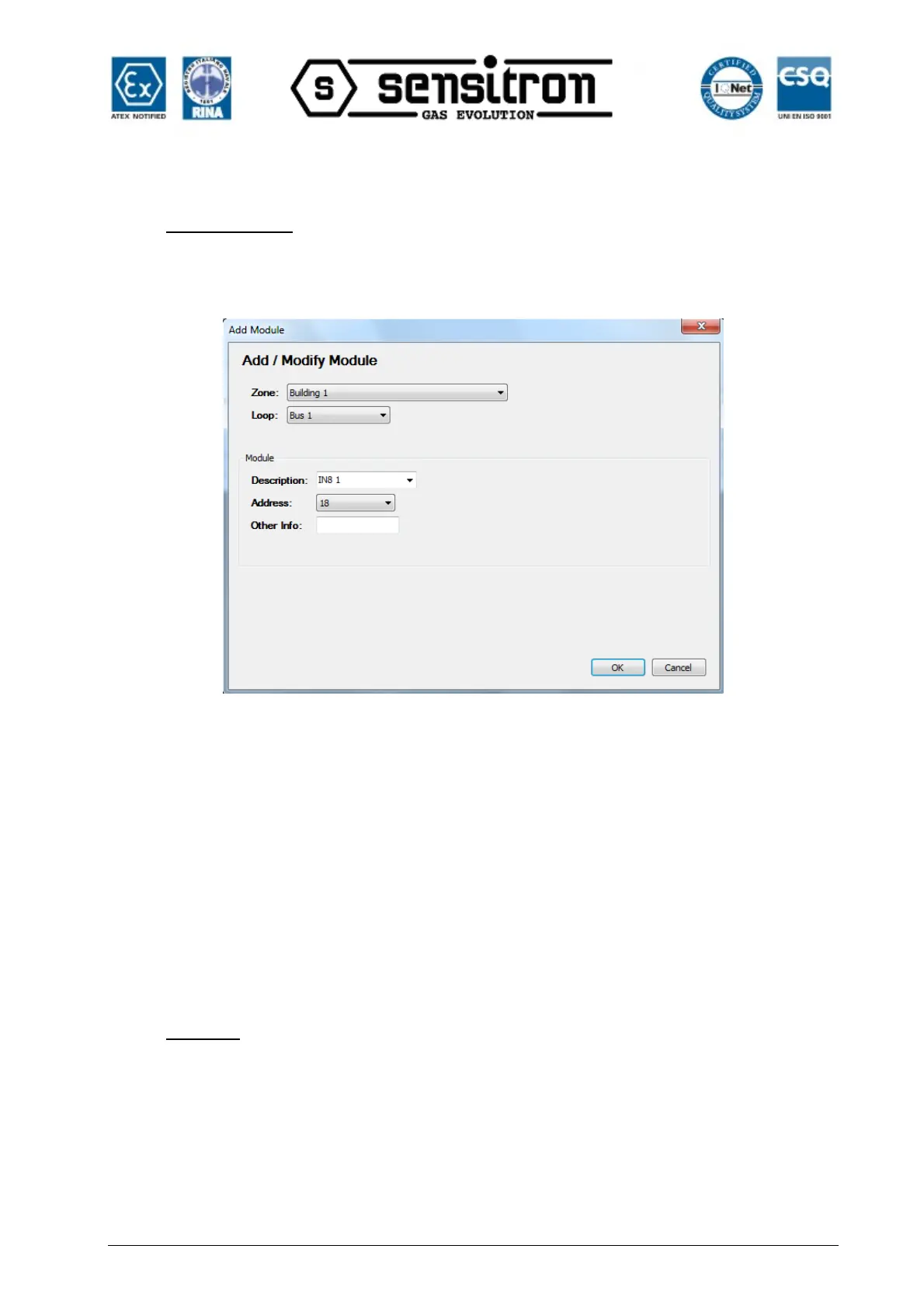
Click Add Input Module to open the window shown in Fig. 4.5.4 b.
Fig. 4.5.4 b) Module configuration screen
Zone Zone where the module is installed
Bus Bus Number (RS485 bus) where the module is physically connected. 1 or
2 (3 and 4 optional)
Description Module description
Address Module address. From 1 to 256 (See chapter 2 – Installation, for further
information).
Other Info Additional description
Cliccando su “Modifica Modulo Input” per modificare i parametri del modulo.
Cliccando su “Cancella Modulo Input” per cancellare il modulo
Sensors
Gas Detectors installed in the system and directly connected on the bus (RS485 bus)
are set in “Sensors”. Refer to chapter 2-Installation for further information.
Click Sensors to open the window shown in Fig. 4.5.4 c.



 To Next Page