MANUALE TECNICO – TECHNICAL HANDBOOK ST.PL4+
MT2770_rev2_PL4+.doc 10.11.2010 10 di 32
2.2.1 Selezione Lingua
2.2.1 Language Selection
E’ possibile selezionare la lingua in cui
visualizzare i messaggi sul display LCD,
tramite due ponticelli sul connettore JP3
installato sulla scheda (PIGGY) del
Microcontroller in base al seguente schema:
JP3 7-8 JP3 5-8 Lingua Selezionata
ON ON Inglese
ON OFF Spagnolo
OFF ON Portoghese
OFF OFF Inglese
ON = Ponticello Chiuso.
OFF = Ponticello Aperto.
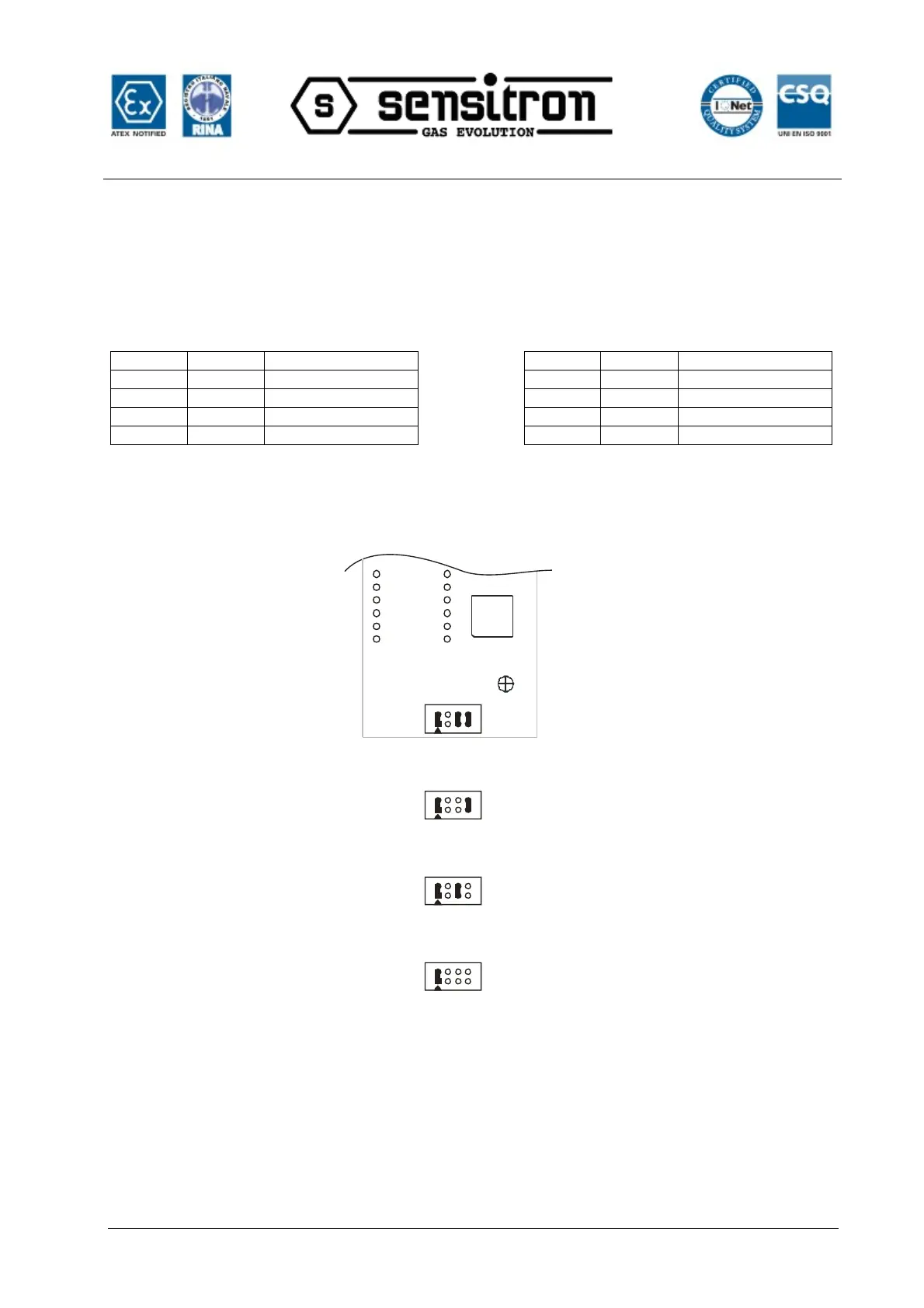
Oppure seguendo il seguente topografico:
It is possible to select the language for the
messages being displayed, via two jumpers on
the JP3 connector mounted on the
Microprocessor board (PIGGY) as per the
following scheme:
JP3 7-8 JP3 5-8 Selected Language
ON ON English
ON OFF Spanish
OFF ON Portuguese
OFF OFF English
ON = Jumper Closed.
OFF = Jumper Open.
Or following the layout here below:
JP3
uP
1
28
7
1
28
7
1
2
8
7
2
8
7
JP3
JP3
JP3
PIGGY
SPAGNOLO
SPANISH
PORTOGHESE
PORTOGUESE
INGLESE
ENGLISH
INGLESE
ENGLISH
I due ponticelli sono acquisiti dal software una
sola volta all’accensione della PL4.
Per cambiare la lingua occorre prima spegnere
la centrale, cambiare le impostazioni dei due
ponticelli e riaccendere la centrale.
N.B. Il ponticello nella posizione JP3 1-2,
non deve mai essere cambiato o rimosso.
The two jumpers are software accepted just
once at the PL4+ start up.
To change the language, you need first to
switch the panel off, change the jumper settings
and then switch the panel on again.
N.B.: never change or remove the jumper
JP3 1-2.


 To Next Page