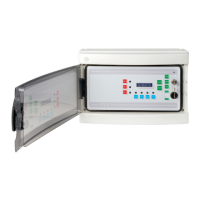
MANUALE TECNICO – TECHNICAL HANDBOOK ST.PL4+
MT2770_rev2_PL4+.doc 10.11.2010 18 di 32
4.2 Collegamento batteria e
prima accensione
4.2 Battery connection and
first switching on
Portare la chiave in posizione OFF e
alimentare la centrale
Collegare ai cavetti rosso e nero
dell’alimentatore una batteria tampone da
12V 7Ah max, alloggiandola nella centrale
avendo cura di fissarla in modo stabile.
Si accenderà il LED di RETE e la centrale
si porrà in attesa per circa un minuto per
permettere ai rivelatori collegati di uscire
del preriscaldamento.
Dopo il tempo d’attesa, si accenderà il led
di FAULT (senza attivare il relativo relè), il
buzzer suonerà e la centrale mostrerà sul
display, lo stato dei primi due canali.
Il tasto ACK consentirà lo spegnimento del
buzzer.
La centrale è ora pronta per essere
programmata in base alle proprie esigenze.
Turn the key to the OFF position and power
the Control unit.
Connect to the red and black wires of the
power supply unit, a 12V 7Ah max LD
buffer battery and place it in the control unit
paying attention to fix it steadily.
The main power supply LED (AC) will light
up while the control unit will enter a standby
mode for nearly one minute to allow the
connected detectors to finish their pre-
heating phase.
Once this standby period is over the FAULT
LED will light up (without activating the
corresponding relay), the buzzer will sound
and the display will show the state of the
first two channels.
The button ACK can be used to turn the
buzzer sound off.
The control unit is now ready to be
programmed according to the user's needs.
Attenzione
: In configurazione iniziale sono
attivati tutti i primi 4 canali.
Se vengono collegati meno di 4 rivelatori,
trascorso il tempo d’attesa, la centrale
segnalerà un Fault con attivazione del relativo
relè. Bisogna entrare in programmazione per
disabilitare i canali non utilizzati.
Viceversa, se sono connessi inizialmente più di
4 rivelatori tramite la scheda d’espansione, la
centrale configurata inizialmente per 4 canali
non li vedrà attivi, per cui bisogna entrare in
programmazione per attivarli.
Warning: As a standard configuration, all four
channels are activated.
After the standby period, should less than 4
detectors be connected, the control unit will
signal a FAULT condition and the first relay will
activate. It is necessary to enter the program
mode to disable the non-used channels.
On the other side, when more than 4 detectors
are connected via the extension module, being
the control unit programmed to be connected to
4, you will need to enter in program mode to
activate the corresponding channels.
4.3 Centrale inserita
4.3 SET mode
Chiave su ON – E’ lo stato di normale
funzionamento della centrale: i Rivelatori sono
acquisiti e le uscite sono gestite normalmente.
KEY SWITCH in ON position. - This is the
normal operating mode: input signals are
coming from the detectors and relay outputs
are managed regularly.
Sul display è visualizzato lo stato di due
rivelatori, uno per riga.
Apparirà Chn1: e Chn2:, seguiti dalla
concentrazione letta, dal fondo scala impostato
e dallo stato del canale (OK, A1, A2, A3, FT).
Il tasto ACK, tenuto premuto per circa due
secondi, consente lo scrolling dei canali inseriti.
The display shows the status of two detectors,
one each line.
It will appear Chn1: and Chn2: followed by the
concentration being read, the set full-scale and
the channel status (OK, A1, A2, A3, FT).
Keep the ACK button pushed for a couple of
seconds to scroll to the other channels being
used.


 To Next Page