Sentry SBC Controller Original Instructions 19
7. Repeat sequence
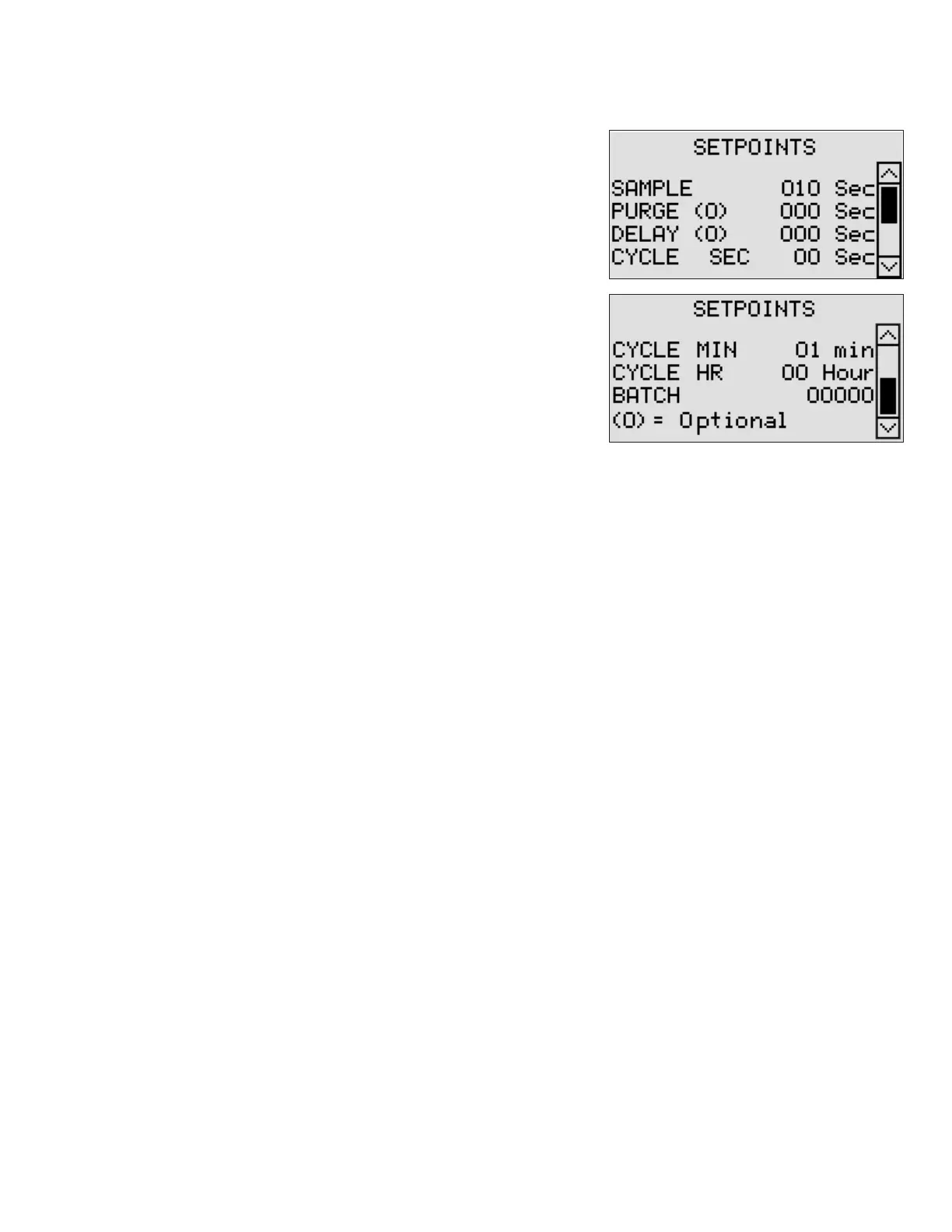
Setpoints
To select a setpoint for changing, press the ENTER key. A selection will be
backlit.
Use the small UP and DOWN arrow keys below the display to move
between selections.
Once the desired selection is backlit, press ENTER again. Now only the
value is backlit.
Use the number keys (light gray number in upper right hand corner of
function keys) to enter a value or use the UP and DOWN arrow keys to
adjust the current value. When desired value is entered, press ENTER key.
The entire selection is again backlit.
Select another setpoint using the UP and DOWN arrow keys or press ESC
to exit the modication mode.
Once you press ESC, no selection will be backlit.
Press the MAIN key to go to the Main operations screen.
The Main operations screen monitors the sampler operation. No setpoints or options may be changed from this
screen. This screen shows the current state of the sampler with a graphic representation. It also shows the time
remaining for that portion of the sampling cycle. The small indicators at the bottom of the screen conrm the
current mode selected (lled indicates selected). They are:
– AUTO – auto mode
– REM – remote mode
– MAN – manual grab sample
– BAT – batch mode enabled
– IC – Index Cabinet enabled
When BATCH mode is enabled, the number of samples taken for this batch is displayed next to the BATCH indicator.
When the IC is active, the current jar being lled in the IC is displayed next to the IC indicator. When the IC cabinet is
full, the IC indicator ashes.
Press the AUTO key to start sampling. The sampler will immediately extend the plunger into the process stream and
start the sampling cycle. If this does not occur, check to see if the REMOTE ENABLE input is present. Without this
input, the sampler will not function under any circumstances.


 To Next Page