EasyManua.ls Logo

SentrySafe SFW123GTF - User Manual

SentrySafe SFW123GTF
48 pages
Print Icon
To Next Page IconTo Next Page
Loading...
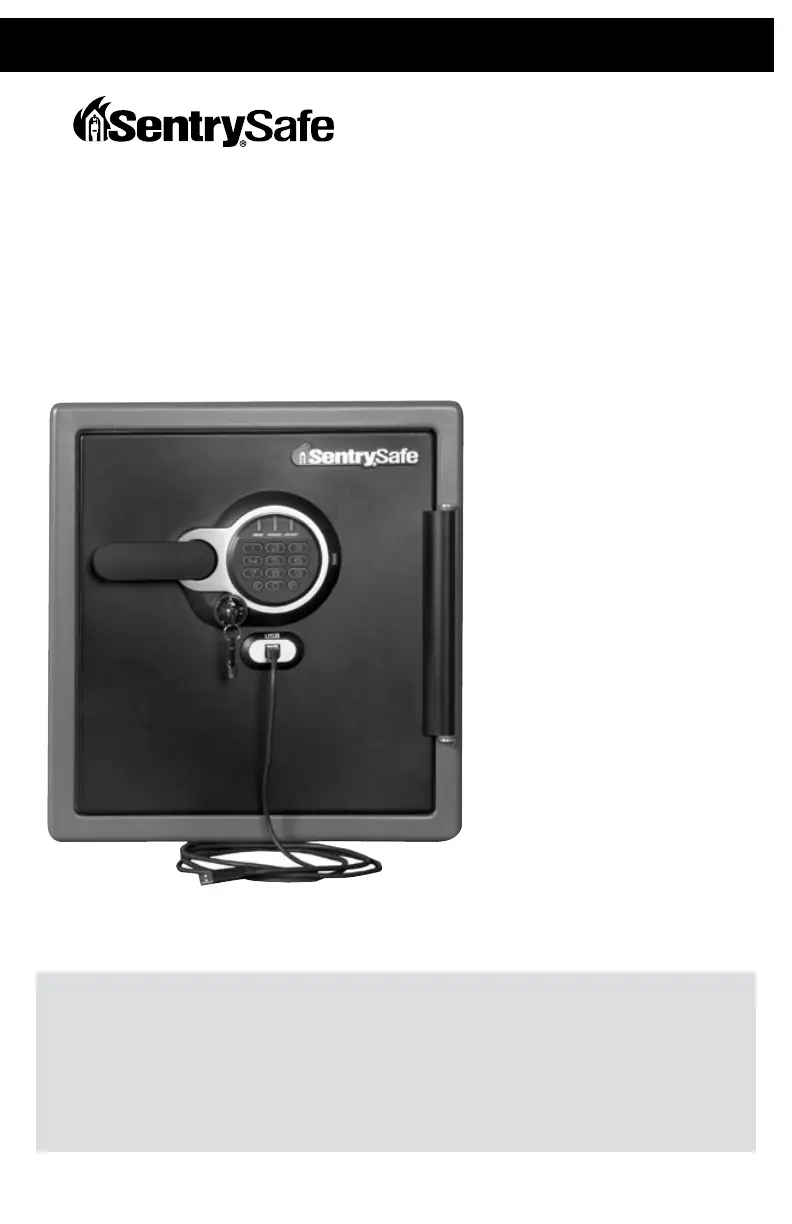
Fire-Safe – USB Connected
Owner’s Manual
REGISTRATION
registermysafe.com
Reasons to register: By registering your SentrySafe product you can easily retrieve forgotten
codes and combinations, which would otherwise require a notary letter and payment.
Contents include:
Safe with 2 keys
External USB-Y cable
(for computer connection)
Magnetic clips to hold cable
Owner's Manual/Warranty Card
Bolt-down hardware includes:
(2) Lag screws
(2) Washers
(2) Masonry anchors

Questions and Answers

  • B
    Brenda SmithAug 13, 2025
    What to do if the red indicator light blinks three times on SentrySafe Safes?
    • R
      robert80Aug 13, 2025
      If the red indicator light blinks three times accompanied by three beeps on your SentrySafe Safes, it signifies that an incorrect code has been entered. Verify the code and re-enter it carefully.
  • M
    Mrs. Hannah AllenAug 17, 2025
    What to do if I cannot open the door after inputting the electronic code on SentrySafe SFW123GTF Safes?
    • K
      Kimberly FranklinAug 17, 2025
      If you cannot open the door after entering the electronic code on your SentrySafe Safes, it may be because the safe's door, equipped with a water-resistant gasket, is initially tight. Hold the handle up while inputting the code and then pull down when the green light comes on.
  • B
    Brenda SalazarAug 21, 2025
    Why is the yellow indicator light on my SentrySafe Safes?
    • K
      Kari StevensAug 21, 2025
      If the yellow indicator light is on your SentrySafe Safes, this indicates that the battery power is low. Replace the batteries to resolve this issue.
  • L
    Linda McclainAug 25, 2025
    What to do if my storage device does not work when connected to my SentrySafe SFW123GTF?
    • M
      Megan BrowningAug 25, 2025
      If your storage device isn't working when connected to your SentrySafe Safes, it might be a communication or power issue. Here's how to troubleshoot: 1. Check all cable connections. 2. Plug the auxiliary power connector into another USB port on your computer. 3. If it still doesn't work, test your device by connecting it directly to your computer. 4. If the device works properly when connected to your computer, reconnect the device to the safe.
  • R
    Rachel MorrowAug 28, 2025
    Why is the handle not in the horizontal position when the SentrySafe SFW123GTF Safes is locked?
    • K
      Kent BuckleyAug 29, 2025
      If the handle is not in the horizontal position when your SentrySafe Safes is locked, the clutch mechanism has been engaged. Rotate the handle up or down until it clicks into the horizontal position.
  • M
    Matthew PowellSep 1, 2025
    How to fix the door if it will not lock on SentrySafe SFW123GTF?
    • L
      Larry CooperSep 1, 2025
      If the door of your SentrySafe Safes will not lock, check if the shipping screw is still in place. Remove the screw on the back inside of the door.
  • K
    Katie PetersonSep 4, 2025
    What to do if the handle does not rotate on SentrySafe SFW123GTF Safes?
    • M
      Megan OwensSep 5, 2025
      Ensure the keylock is in the unlocked position.
  • C
    Christopher WarnerSep 8, 2025
    What does it mean if the red indicator light blinks once and there is one beep on SentrySafe SFW123GTF Safes?
    • Z
      Zachary ChandlerSep 8, 2025
      If the red indicator light blinks once and there is one beep on your SentrySafe Safes, the program button is pressed out of sequence, or 5 seconds has lapsed between button entries. Start over.

Summary

Registration

Warnings and Notices

Programmable Electronic Lock

Preparing Your Safe for First-Time Use

Steps to prepare the safe for its initial use, including checking for shipping screws and installing batteries.

Unlocking Your Safe

Instructions on how to unlock the safe using the electronic lock, including key usage and code entry.

Locking Your Safe

Guidance on how to properly lock the safe using the electronic lock and key.

Programming Information

Details on the three code options available: factory, user, and secondary codes.

Programming the User Code

Steps to add or delete a 5-digit user code for the electronic lock.

Programming the Secondary Code

Instructions for adding or deleting a 5-digit secondary code to the electronic lock.

Installing Computer Connector Cable

Installing Storage Devices

Operating the Light

Bolting Down Your Safe

Troubleshooting Your Safe

Replacement & Fire Specifications

Limited Lifetime After-Fire Replacement Program

Details on the program for replacing the safe if damaged by fire, including eligibility and contact information.

Fire Endurance

Specifies the safe's ability to withstand high temperatures for a duration during a fire.

Explosion Hazard

Details the safe's resistance to explosion or rupture in a flash fire scenario.

Fire Impact

Describes the safe's performance after being heated, dropped, and reheated, simulating fire impact.

Data Protection

Information on the safe's ability to protect digital media like CDs and USB drives from fire.

Customer Service

How to Get Replacement Key;Combo

Instructions on how to obtain a replacement key or combination for the safe via website or phone.

SentrySafe SFW123GTF Specifications

General IconGeneral
Lock typeCombination lock
Product colorBlack
Weight and Dimensions IconWeight and Dimensions
Depth491 mm
Width415 mm
Height453 mm
Weight46000 g
Interior dimensions (W x D x H)319 x 302 x 349 mm

Related product manuals