SolaStat™-1-3 Installation Guide
Version 1.1 – April 2013 Page 11
POWERING UP, CONTINUED
What you will
see
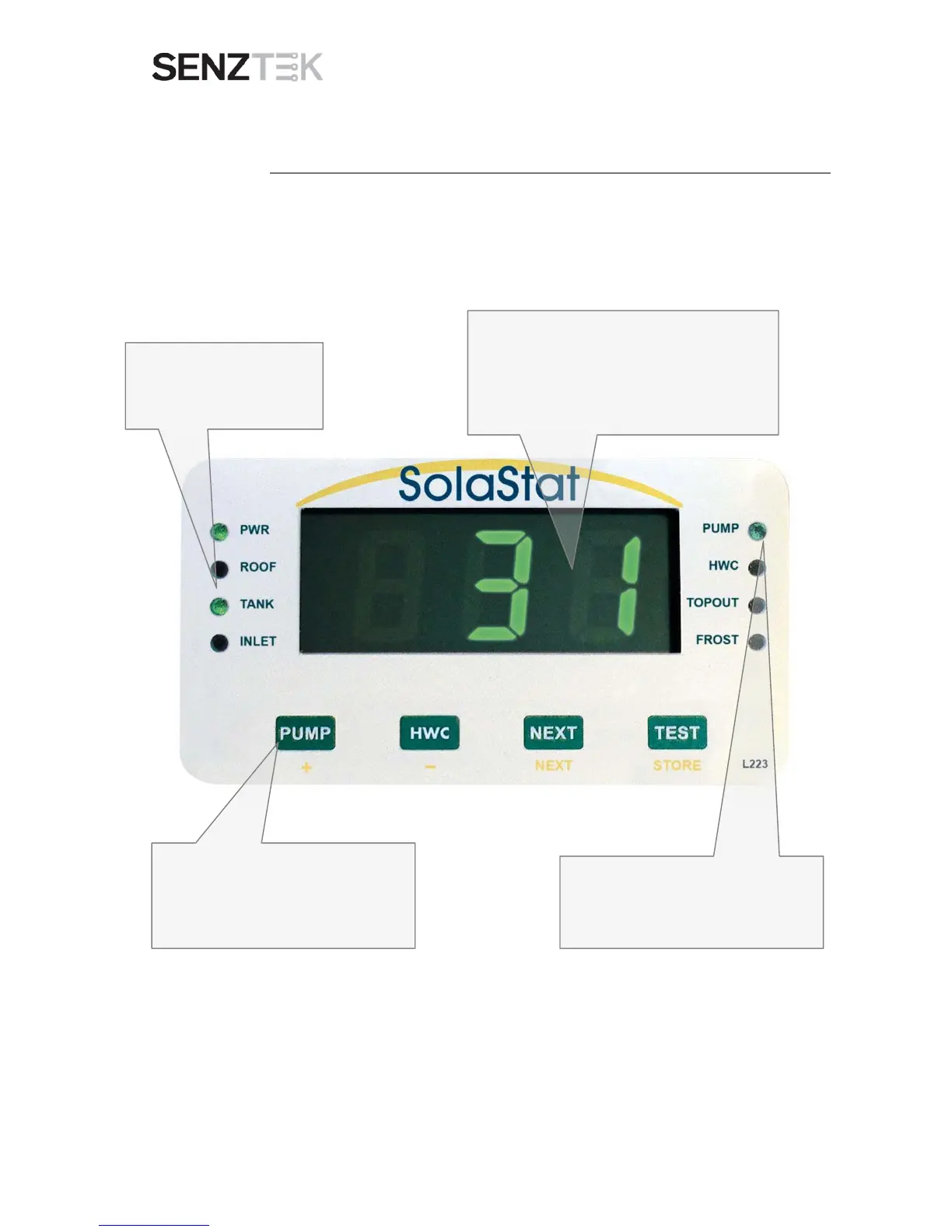
When you power up the unit, it will look like the picture below.
Check that the PUMP is operating by pressing the PUMP button. This will
turn the pump on for as long as you hold it down, unless it is already
operating
A digital readout of the TANK temperature.
Note: This temperature reading will be the outside
surface temperature of the tank.
It may be a couple of degrees lower than the water
temperature in the tank, especially on glass lined
This light shows you if the pump is working
NB The HWC light does not operate in this
model.
The TANK light should be on –
showing the sensor
measurement that is on the
Check that the PUMP is operating by
pressing the PUMP button. This will turn the
pump on for as long as you hold it down,
unless it is already operating.


 To Next Page