SolaStat™-1-3 Installation Guide
Version 1.1 – April 2013 Page 23
PROGRAMMING THE SOLASTAT™, CONTINUED
Adjust the
FROST Value
The FROST value is installed in some (but not all) units.
It is designed to protect your collector and hot water system from freezing
and bursting. When this temperature is reached, the pump will come on just
enough to raise the temperature of water by 2 - 3°C [3.5 - 6 °F].
Only a small amount of warm water is needed to protect the collector and
plumbing.
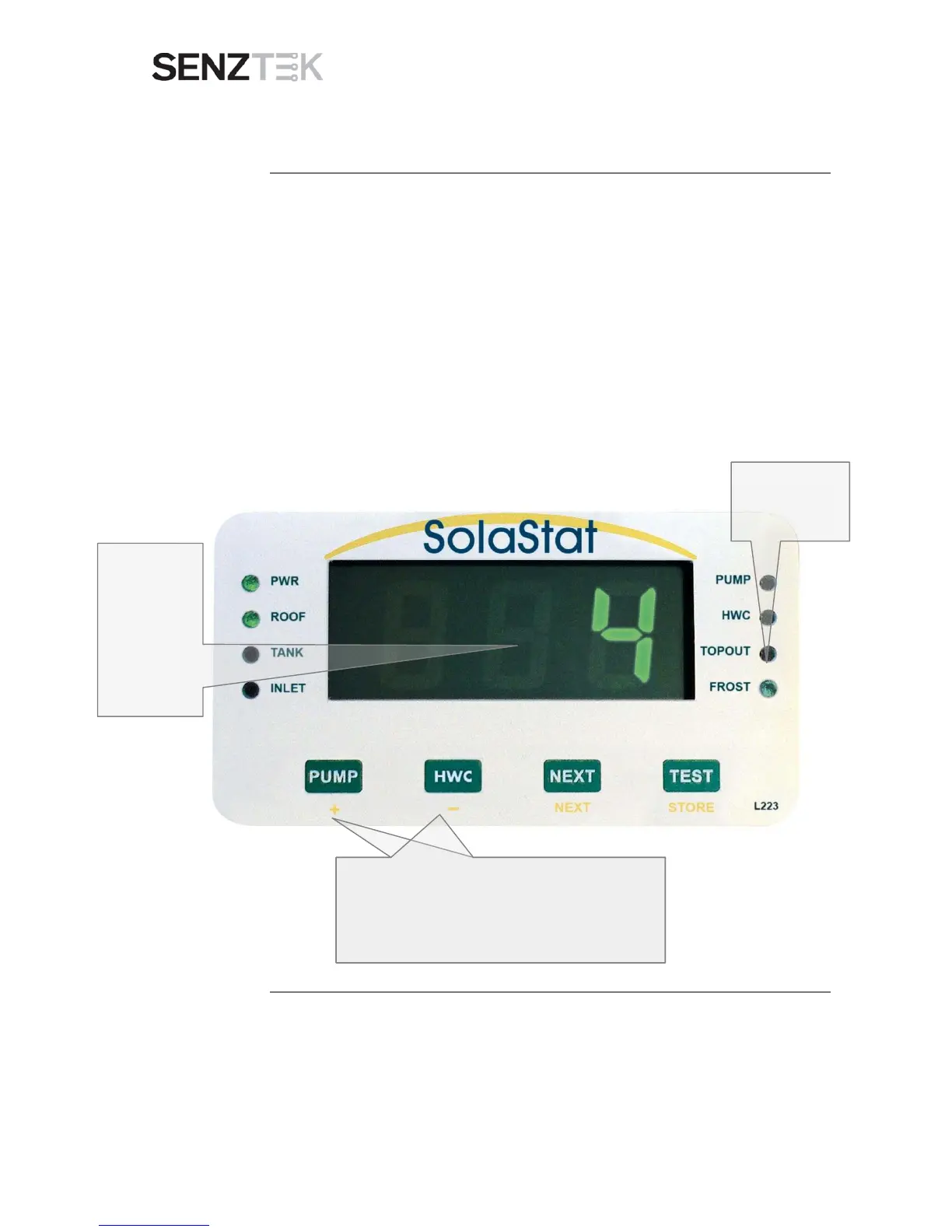
When the unit is in Frost Mode, the FROST light will come on.
CAUTION: Do not turn the power off when the FROST Light is on.
The Standard Frost temperature is
4°C [39°F]; and the range is 1°C – 10°C
[33.8°F - 50°F].
Continued on next page
The Display
will flash ‘2’ to
show the
Frost
temperature
value in °C.
(39 in °F)


 To Next Page