Explorer MX-HD Install and Setup Guide
30
700-0159
R003
DVR Configuration Uploads
A configuration file is uploaded to a DVR when the DVR is first installed or when settings need to be
changed on multiple DVRs in a fleet.
Configuration files can be uploaded at the DVR with a USB drive or over the network using vMax Web or
vMax Commander applications.
To upload configurations with vMax Commander, see the vMax Commander Installation and
Configuration Guide (700-0100).
USB Memory Device to DVR Configuration Upload
This method requires physical access to the DVR, a portable video monitor, and a USB mouse.
To load a configuration update to the DVR, the USB memory device must be formatted by a Windows®-
based computer using the FAT32 file format.
To upload a configuration update on the MX-HD via USB:
1 Copy the configuration file to the root of the USB memory device folder.
2 Power up the DVR using the vehicle ignition.
3 Connect the portable video monitor and USB mouse.
4 Insert the USB memory device into the USB port on the DVR.
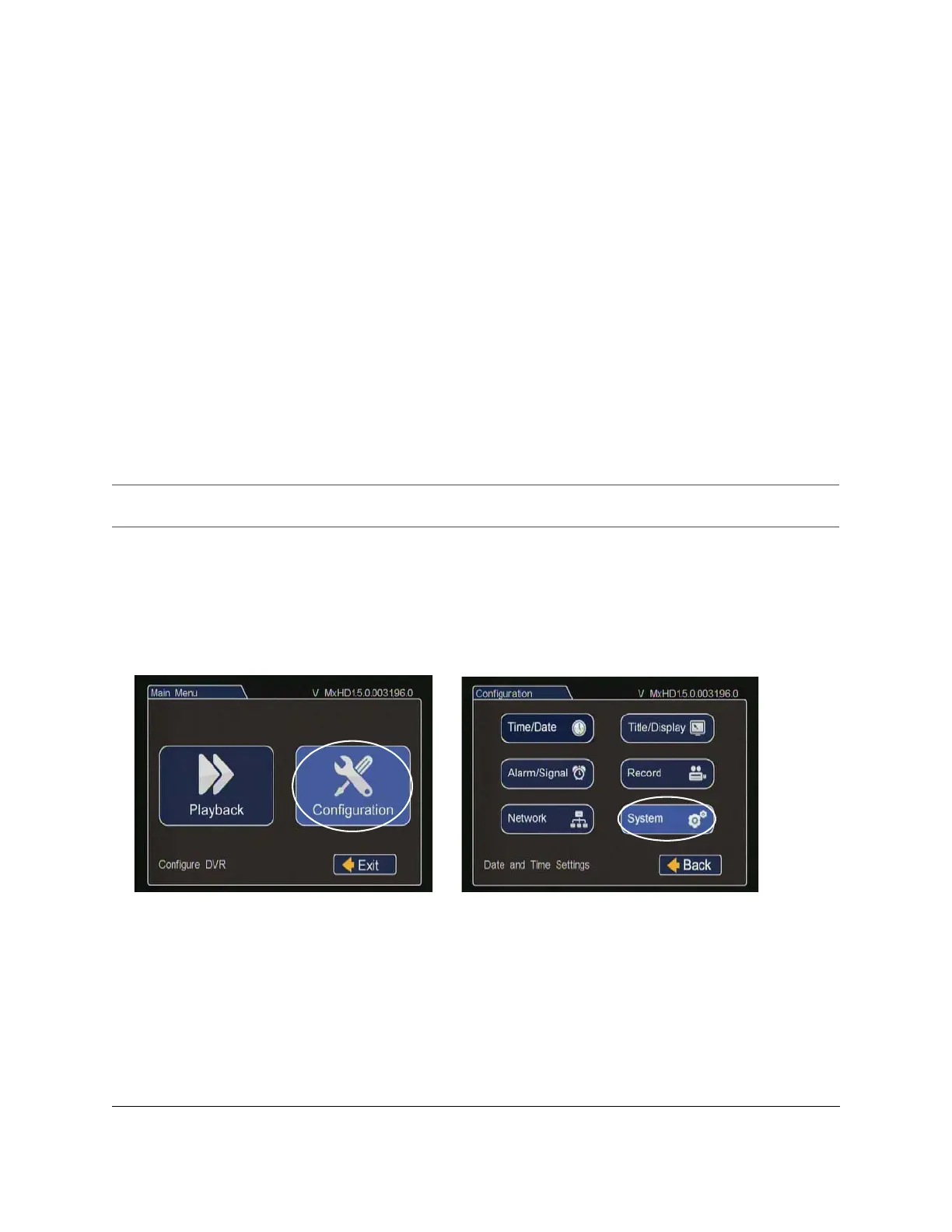
5 In the DVR on screen display, double right click to open the menu, click Configuration, and then click
System.
Important:
For USB uploading, the configuration file name can have no more than four characters. Example:
MXHD.seon.
Figure 35
Main Menu and Configuration Menu



 To Next Page