Explorer MX-HD Install and Setup Guide
700-0159
R003 5
Installation Diagrams
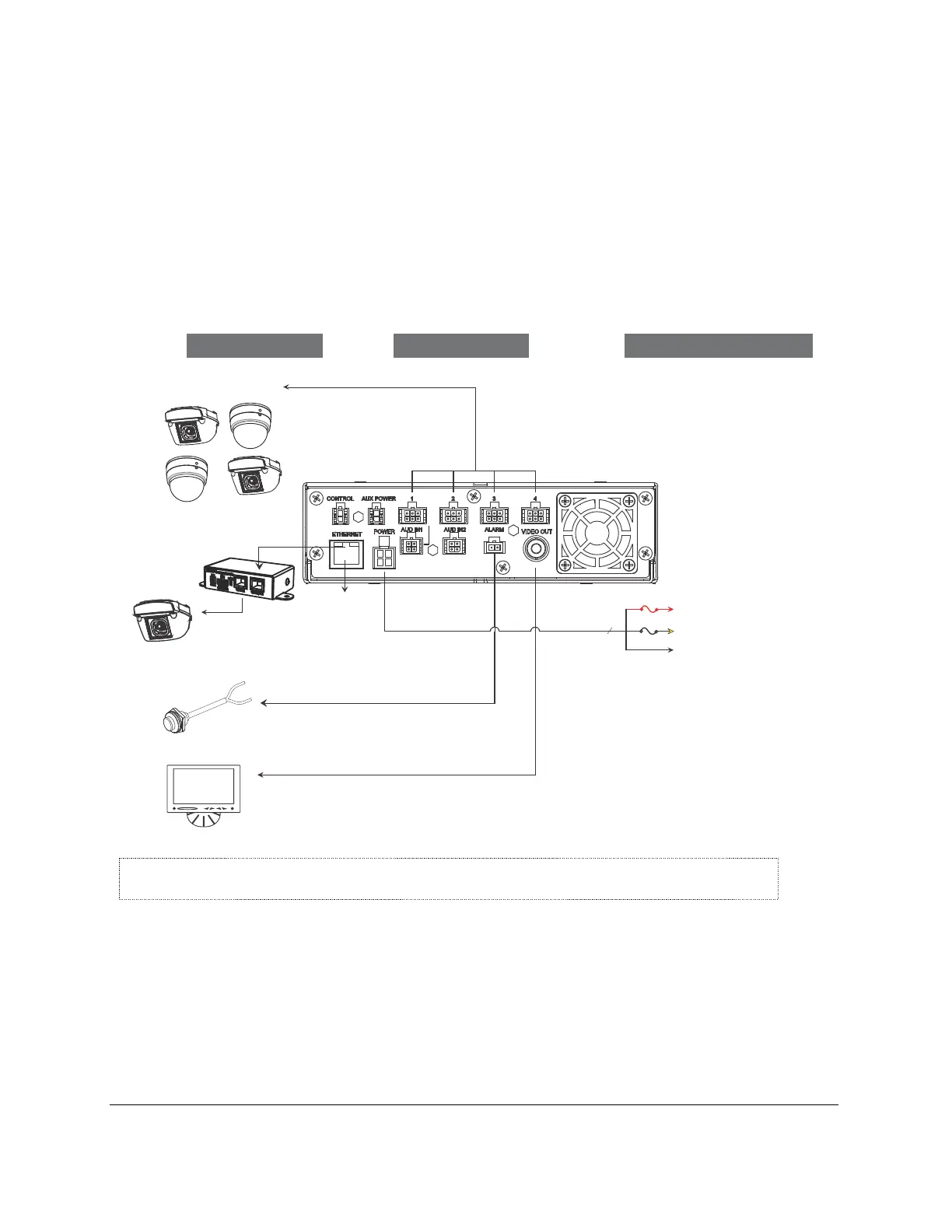
To install the typical MX-HD Basic system, see Figure 1.
To install the typical MX-HD Plus system, see Figure 2.
Figure 1
Typical Basic System Setup
Explorer® MX-HD
Typical Basic System Setup
Vehicle Electrical Interface
Peripherals Seon System
Alarm Button
Portable Video Monitor
*1
Supports Four
Analog Cameras
3 wires
Vehicle + 12V (red)
Battery Negative (black)
POWER
Vehicle Switched + 12V (yellow)
5A
1A
MX-HD DVR Rear Panel
*1 The portable video monitor can be used from the front or back panel DVR connectors.
CHW HD Camera
Power over Ethernet
Injector
Laptop
Config
(Optional)



 To Next Page