
 Need help?
Do you have a question about the SEPTENTRIO PolaRx5 and is the answer not in the manual?
Includes CE, RoHS, WEEE compliance, and critical safety statements.
Information on obtaining first-line support and accessing additional documentation.
Details on power consumption, physical dimensions, environmental ratings, and performance.
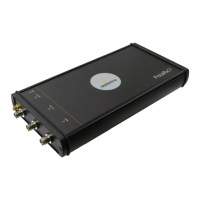
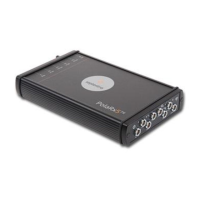
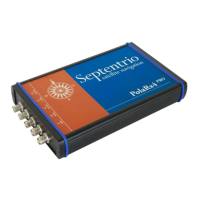
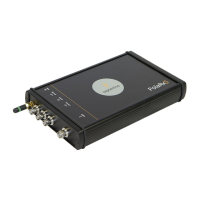
Overview of front/rear panels, connectors, powering, buttons, and memory.
Steps for powering the receiver and connecting a GNSS antenna.
Methods for connecting to the web interface using USB, WiFi, or Ethernet.
Steps to configure the PolaRx5 as an RTK base station and output corrections.
Setting up the PolaRx5 as an NTRIP caster to broadcast correction data.
Utilizing Precise Point Positioning (PPP) services for accurate positioning.
Configuring and outputting a Pulse-per-Second (PPS) signal for time synchronization.
Activating the Network Time Protocol (NTP) server for clock synchronization.
Procedures for configuring data logging to internal memory or external devices.
Methods for downloading logged data files from the receiver.
Marking specific files to prevent deletion, linked to hardware events.
Configuring the P2PP server to emulate an IP link over a serial port.
Alternative to FTP for file submission, supporting OpenAM authentication.
Overview of the web interface for monitoring receiver status, position, and signals.
Utilizing AIM+ for detecting and mitigating RF interference using spectrum analysis.
How to log specific data (SBF files, diagnostic reports) for troubleshooting.
Monitoring receiver events and operations via the 'Receiver Messages' window.
Configuring the receiver to power down on low external voltage with monitoring settings.
Configuring scheduled sleep periods and wake-up schedules for power management.
Configuring user access levels for web interface, FTP, and communication ports.
Enhancing SFTP/rsync security using SSH public key authentication.
Configuring firewall settings to control access via Ethernet and WiFi ports.
Configuring DHCP or static IP addresses for the receiver's Ethernet connection.
Setting up Dynamic DNS for remote access using a hostname.
Procedure for upgrading the receiver's firmware or uploading new permission files.
Restoring the receiver to its factory default configuration settings.
Performing soft or hard resets to resolve operational issues or restore settings.
Saving receiver configuration to a PC and uploading it to another PolaRx5.
Description of the 7-pin COM1 serial port, including pinout and function.
Description of the 7-pin COM2 serial port, including pinout and function.
Description of the 7-pin connector configurable as COM3/COM4 or USB device.
Description of the Ethernet port, including PoE support and pinout.
Description of the OUT port for GP1/GP2 outputs and reset indication.
Description of the IN port for event inputs, antenna power, and reset.
Description of the USB Host port for connecting external devices.
Description of the PWR connector for power input (9-30V DC).
Description of the MAIN connector for GNSS antenna connection.
Description of the PPS OUT connector for time synchronization signal output.
Description of the REF IN connector for external 10MHz frequency reference input.
Description of the REF OUT connector for 10MHz frequency reference output.
Description of the WiFi SMA connector for the WiFi antenna.
Power consumption table specific to the PolaRx5e model.
Physical dimensions, weight, and environmental ratings for the PolaRx5e.
Overview of the front and rear panel layouts for the PolaRx5e model.
Methods for powering the PolaRx5e, including internal battery operation.
Information on automatic battery charging and estimated charging time.
Instructions for installing the RxTools software suite from the installer file.
 General
| Type | GNSS Receiver |
|---|---|
| Velocity Accuracy | 0.01 m/s |
| Connectivity | Ethernet, Serial, USB |
| Power Supply | 9-36 V DC |
| Weight | 1.5 kg |
| Signals Tracked | GPS, GLONASS, Galileo, BeiDou, QZSS |
| Frequency Bands | L1, L2, L5, E1, E5, B1, B2, B3 |
| Data Output | NMEA, RTCM, BINEX |
| Operating Temperature | -40 °C to +65 °C |
| Data Logging | Internal memory |
| Advanced Features | multi-constellation support |








 To Next Page
