
 Need help?
Do you have a question about the SEPTENTRIO PolaRx5TR and is the answer not in the manual?
Covers CE, ROHS, WEEE compliance notices and general safety information for the receiver.
Details physical dimensions, weight, operating temperature range, and certifications like IP65 and CE.
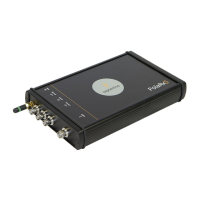
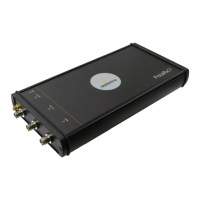
Describes the front and rear panel layouts, including connectors and key components like buttons and LEDs.
Explains how to power the receiver using the provided adapter or via Power over Ethernet (PoE).
Details connecting a GNSS antenna to the MAIN connector on the rear panel and antenna power supply.
Guides on establishing a connection to the receiver's web interface using USB, WiFi, or Ethernet.
Describes the typical setup for time/frequency transfer using external 10 MHz reference and PPS signals.
Explains how to calibrate the internal delay (Xo) for accurate time synchronization using auto-calibration.
Details enabling monitoring of the PPS IN signal for detecting phase changes and ensuring synchronization.
Guides on configuring and logging CGGTTS data files, including parameters and FTP push settings.
Explains how to generate CGGTTS files by logging SBF data and converting it via the RxControl program.
Steps to configure the receiver as an RTK base station, set its position, and output corrections over Ethernet.
Details on setting up the built-in NTRIP Caster to broadcast correction data to multiple clients.
Instructions on configuring and outputting a synchronized PPS signal for external device timing.
Guide on enabling and configuring the Network Time Protocol (NTP) server functionality for clock synchronization.
Explains internal and external data logging, session setup, disk full actions, and FTP push configuration.
Instructions on downloading logged data files via the web interface 'Disk Contents' or the on-board FTP server.
Configuration steps for the Point-to-Point Protocol (P2PP) server, emulating an IP link over a serial port.
Information on CloudIt for file submission and OpenAM authentication, an alternative to FTP.
Overview of the web interface's 'Overview' page for monitoring receiver status, quality indicators, and data streams.
Details on the AIM+ system for detecting and mitigating narrow-band and wideband RF interference using notch filters.
Steps to log SBF files and generate diagnostic reports for troubleshooting receiver behavior.
Explains how to check receiver events and messages in the 'Receiver Messages' window for operational checks.
Guide on configuring the monitoring feature to automatically power down the receiver when external voltage drops below a threshold.
Instructions on configuring scheduled sleep and wake-up schedules for power management and operational control.
Covers user administration, defining default access levels for web, FTP, and ports, and managing users.
Explains securing FTP and rsync access using SSH public key authentication for enhanced security.
Details on configuring the receiver's firewall to control network access by IP address and port.
Instructions on configuring static or DHCP IP settings for the receiver's Ethernet network connection.
Guide on setting up Dynamic DNS to enable remote access to the receiver using a registered hostname.
Steps for upgrading receiver firmware or loading new permission files using .suf files.
Process for restoring the receiver to its factory default configuration, saving settings to boot.
Methods for resetting the receiver's configuration, including soft and hard resets, via the Admin menu.
Procedure for saving receiver configurations to a PC and uploading them to other PolaRx5TR units.
Description of the 7-pin COM1 serial port, its pinout, and function as a DCE device.
Description of the 7-pin COM2 serial port, its pinout, and function as a DCE device.
Details the 7-pin connector configurable for COM3/COM4 serial or USB device mode based on pin 7.
Explains the Ethernet port and its support for Power-Over-Ethernet (PoE) mode A.
Describes the output ports (GP1, GP2, nRST_OUT) and their functionalities for controlling external signals.
Details input ports (EVENTA, EVENTB, ANT_EXT) for event timing and external antenna power.
Describes the USB Host port and its specifications for connecting external memory devices.
Explains the 3-pin PWR connector for power input (9-30V DC) and its relation to the power button.
Describes the MAIN connector for connecting a GNSS antenna, including gain and current limits.
Details the PPS IN connector for receiving a one pulse-per-second signal for precise time synchronization.
Explains the PPS OUT connector for outputting a synchronized pulse-per-second signal.
Describes the REF IN connector for providing an external 10 MHz frequency reference signal.
Details the REF OUT connector for outputting a 10 MHz reference signal, synchronized or duplicated.
Describes the SMA connector used for attaching the WiFi antenna.
Describes the red POWERLED status indicating receiver power on/off.
Describes the green LANLINKLED status indicating Ethernet connection and data activity.
Describes the orange TRACKLED status indicating the number of satellites being tracked.
Describes the red GPLED, which functions as DIFFCORLED or LOGLED for corrections/logging status.
Guide on installing the RxTools suite of graphical tools from the provided memory stick or Septentrio website.
 General
| Brand | SEPTENTRIO |
|---|---|
| Model | PolaRx5TR |
| Category | Receiver |
| Language | English |








 To Next Page

