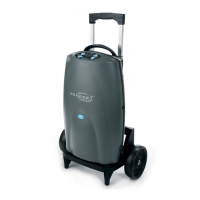
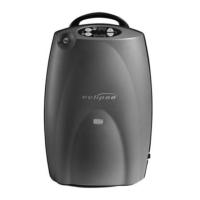
Operating Your Eclipse
Location of your Eclipse
Place the Eclipse device in a room with good air flow,
making sure the air inlet and exhaust vent are not
obstructed.
Turning your device on
Press and hold the ‘On/Off’ button for five
seconds.
A brief audible and visual test will occur. Check that all
the indicators are illuminated and that a buzzer sounds
for three seconds. This indicates the device is working
properly.
Allow it to warm up for five minutes before using.
Caution
When first turning the oxygen machine on, if three beeps
are heard, please call us.
If machine lights do not show red, yellow then turn green
after the machine has been running for more than 5
minutes, please call us.
Adjusting the flow setting to the prescribed
level
Using the +/ – flow setting buttons, adjust the
flow setting to the prescribed setting ordered
by your Healthcare Professional.
10 Healthcare Helpline: 0800 373580 I 8.00am-6.30pm every day


 To Next Page