PRO2 User Guide
Chapter 8: Using the Command Line Interface (CLI)
• 199
Command Syntax
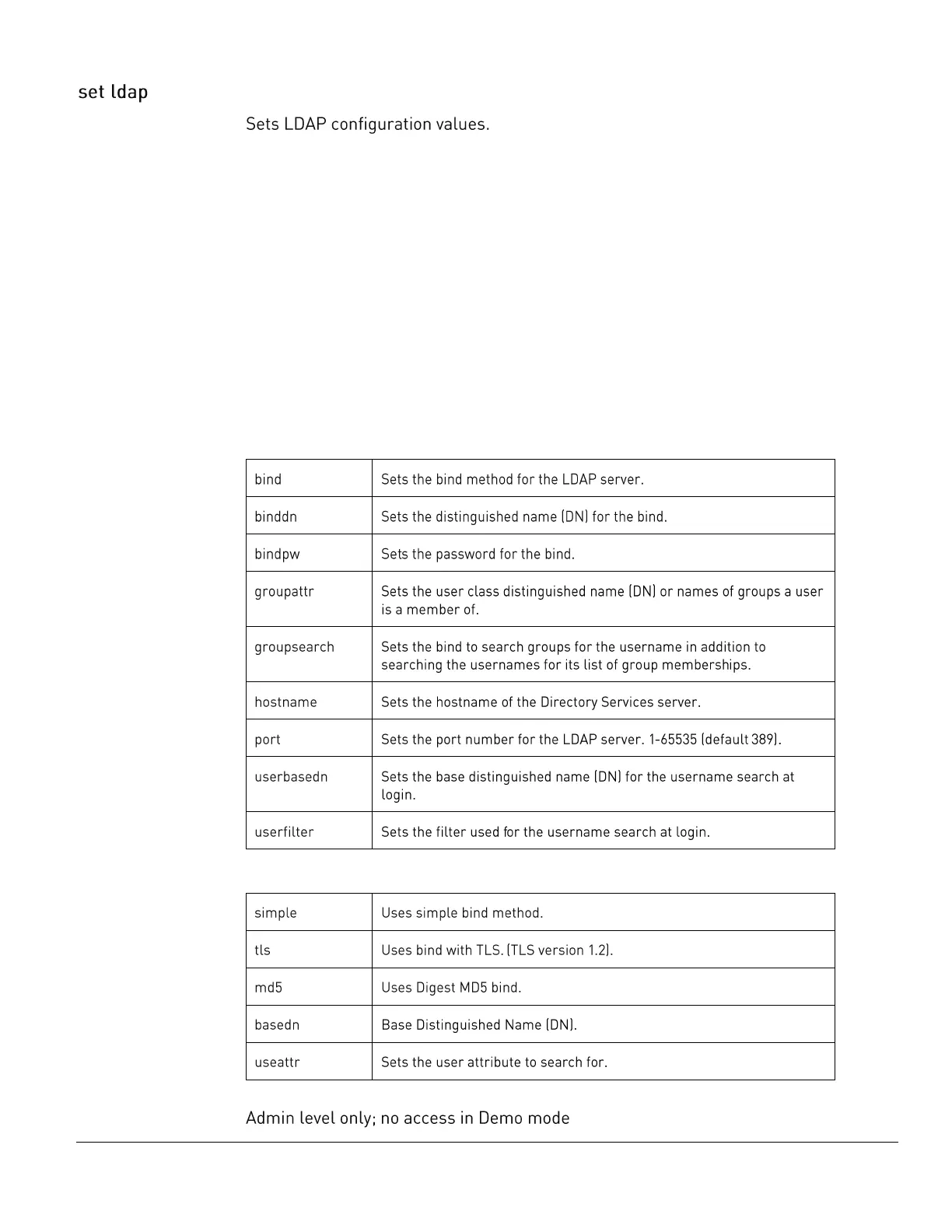
set ldap bind [simple | tls | md5]
set ldap binddn <distinguished name>
set ldap bindpw <password>
set ldap groupattr <group attribute>
set ldap groupsearch basedn <distinguished name>
set ldap groupsearch [disabled | enabled]
set ldap groupsearch useattr <user attribute>
set ldap primary <hostname>
set ldap secondary <hostname>
set ldap port <port>
set ldap userbasedn <distinguished name>
set ldap userfilter <filter>
Parameters
The set ldap command uses the following parameters:
Sub-Parameters
The set ldap command uses the following sub-parameters:
Command Access



 To Next Page