Operation
3.7 Favorite
Totally there are 8 Favorite groups. To change the lists, please refer to the item 2.2 Satellite List.
Red button (CAPS): Use this button to shift the alphabet form(capitalized/ small); Green button(DEL): Delete present
letter; Yellow(OK) button: Confirm current editing status; Blue(CANCEL): Cancel editing operation and exit.
3.8 Other:
z LNB Power: Choose On/ Off to switch on/ off LNB power supply.
z Channel Play Type: Three options available: Free, Scrambled, and All.
z Beeper: On/Off. Choose either alternative to switch On/ Off Beeper indicating the signal strength.
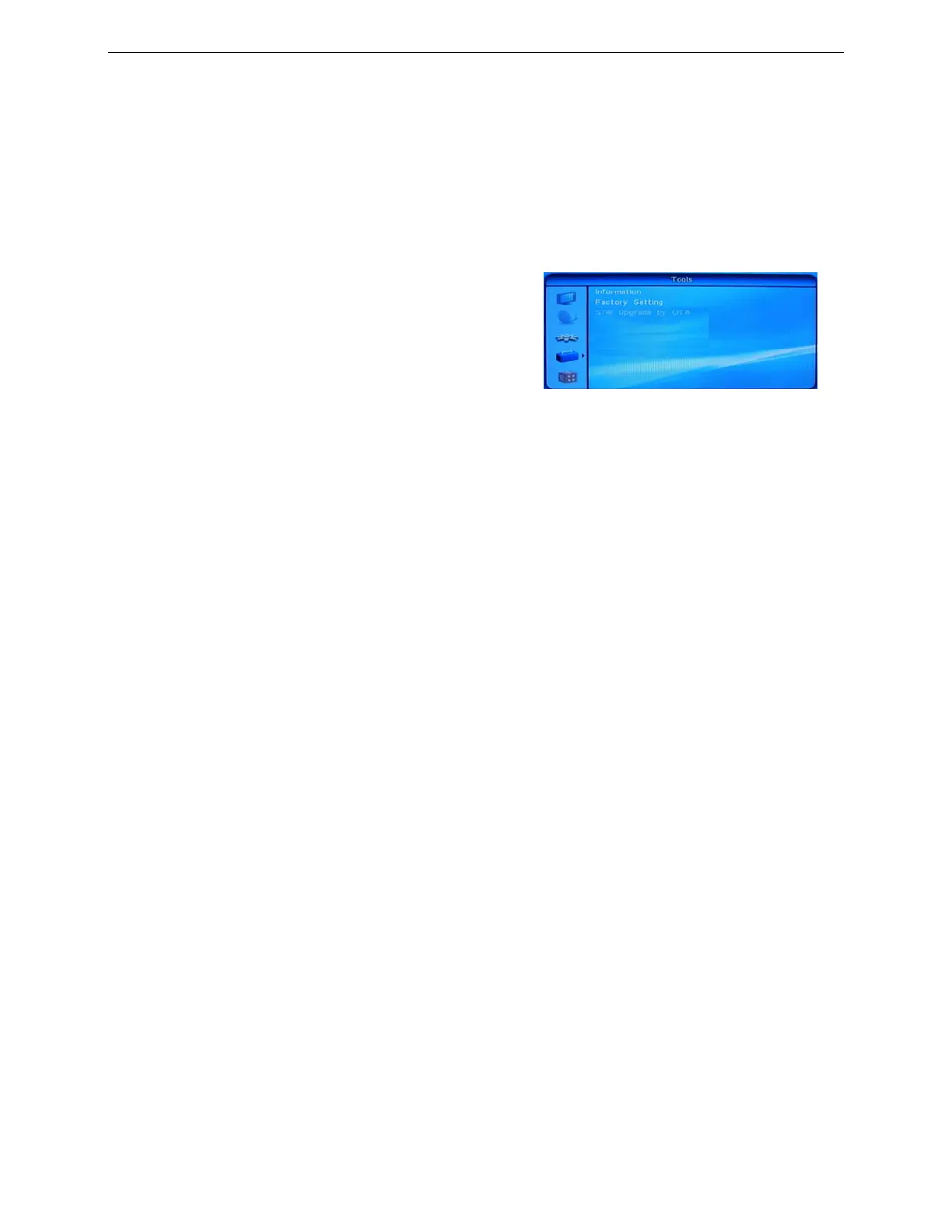
4. Tools
There are3 submenu items under this directory:
Information
Factory Setting
S/W Upgrade by OTA
4.1 Information: Display the relevant information of the system software.
4.2 Factory Setting
Press VOL► to access this Factory Setting. According to the screen hints, you may choose either Yes (Restore) or
No (Cancel) before pressing OK to confirm.
Please perform this step when you use this receiver for the first time or the receiver has just been upgraded.
4.3 S/W Upgrade by OTA
This setting is used to upgrade the software of the receiver by OTA.
● Satellite: Choose the satellite for upgrade.
● Transponder: Select the transponder for upgrade.
● Frequency: Select the frequency of upgraded channel.
● Symbol Rate: Select the symbol/ code rate of upgrade channel.
● Polarity: Select the right polarity of the Upgrade channel.
● Download PID: Select the PID of the downloaded software.
● Start: Start upgrading the software.
Note: Upgrade should be performed following the hints on the screen.
5. Game
z Tetris: Press OK to access Game Tetris.
z Othello: Press OK to access Game Othello.
Note: Regarding the concrete operation, please refer to the screen hint information.
11


 To Next Page