
 Need help?
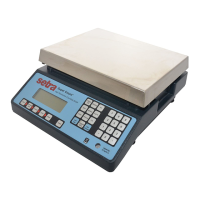
Do you have a question about the Setra Systems BL-EL-4100D and is the answer not in the manual?
Step-by-step guide for initial balance setup, including location, leveling, pan installation, and power connection.
Explains the function of each key on the balance for controlling operations and settings.
Describes the meaning of various LED indicators shown on the balance display.
Lists and explains common messages displayed on the balance screen during operation.
Step-by-step instructions for performing a basic weighing operation on the balance.
Guide on how to weigh substances using a container, excluding the container's weight.
Instructions on how to switch between different units of measurement like grams, ounces, and carats.
Procedure for calculating the percentage difference of a weight from a reference value.
How to fill a container to a specified percentage of a total target weight.
Method to adjust how quickly the balance display updates for stable readings.
Using the MODE key to set a fast response rate for filling operations to a specific target.
Using the MODE key to set a slow response rate for stable readings in vibrating environments.
How the balance monitors and displays weight change per second as flow rate.
Configuring the MODE key to lock and hold a displayed weight until a key is pressed.
Information on connecting the balance to a computer via its RS-232 serial port.
Steps to print displayed weight data to an optional serial printer.
Procedure for setting up and stopping printing of weight at fixed time intervals.
Overview of the menu structure for balance calibration procedures.
Accessing and setting functions for the MODE key, such as display response rate or hold.
Configuring the baud rate for RS-232 serial communication.
Setting and enabling various units of measure for weighing.
Customizing balance settings based on environmental conditions like vibration.
Step-by-step guide to perform a span calibration of the balance, including full scale and half capacity.
Procedure to configure the MODE key to adjust the balance's display response rate.
Procedure to configure the MODE key to lock and hold a displayed weight.
Setting the PRINT key to output data only when a stable reading is achieved.
Configuring the PRINT key to immediately output data without waiting for stability.
Setting the PRINT key to output data at predetermined time intervals.
Configuring the number of line feeds for label printing or formatting output.
Steps to set the communication speed (baud rate) for RS-232 interface.
Configuring the data parity (none, odd, even) for RS-232 communication.
Procedure to enable or disable specific weighing units like grams, ounces, and carats.
Defining conversion factors and decimal precision for custom units.
Procedure to enable the 'x' unit to display flow rate in grams per second.
Steps to access and view the balance's firmware version number.
Guide to reset all customizable settings back to their original factory default values.
Overview of how response rate affects balance performance in different environments.
Configuring fast, slow, or auto response rates based on application and environment.
Procedure to calibrate for temperature-induced offsets and internal compensation.
Details available keyboard commands for RS-232 interface and data transmission format.
Information on the physical RS-232 interface, pinouts, and cable requirements.
Description of the CoStar SETRA 250 printer, receipt paper, and labels.
Details on glass draftshields for static-free protection and improved stability.
Accessories for securing the balance and protecting it from dust and spills.
Guidance on resolving common operational issues, unusual messages, or unstable readings.
Steps to check setups and restore factory defaults when calibration or printing fails.
Steps for diagnosing and resolving problems with the RS-232 serial communication interface.
Detailed technical specifications including capacity, readability, linearity, and dimensions for BL-410S/4100S.
Specifications related to span range, update speed, baud rates, and operating temperature.
Details of the manufacturer's 3-year warranty, coverage, exclusions, and limitations.
Details the balance's adherence to the European EMC Directive and related standards.
Summary of compliance test results for radiated RF, ESD, and transient burst.
 General
| Brand | Setra Systems |
|---|---|
| Model | BL-EL-4100D |
| Category | Scales |
| Language | English |



 To Next Page