EasyManua.ls Logo

Setra Systems Super Count - User Manual

Setra Systems Super Count
73 pages
Print Icon
To Next Page IconTo Next Page
Loading...
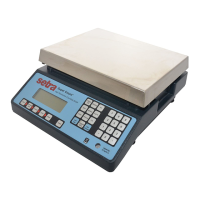
Setra Super Count
TM
Operator's Manual 1
Introduction
Thank you for purchasing a Setra Super Count scale. Its ease of operation and durable construction
should provide years of reliable service. While your scale is easy to operate, it is advisable to read
this guide carefully before use. It is designed to help you perform weighing, counting, and related
operations quickly and accurately.
This manual is divided into six sections. Section One, “Installing Your Scale,” explains the proper
installation of your scale. Section Two, “Understanding Your Scale,” explains the various keys, dis-
plays, and messages you will encounter while using your scale. Section Three, “Using Your Scale,”
provides the detailed instructions necessary to perform your scale’s various operations. Section Four,
“Advanced Functions” describes the use of the scale’s databases and using APWs in exponential
notation. Section Five “ScriptCoder” describes the scale’s programmable RS-232 output. The appen-
dices include setup information, calibration procedures, examples, a description of RS-232 commu-
nications, options and specifications.
Typographical Conventions used in this manual include the following:
1. bold lower case characters indicate specific keys on the scale keyboard.
(e.g. Press — tare. Asks you to press the key first and then the tare key on the scale
keyboard.)
2. “Quotation marks” enclose messages you receive from the scale display.
3. nnn indicates that a number will appear in the display message.

Other manuals for Setra Systems Super Count

Question and Answer IconNeed help?

Do you have a question about the Setra Systems Super Count and is the answer not in the manual?

Setra Systems Super Count Specifications

General IconGeneral
BrandSetra Systems
ModelSuper Count
CategoryScales
LanguageEnglish

Summary

Section One

Installing Your Scale

Provides instructions for the initial setup and installation of the scale.

Section Two

Understanding Your Scale

Explains the scale's keys, displays, and operational messages.

Keyboard Functions

Details the purpose and function of each key on the scale's keypad.

Section Three

Using Your Scale

Covers basic operations like weighing, unit conversion, and tare functions.

Basic Weighing

Step-by-step guide for performing simple weighing operations on the scale.

Weighing with a Container

Instructions on how to weigh contents accurately when using a container.

Basic Counting Procedures

Counting Using Sample Size Key

Demonstrates counting using the preprogrammed sample size feature.

Counting Using the Count Key

Outlines the procedure for counting parts using the dedicated count key.

Advanced Counting Features

Minimum Sample Size & Accuracy

Explains features to improve counting accuracy by setting minimum sample size.

Reverse Counting or Kitting

Describes how to count pieces removed from a container for kitting purposes.

Counting with Specific Data

Counting with Known APW

Procedure for counting parts when the average piece weight is known.

Counting with Known APW and Tare

Method for counting items in a container using known APW and tare weight.

Accumulating Results

Accumulating by Weight or Count

Instructions on how to sum weights or counts of multiple operations.

Section Four

Advanced Functions

Covers advanced capabilities like exponential notation and database use.

Section V

Scriptcoder Custom Label Printing

Feature for programming custom label designs and RS-232 output.

Programming Scale Features

Minimum Sample Size Programming

Setting the minimum number of pieces for sample size selection.

Minimum Accuracy Programming

Configuring the minimum accuracy level based on sample weight.

Restoring Factory Defaults

Restoring Factory Default Setups

Procedure to reset all scale settings and calibration to factory defaults.

Appendix III

Calibration

Information and procedures for calibrating the scale.

Calibrating Your Scale

Step-by-step guide to perform scale calibration using keyboard.

Appendix VI

RS-232 Serial Data Communications

Technical details and conventions for RS-232 communication with the scale.

Appendix VIII

In Case of Difficulty

Troubleshooting guide for common scale operational issues and errors.

Appendix X

Specifications

Detailed technical specifications for various scale capacities.

Appendix XII

Limited Two-Year Scale Warranty

Details of the warranty terms and conditions for the scale.

Related product manuals