70
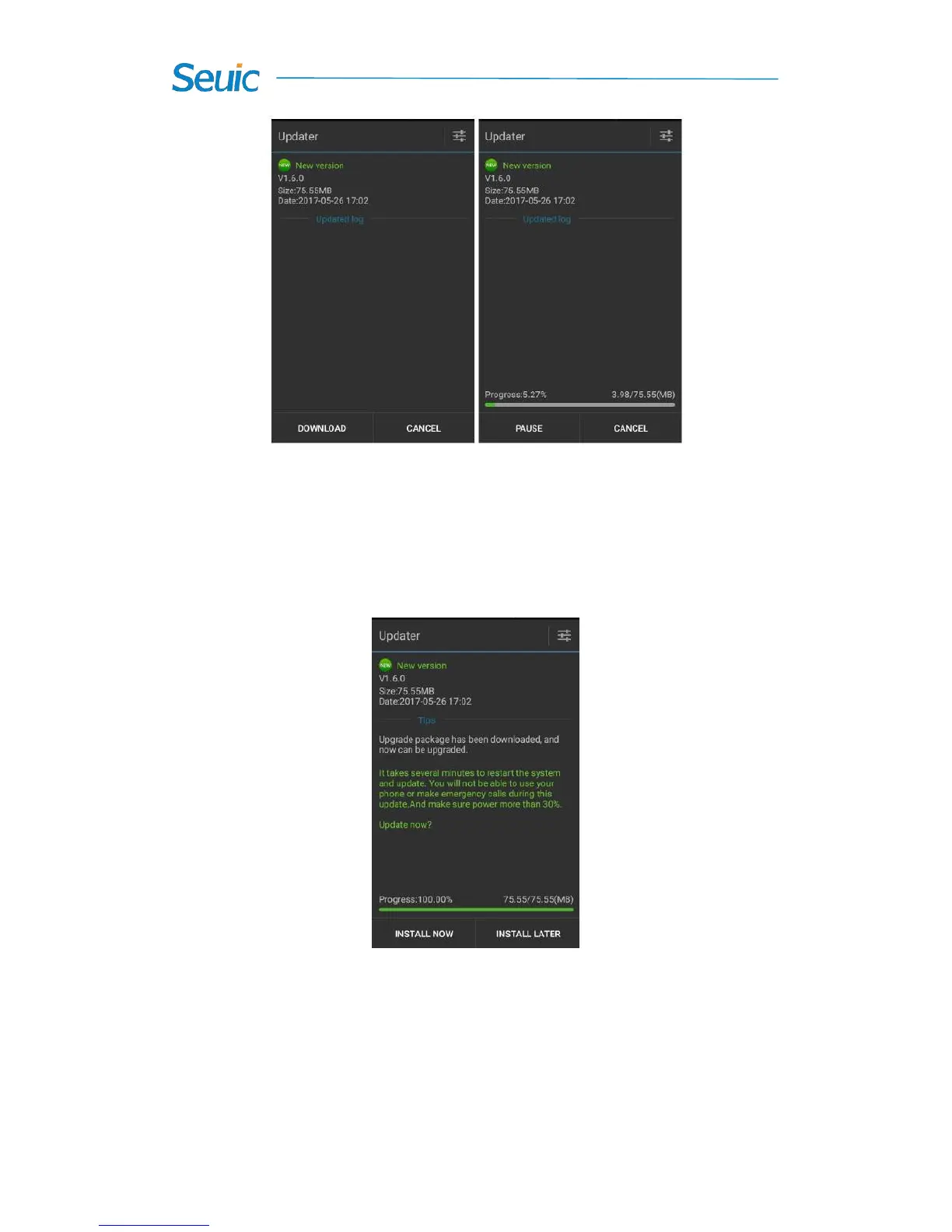
Figure 8-10 Check for updates and Download
1. Tap Download: once download is completed, tap Install now.
Your device will restart automatically and goes into the updating status,
as shown in the figure below:
Figure 8-11 Update now
When the power is less than 30%, you will be prompted to charge the
device before upgrading, as shown below:



 To Next Page