69
8.2 System update
This application is convenient for customers to complete remote
updates.
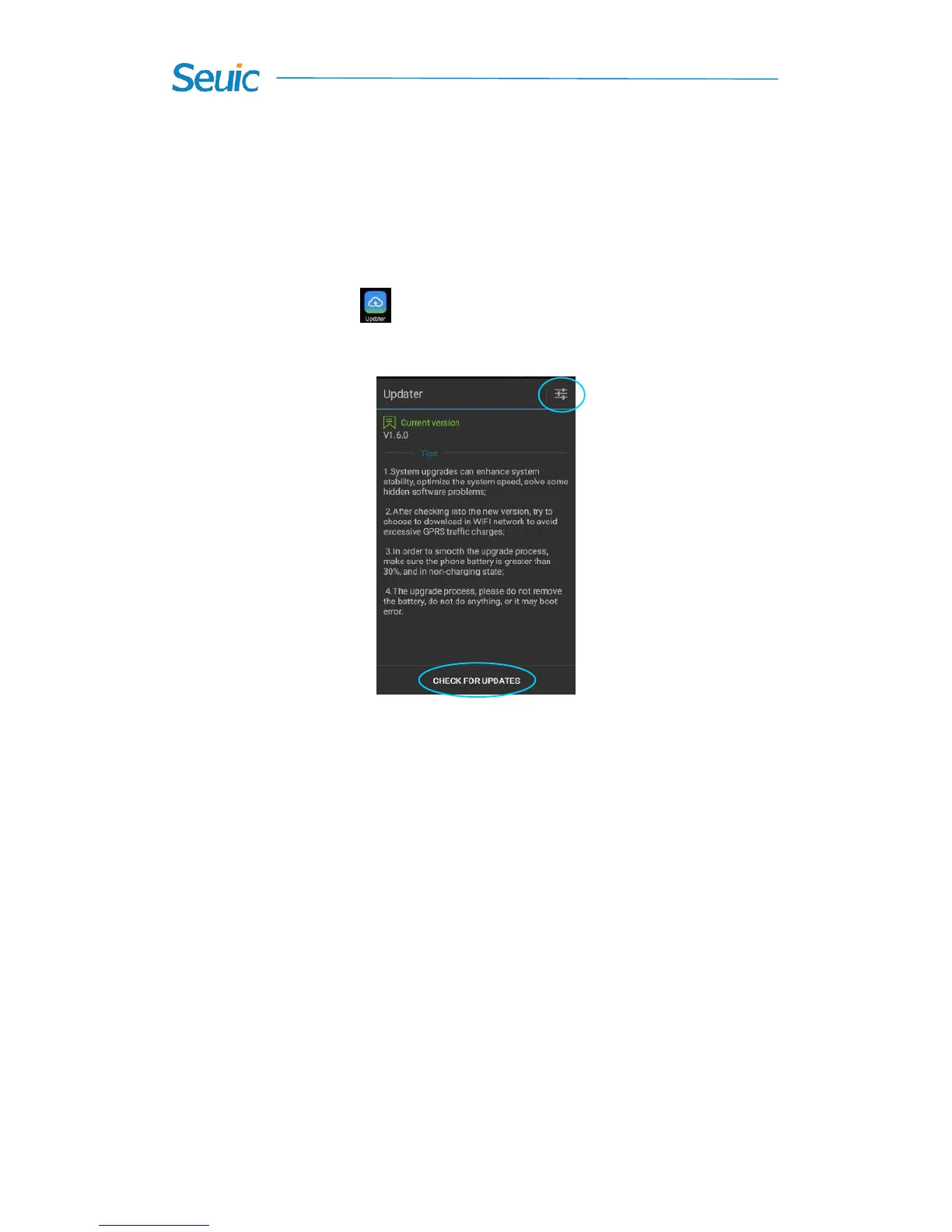
1. Find this icon , and enter Updater (or go to Settings-> About
phone-> Updater, as shown in the figure below:
Figure 8-9 System update
2. In case of good network connectivity, tap Check for updates. If
there are no updates available, you will be prompted that the current
version is the latest one; if you are notified of updates, tap Download to
enter the download interface, as shown in the figure below:



 To Next Page