DIGITAL WEIGHING INDICATOR
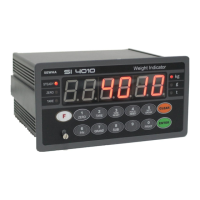
SI 4010
6. Press key to save and move to next step.
7. Define the optimal Digit/Division value of weighing measurement.
Whenever pressing key, the Digit/Division value will
be changed like “1 2 5 10 20 50” .
Ex) Load cell CAPA : 20kg, division : 0.001 Input division
“1”
8. press key to save the Digit/Division value and move
to next step
※ Caution
(Max. capacity value / division value) cannot be over 20,000.(as Indicator resolution is 1/200,00).
If the value is over 20,000, Error message “ Err 01 “ will be displayed and move back “CAPA” mode again.
9. When you press key, the indicator starts to find
“Zero” condition.
10. Indicator will search “DEAD weight” during 5sec, automatically.
After finding optimal “Zero” value, automatically move to next step.
※ Caution : At this step, if there some force or Vibration on Weighing scale, and unstable condition will be
continued, “ErrorA” will be display, and “DEAD value” will not be calculated.
Under this condition, please remove force or vibration and process it again.
11. Span Calibration mode starts..


 To Next Page