DIGITAL WEIGHING INDICATOR
SI 4010
※ Caution
If the plural No. of load cells are installed, please make sum the all load cells capacity and input.
Ex) There are 4pcs of load cells are installed, and each load cell’s Max. capacity is 1,000kg.
Then, total Max. Capacity will be 4,000kg and you have to input 4,000kg.
6. define the optimal position or Decimal point
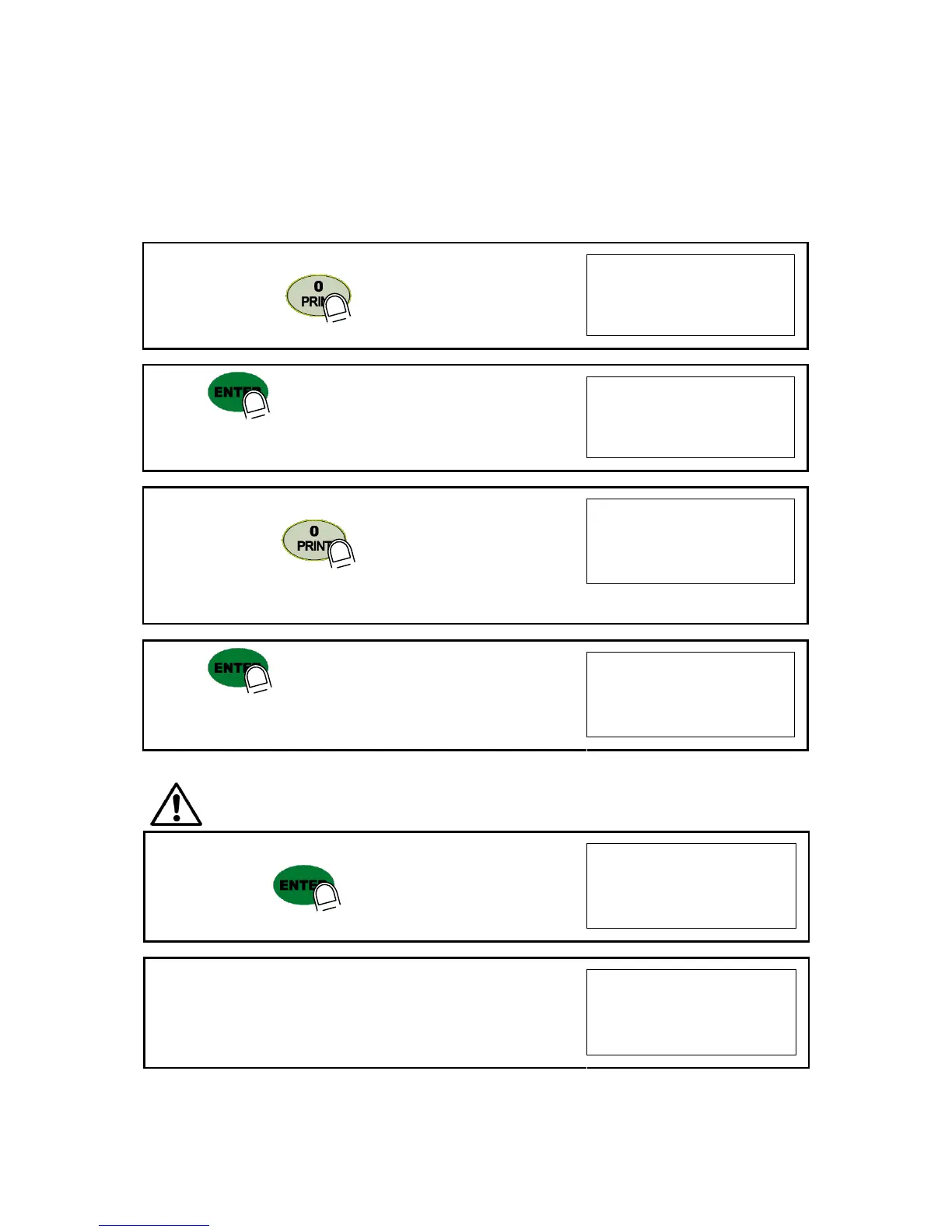
Whenever pressing key, Decimal point will be changed.
7. Press key to save Digit /Decimal point and
move to next step.
Ex) Load cell CAPA : 30kg, division : 0.01 Input 30.00
8. Define the optimal Digit/Division value of weighing measurement.
Whenever pressing key, the Digit/Division value will
be changed like 1 25102050
Ex) Load cell CAPA : 30kg, division : 0.01 Input division “5”
9. press key to save the Digit/Division value and
move to next step.
※ Caution : (Max. capacity value / division value) cannot be over 20,000.(as Indicator resolution is 1/200,00).
If the value is over 20,000, Error message “ Err 01 “ will be displayed and move back “CAPA”
mode again.
10. Under this step, measure the “DEAD Weight of Weighing Scale
When you press key, the indicator starts to find “Zero”
condition.
11. Indicator will search “DEAD weight” during 5sec, automatically.
After finding optimal “Zero” value, automatically move to next step.


 To Next Page